You signed in with another tab or window. Reload to refresh your session.You signed out in another tab or window. Reload to refresh your session.You switched accounts on another tab or window. Reload to refresh your session.Dismiss alert
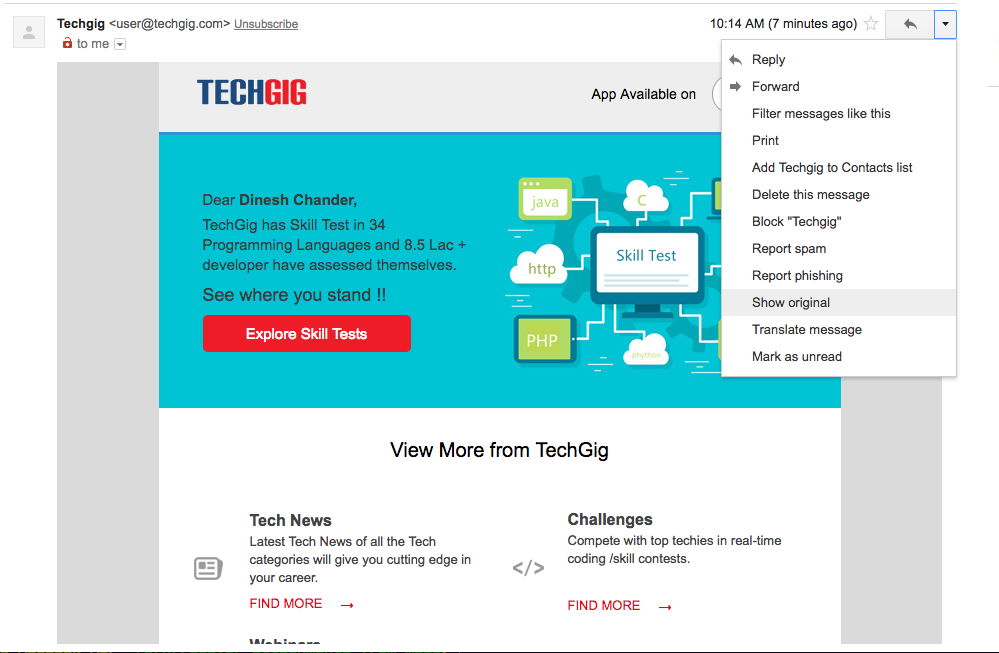
Go to your inbox and to the mail from which you want to recover your attachment.
Now on the right hand side, click the More button. In the dropdown select Show Original option.
It will take you to a new page. On this page select Download Original. This will download a text file on your system.
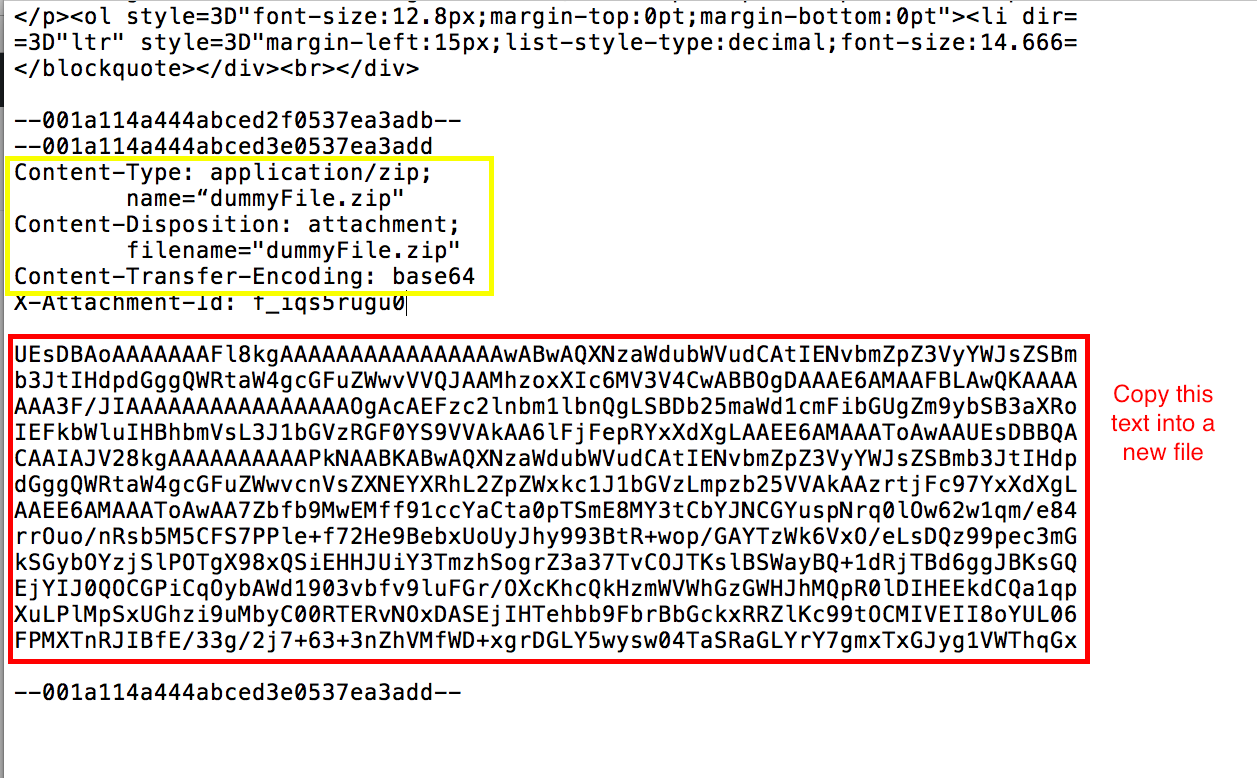
Open this file in any text editor and then search for Content-Disposition: attachment;. Also make sure that Content-Transfer-Encoding: base64 is there with Content-Disposition: attachment, since this program only works with base64 encoding yet.
Below Content-Disposition: attachment; you will find a big chunk of random characters. Copy this chunk in a new file ( let's say attachment_base64.txt).
Now run :
node recover.js attachment_base64.txt outputfileName.extension
Make sure the extension of output file is correct, otherwise the attachment won't recover properly.
About
Recover blocked attachments from gmail. Written in JavaScript (NodeJS). Step by Step process.