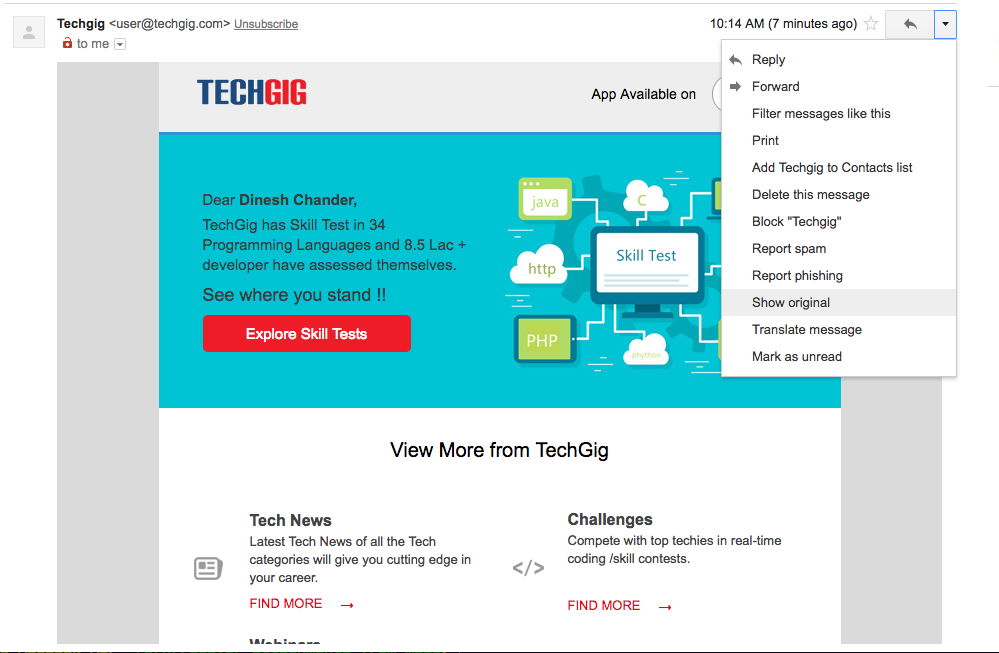
- Go to your inbox and to the mail from which you want to recover your attachment.
- Now on the right hand side, click the
Morebutton. In the dropdown selectShow Originaloption.
- It will take you to a new page. On this page select
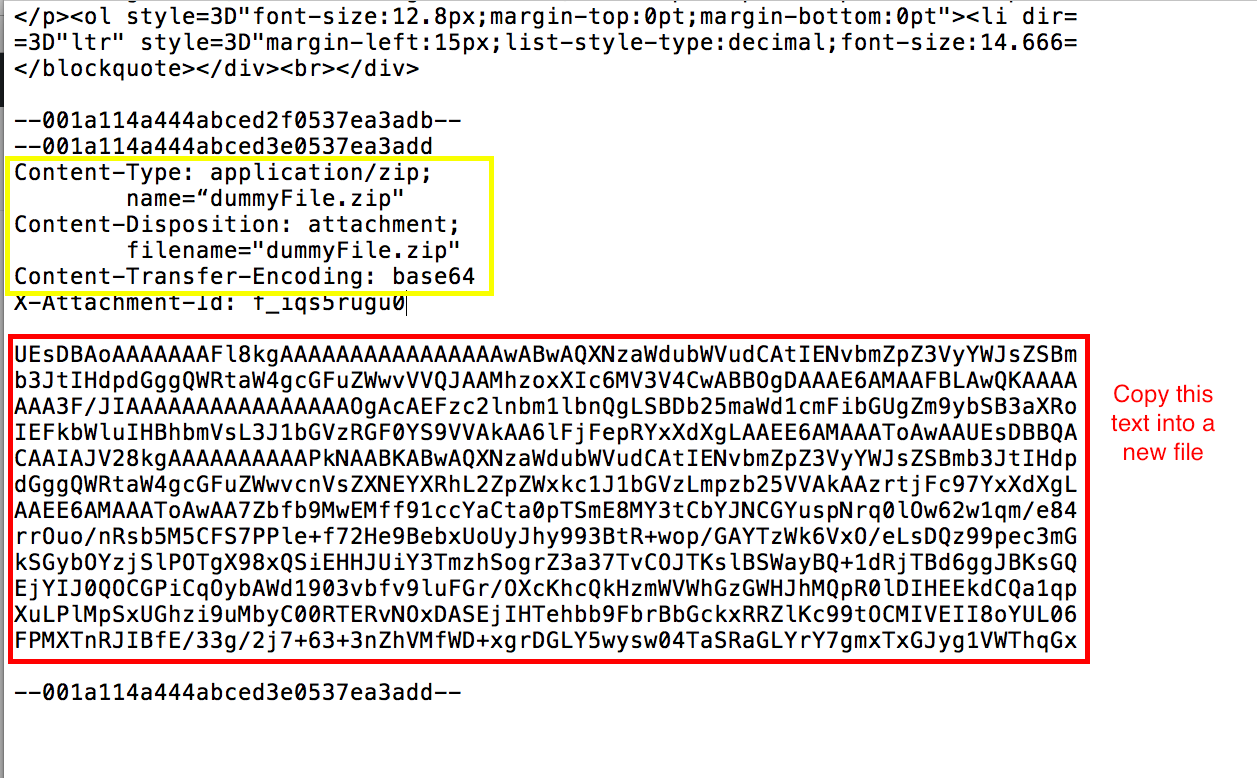
Download Original. This will download a text file on your system. - Open this file in any text editor and then search for
Content-Disposition: attachment;. Also make sure thatContent-Transfer-Encoding: base64is there withContent-Disposition: attachment, since this program only works withbase64encoding yet. - Below
Content-Disposition: attachment;you will find a big chunk of random characters. Copy this chunk in a new file ( let's say attachment_base64.txt).
- Now run :
node recover.js attachment_base64.txt outputfileName.extension - Make sure the extension of output file is correct, otherwise the attachment won't recover properly.