
Real-time Indonesian procurement data for LLM agents



PyProc MCP turns public SPSE/Inaproc procurement data into MCP tools that can be used by LLM clients (Claude Desktop, Continue, Cursor), AI agents, automation workflows, Python scripts, and command-line users.
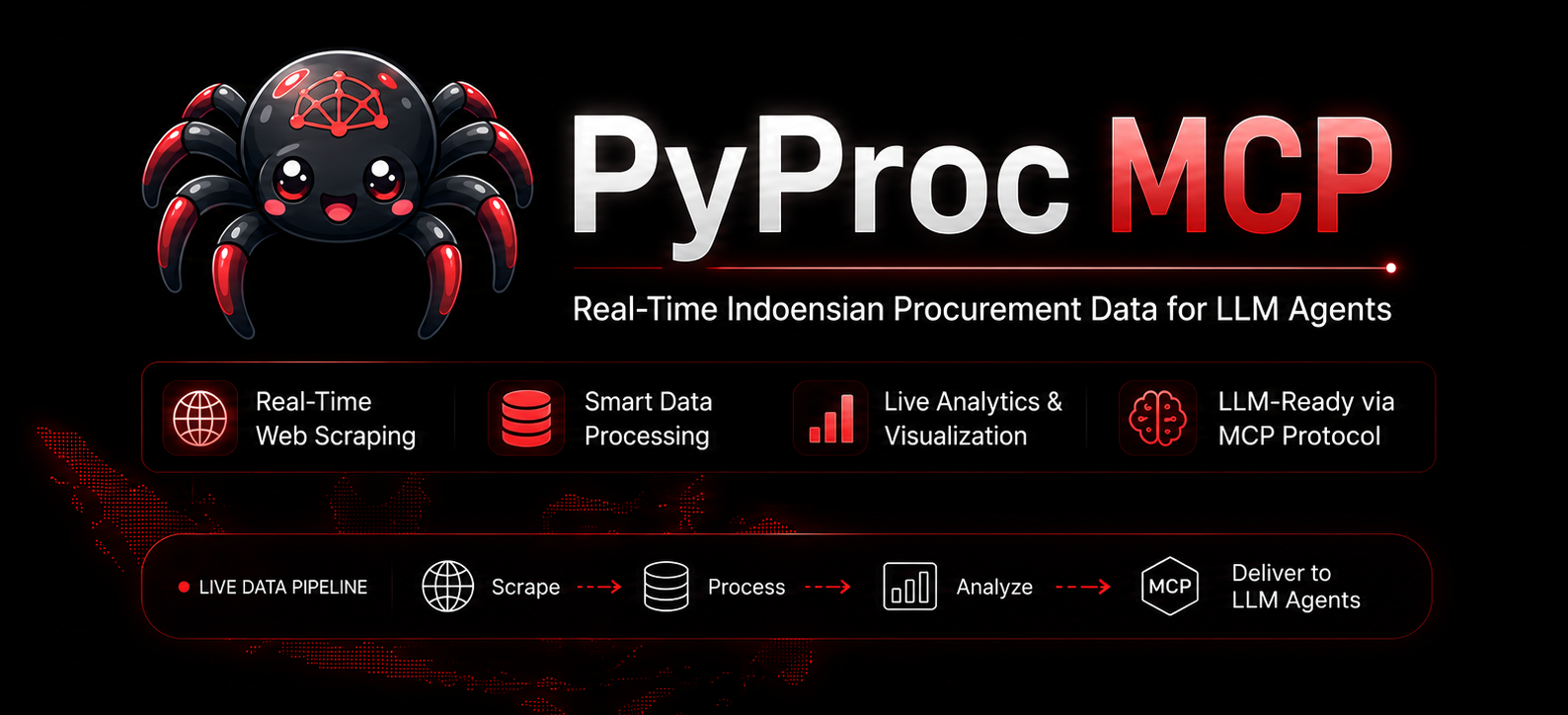
Indonesia's public procurement system (SPSE/Inaproc) processes thousands of tender and non-tender packages across hundreds of government institutions (LPSE). This data is public — but not easily accessible to AI agents and automation tools.
PyProc MCP bridges this gap:
- LLM-native access — MCP tools let AI agents search and analyze procurement data directly
- Real-time data — Fetches live data from SPSE/Inaproc, not stale snapshots
- Comprehensive — Full package details: announcements, participants, evaluation results, winners, schedules
- Lightweight — Single command:
pyproc-mcp. Works with any MCP-compatible client - Multi-interface — Use as MCP server, Python library, or CLI tool — same codebase, no lock-in
- Respectful defaults — Built-in rate limiting, caching guidance, and responsible-use policy
- Discover opportunities — Search tender and non-tender packages across any LPSE host
- Deep-dive analysis — Retrieve full package details: requirements, HPS value, location, schedule
- Competitive intelligence — See who's bidding, who's winning, and at what price
- Timeline tracking — Monitor procurement schedules from announcement to contract
- Vendor research — Find which companies win which types of contracts where
- AI-powered insights — Let LLMs analyze procurement patterns, compare packages, and generate reports
- Export and automate — Use the Python library or CLI to build automated procurement monitoring pipelines
PyProc can be used in three ways. Choose the one that fits your workflow:
Give your LLM direct access to Indonesian procurement data through MCP tools.
PyProc MCP supports two transport interfaces: stdio (default, for local MCP clients like Claude Desktop and Cursor) and HTTP (Streamable HTTP, for network/containerized deployments).
pip install pyproc[mcp]

# Start MCP server (stdio, default)
pyproc mcp

# Start MCP server (HTTP)
pyproc mcp --interface http
pyproc mcp --interface http --port 9090
Generate MCP client configuration:
The quickest way to connect your MCP client is to generate a ready-to-use config:
# Print config to stdout (stdio interface)
pyproc mcp --generate-config

# Print config to stdout (HTTP interface)
pyproc mcp --interface http --generate-config

# Write config to a file
pyproc mcp --generate-config mcp-config.json
pyproc mcp --interface http --port 9090 --generate-config mcp-config.json
Adding to your MCP client:
Copy the output into your client's config file (e.g. claude_desktop_config.json for Claude Desktop, or .cursor/mcp.json for Cursor). For stdio:
{
  "mcpServers": {
    "pyproc": {
      "command": "pyproc-mcp",
      "env": {
        "PYPROC_TIMEOUT": "30"
      }
    }
  }
}
For HTTP (clients that support Streamable HTTP):
{
  "mcpServers": {
    "pyproc": {
      "type": "streamableHttp",
      "url": "http://localhost:8080/"
    }
  }
}
Restart your MCP client. PyProc tools will appear in the tool list.
Use PyProc as a Python library for custom automation and data analysis.
from pyproc import Lpse, JenisPengadaan
from pyproc.lpse import By

# Initialize client for a specific LPSE host
lpse = Lpse('kemenkeu')

# Search for tender packages
packages = lpse.get_paket_tender(
    start=0,
    length=20,
    search_keyword='mobil dinas',
    tahun=2025,
    kategori=JenisPengadaan.PENGADAAN_BARANG
)
print(packages['data'])

# Get full detail of a package
detail = lpse.detil_paket_tender('10080116000')
detail.get_all_detil()
print(detail.todict())

# Get only the winner
winners = detail.get_pemenang()
print(winners)
See Python Library Usage for complete API documentation.
Download procurement data in bulk from the command line.
# Download tender data from Kemenkeu LPSE, export as JSON
pyproc spse kemenkeu --keyword "mobil dinas" --tahun-anggaran 2025 --output-format json

# Download non-tender data from multiple LPSE hosts
pyproc spse jakarta,sumbarprov --jenis-paket non_tender --tahun-anggaran 2025

# Download pencatatan non-tender data. This is distinct from non_tender.
pyproc spse nasional --jenis-paket pencatatan_non_tender --tahun-anggaran 2026

# Download with custom output filename
pyproc spse "kemenkeu;output_kemenkeu" --output-format csv --separator ";"
The spse subcommand is the default, so pyproc kemenkeu is shorthand for pyproc spse kemenkeu.
See CLI Usage for the full argument reference.
The MCP server exposes the following tools:
| Tool | Description |
|---|---|
search_lpse_hosts |
Find LPSE host slugs from institution names such as "kementerian keuangan" |
get_lpse_host_detail |
Confirm metadata and canonical URL for a known LPSE host slug |
get_procurement_search_options |
Explain direct keyword search vs local full-text indexing |
search_tender_packages |
Search tender procurement packages by one or more exact SPSE keywords |
search_non_tender_packages |
Search non-tender packages by one or more exact SPSE keywords |
search_pencatatan_non_tender_packages |
Search pencatatan non-tender packages, a distinct /dt/nonspk entity |
search_swakelola_packages |
Search swakelola packages |
search_pengadaan_darurat_packages |
Search pengadaan darurat packages |
get_tender_detail |
Get full detail for a tender package — announcement, participants, evaluations, winner, schedule |
get_non_tender_detail |
Get full detail for a non-tender package |
get_pencatatan_non_tender_detail |
Get detail for a pencatatan non-tender package |
get_swakelola_detail |
Get detail for a swakelola package |
get_pengadaan_darurat_detail |
Get detail for a pengadaan darurat package |
get_tender_details_bulk |
Get details for multiple tender packages in one tool call |
get_non_tender_details_bulk |
Get details for multiple non-tender packages in one tool call |
get_pencatatan_non_tender_details_bulk |
Get details for multiple pencatatan non-tender packages |
get_swakelola_details_bulk |
Get details for multiple swakelola packages |
get_pengadaan_darurat_details_bulk |
Get details for multiple pengadaan darurat packages |
get_procurement_categories |
List supported procurement categories (no network call) |
get_master_klpd |
Get LKPP Satu Data master K/L/PD references (alternative data source) |
get_master_lpse |
Get LKPP Satu Data master LPSE references (alternative data source) |
get_tender_umum_publik |
Get tender data from LKPP ISB Satu Data (alternative data source / fallback) |
set_ssl_verify |
Enable/disable TLS/SSL certificate verification for all SPSE requests |
get_ssl_verify |
Return current SSL verification setting |
validate_lpse_host |
Check if an LPSE host is accessible |
create_procurement_search_index |
Download a bounded package set into a local SQLite full-text index |
search_procurement_index |
Search a local SQLite full-text index |
list_procurement_indexes |
List local full-text indexes |
delete_procurement_index |
Delete a local full-text index |
Each tool includes LLM-friendly descriptions with parameter documentation, rate limit notes, and data source attribution.
Users do not need to know LPSE host slugs in advance. When a user names an institution, the LLM should resolve the host first, then search procurement packages.
There are two procurement executor scopes:
- Agency-specific hosts, such as
kemenkeu,jakarta, orpu. - The nationwide host
nasional, used for national-wide/lintas instansi data and pencatatan nasional sources.
If the user asks for national, nationwide, all-Indonesia, lintas instansi, or pencatatan nasional data, use lpse_host="nasional" directly.
Host discovery uses the maintained Gist host metadata and the newUrlPath field for agency hosts. The nasional host is built in and does not depend on the Gist metadata. Legacy oldUrl values are ignored. Canonical URLs are always built as:
https://spse.inaproc.id/{newUrlPath}
Example user request:
cari data lelang pengadaan laptop pada kementerian keuangan
Expected MCP flow:
- Call
search_lpse_hostswithquery="kementerian keuangan". - Select the best returned
host, usuallykemenkeu. - Call
search_tender_packageswithlpse_host="kemenkeu"andkeyword="laptop".
If multiple host candidates look plausible, the LLM should ask the user to choose the intended LPSE before searching package data.
SPSE/Inaproc package search is keyword-based. PyProc MCP therefore exposes two search strategies:
- Direct keyword search: fast and lightweight. Use
search_tender_packagesorsearch_non_tender_packageswithkeywordorkeywords, for example["laptop", "notebook", "komputer"]. The MCP server runs bounded SPSE searches and merges duplicate package IDs. - Local full-text search: broader but slower. Use
create_procurement_search_indexonly after the user agrees to download and index a bounded package set locally; the tool requiresconfirm_download=true. Then usesearch_procurement_indexto search downloaded package details with SQLite FTS.
The LLM should start with direct keyword search. If results are weak or the user asks for a broader full-text search, it should explain the tradeoff before creating a local index.
In addition to direct realtime SPSE/Inaproc queries, PyProc also integrates with the LKPP ISB (Indonesia Satu Data) API. This is a curated, government-maintained dataset that provides:
- Master LPSE — reference list of all LPSE units with their codes and names
- Master K/L/PD — reference list of all government institutions (Kementerian, Lembaga, Perangkat Daerah)
- Tender Umum Publik — public tender data indexed by LPSE code and budget year
The ISB Satu Data API serves as an alternative data source when:
- Direct SPSE/Inaproc queries fail or return errors (e.g., server timeouts, blocked hosts)
- You need reference data (LPSE codes, institution codes) before making SPSE queries
- The user explicitly wants the curated ISB dataset rather than realtime SPSE data
Use the satudata CLI subcommand or the get_master_lpse, get_master_klpd, and get_tender_umum_publik MCP tools to access ISB data.
Here are examples of what you can ask an LLM when PyProc MCP tools are connected:
"Cari data lelang pengadaan laptop pada kementerian keuangan"
→ LLM uses search_lpse_hosts to resolve "kementerian keuangan" to kemenkeu, then calls search_tender_packages with keywords like ["laptop", "notebook", "komputer"].
"Kalau keyword biasa kurang lengkap, cari full text di detail paket"
→ LLM explains that local indexing downloads package details, then uses create_procurement_search_index followed by search_procurement_index if the user agrees.
"Find active procurement packages related to cybersecurity in 2025"
→ LLM uses search_tender_packages with keyword "keamanan siber" or "cybersecurity" across relevant LPSE hosts.
"Summarize tender package 10080116000 on kemenkeu — what's the HPS, who won, and when?"
→ LLM uses get_tender_detail to retrieve the full package and summarizes key fields.
"Ambil detail untuk 5 paket tender pertama dari hasil pencarian"
→ LLM uses get_tender_details_bulk with the selected package IDs instead of calling get_tender_detail repeatedly.
"Compare the top 5 infrastructure tenders on pu LPSE by HPS value"
→ LLM uses search_tender_packages with kategori=PEKERJAAN_KONSTRUKSI, sorts by HPS, and presents a comparison table.
"Generate a vendor research checklist for a company bidding on IT procurement" → LLM analyzes recent IT-related tenders and generates a checklist of requirements, certifications, and typical bid values.
pip install pyprocpip install pyproc[mcp]pip install git+https://github.com/wakataw/pyproc.gitpip uninstall pyprocThe MCP server is configured via environment variables.
Common (all interfaces):
| Variable | Default | Description |
|---|---|---|
PYPROC_TIMEOUT |
30 |
HTTP request timeout in seconds |
PYPROC_RATE_LIMIT_DELAY |
1.0 |
Minimum seconds between requests |
PYPROC_LOG_LEVEL |
INFO |
Logging level (DEBUG, INFO, WARNING, ERROR, CRITICAL) |
PYPROC_SSL_VERIFY |
0 |
Enable SSL/TLS certificate verification (1, true, yes, on to enable) |
PYPROC_MCP_WORKERS |
4 |
Worker count for parallel detail fetching |
HTTP interface only:
| Variable | Default | Description |
|---|---|---|
PYPROC_MCP_HOST |
0.0.0.0 |
HTTP bind address |
PYPROC_MCP_PORT |
8080 |
HTTP listen port |
PYPROC_MCP_STATELESS |
0 |
Enable stateless mode (no session tracking) |
PYPROC_MCP_JSON_RESPONSE |
1 |
Use JSON responses instead of SSE streams |
PYPROC_MCP_SESSION_IDLE_TIMEOUT |
1800 |
Session idle timeout in seconds (stateful only) |
- MCP server: Does not use persistent caching. Each tool call makes a fresh request to SPSE/Inaproc. Rate limiting enforces a minimum 1-second delay between requests to respect SPSE servers.
- CLI tool: Uses a local SQLite database (
.idxfile) for download progress tracking and resume support. The cache is disposable per-download. - Python library: No built-in caching. You control the request lifecycle through the
Lpseclass methods.
Data freshness depends on SPSE/Inaproc source availability. For the most up-to-date information, visit spse.inaproc.id.
from pyproc import Lpse

lpse = Lpse('kemenkeu', timeout=30)  # timeout in seconds
The Lpse class supports context manager usage:
with Lpse('kemenkeu') as lpse:
packages = lpse.get_paket_tender(length=10)from pyproc import Lpse, JenisPengadaan
from pyproc.lpse import By
lpse = Lpse('kemenkeu')
# Basic search
packages = lpse.get_paket_tender(start=0, length=25)
# Search by keyword
packages = lpse.get_paket_tender(search_keyword='sekolah', length=10)
# Filter by category
packages = lpse.get_paket_tender(
kategori=JenisPengadaan.PENGADAAN_BARANG,
length=10
)
# Filter by budget year
packages = lpse.get_paket_tender(tahun=2025, length=10)
# Sort by HPS
packages = lpse.get_paket_tender(order=By.HPS, length=10)
# Raw data only (list instead of dict)
data = lpse.get_paket_tender(data_only=True, length=10)packages = lpse.get_paket_non_tender(start=0, length=25)Pencatatan non-tender is a separate entity from ordinary non-tender.
packages = lpse.get_paket_pencatatan_non_tender(
    kategori=JenisPengadaan.JASA_LAINNYA,
    rekanan='PT Test',
    tahun=2026,
    instansi_id='L112',
)

swakelola = lpse.get_paket_swakelola(
    tipe_swakelola=1,
    rekanan='Direktorat Arsitektur dan Desain',
    tahun=2026,
    instansi_id='K68',
)

darurat = lpse.get_paket_pengadaan_darurat(
    kategori=JenisPengadaan.PEKERJAAN_KONSTRUKSI,
    tahun=2026,
    instansi_id='D267',
)# Get all detail sections
detail = lpse.detil_paket_tender('10080116000')
detail.get_all_detil()
# Access individual sections
detail.get_pengumuman() # Announcement
detail.get_peserta() # Participants
detail.get_hasil_evaluasi() # Evaluation results
detail.get_pemenang() # Winner
detail.get_pemenang_berkontrak() # Contracted winner
detail.get_jadwal() # Schedule
# Serialize to dict
data = detail.todict()detail = lpse.detil_paket_non_tender('10080116000')
detail.get_all_detil()detail = lpse.detil_paket_pencatatan_non_tender('10942236000')
detail.get_all_detil()
swakelola = lpse.detil_paket_swakelola('10336514000')
swakelola.get_all_detil()
darurat = lpse.detil_paket_pengadaan_darurat('106802')
darurat.get_all_detil()from pyproc import JenisPengadaan
# List all categories
for cat in JenisPengadaan:
print(cat.name, cat.value)
# Use as filter
JenisPengadaan.PENGADAAN_BARANG # Goods Procurement
JenisPengadaan.PEKERJAAN_KONSTRUKSI # Construction Works
JenisPengadaan.JASA_LAINNYA # Other Services
# ... and moreDownload procurement data directly from SPSE/Inaproc servers. The spse subcommand is the default.
pyproc kemenkeuThis downloads tender data from the Kemenkeu LPSE and exports it as kemenkeu.csv.
| Argument | Example | Default | Description |
|---|---|---|---|
lpse_host |
pyproc spse kemenkeu |
Required | LPSE host or text file with host list |
-k, --keyword |
--keyword "mobil dinas" |
"" |
Search keyword filter |
-t, --tahun-anggaran |
--tahun-anggaran 2025 |
Current year | Budget year (single, comma-separated, or range) |
--kategori |
--kategori PEKERJAAN_KONSTRUKSI |
None | Procurement category |
--jenis-paket |
--jenis-paket pencatatan_non_tender |
tender |
One of tender, non_tender, pencatatan_non_tender, swakelola, darurat |
--rekanan |
--rekanan "PT MAJU" |
None | Provider/rekanan name filter |
--instansi-id |
--instansi-id K68 |
None | K/L/PD code from master KLPD |
--tipe-swakelola-id |
--tipe-swakelola-id 1 |
None | Swakelola-only type filter |
-c, --chunk-size |
--chunk-size 50 |
100 |
Records per page |
-x, --timeout |
--timeout 60 |
30 |
Request timeout (seconds) |
-d, --index-download-delay |
--index-download-delay 5 |
1 |
Delay between index pages (seconds) |
-o, --output-format |
--output-format json |
csv |
Output format: csv or json |
--keep-index |
--keep-index |
False |
Keep SQLite index file after download |
-r, --resume |
--resume |
False |
Resume failed download |
-s, --separator |
`--separator " | "` | ; |
--log |
--log DEBUG |
INFO |
Log level |
# Download from multiple LPSE hosts
pyproc spse jakarta,kemenkeu,sumbarprov

# With custom output filenames
pyproc spse "jakarta;file_jakarta,kemenkeu;file_kemenkeu"# Export LPSE host list as CSV from Gist metadata
pyproc daftarlpse
# Export LPSE host list as sanitized Gist-backed JSON
pyproc daftarhostQuery K/L/PD reference data from the LKPP ISB Satu Data API:
# Show all K/L/PD references
pyproc masterklpd

# Search by institution name or code
pyproc masterklpd --query kemenkeu

# Filter by jenis (K, L, PD)
pyproc masterklpd --jenis K

# Get specific K/L/PD by code
pyproc masterklpd --kd-klpd K68

# Limit results
pyproc masterklpd --limit 5Access tender data from the LKPP ISB Satu Data API as an alternative to direct realtime SPSE queries.
# Launch interactive LPSE browser
pyproc satudata masterlpse

# With custom timeout
pyproc satudata masterlpse --timeout 60

# Specify output format and file
pyproc satudata masterlpse --output csv --output-file hasil.csvDownload tender data for a specific LPSE code and budget year:
# Download tender data for a specific LPSE and year
pyproc satudata tenderumum --kode-lpse 119 --tahun-anggaran 2026

# With custom options
pyproc satudata tenderumum --kode-lpse 119 --tahun-anggaran 2026 --timeout 60 --output json
Required arguments for tenderumum:
| Argument | Example | Description |
|---|---|---|
--tahun-anggaran |
2026 |
Budget year |
--kode-lpse |
119 |
LPSE code from master LPSE |
Optional arguments:
| Argument | Default | Description |
|---|---|---|
--timeout |
30 |
Request timeout in seconds |
--output |
json |
Output format: json or csv |
--output-file |
Auto-generated | Output file path |
This project is not affiliated with LKPP, LPSE, SPSE, Inaproc, or any Indonesian government institution.
PyProc MCP accesses publicly available procurement data from SPSE/Inaproc systems. Users are responsible for:
- Respectful usage — Do not overwhelm SPSE servers with excessive requests. The tool includes built-in rate limiting.
- Data accuracy — Procurement data may be incomplete, delayed, or changed by source systems. LLM-generated analysis should be verified against official sources at spse.inaproc.id.
- Compliance — Ensure your use complies with applicable laws and regulations in Indonesia.
- No disruption — Do not use this tool to disrupt public e-procurement services.
Penulis tidak terafiliasi dengan pengembang SPSE atau pemilik aplikasi SPSE. Software ini dikembangkan dengan tujuan akademis, bentuk pengawasan oleh masyarakat, dan membantu pengusaha untuk mempermudah otomasi perolehan informasi pengadaan dari pemerintah.
Penggunaan yang tidak wajar dan mengganggu sebagian atau seluruh fungsi aplikasi SPSE pada satuan kerja menjadi tanggung jawab masing-masing pengguna.
PyProc ada karena SPSE ada, jadi gunakanlah dengan bijak dan secukupnya.
# Clone the repository
git clone https://github.com/wakataw/pyproc.git
cd pyproc

# Install with dev dependencies
pip install -e ".[test]"
pip install -e ".[mcp]"  # for MCP development

# Run tests
python -m pytest tests/ -v

# Run unit tests only (no network required)
python -m pytest tests/ --ignore=tests/test_lpse.py --ignore=tests/test_downloader.py -vpyproc/
__init__.py # Public API: Lpse, JenisPengadaan
lpse.py # API wrapper + HTML parsers
cli.py # CLI downloader pipeline
cache.py # SQLite cache store
utils.py # Token parsing, host list
exceptions.py # Exception classes
text.py # UI strings
mcp/ # MCP server adapter layer
server.py # MCP server entry point
tools.py # Tool handlers
schemas.py # Validation and normalization
resources.py # MCP resources
errors.py # Error mapping
MIT License. See LICENSE for details.