

MantisParsedown - A MantisBT plugin for a native markup preview of the input fields.
Important
This plugin does not perform any text processing! Text formatting is handled entirely by other specialized MantisBT plugins, such as the built-in "MantisBT Formatting" plugin.
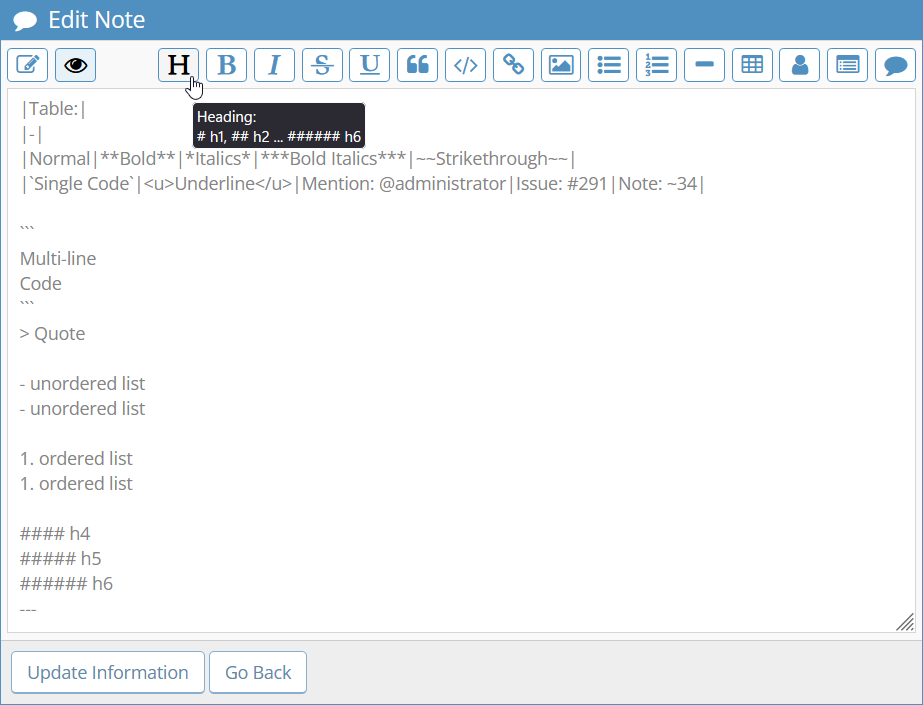
Edit Mode:
Preview Mode:
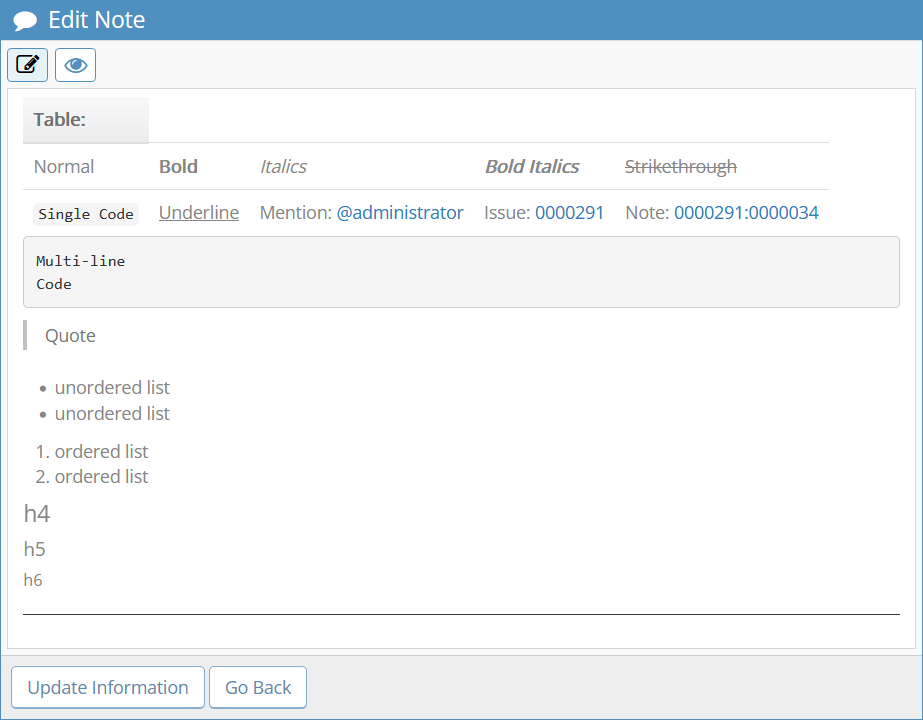
The plugin adds a button bar above each input field that supports MantisBT Parsedown markup. The buttons allow you to toggle between edit and preview modes, as well as perform quick text formatting. When previewing, the user's text is sent directly to MantisBT and any installed custom markup plugins, which perform the actual text formatting. Undo (Ctrl+Z) is supported. The Ctrl+B, Ctrl+I and Ctrl+H hotkeys are used to make the entered text bold, italic and headline, respectively.
- MantisBT 2.
- jQuery (bundled with MantisBT).
- Font Awesome (bundled with MantisBT).
- One of the plugins for text markup, for example, "MantisBT Formatting" (bundled with MantisBT).
- Download and extract the plugin files to your computer.
- Copy the MantisParsedown catalogue into the MantisBT plugin directory.
- In MantisBT, go to the Manage -> Manage Plugins page. You will see a list of installed and currently not installed plugins.
- Click the Install button next to "Mantis Parsedown" to install a plugin.
- If you are using the "MantisBT Formatting" plugin, don't forget to enable the "Markdown Processing" option in its settings.
- MarkDownEditor by eJyothi Services