
Bulk-process, generate, and improve Anki flashcards with LLMs and text-to-speech. anki-llm combines reviewable file workflows, direct deck updates, and an interactive generation TUI in one scriptable CLI.
Docs: anki-llm.raine.dev
- "What's next get AI to answer your flashcards for you?" - grei_earl on Reddit
- "I love this. The README is extremely detailed and clear, and using AnkiConnect to edit decks in-place avoids the usual apkg headaches." - rahimnathwani on Hacker News
- "This is cool!" - Hsaeedx on Reddit
-
Process files or decks. Export notes to reviewable CSV or YAML, process them with automatic resume, and import the result, or update a deck directly with previews, snapshots, and rollback support.
-
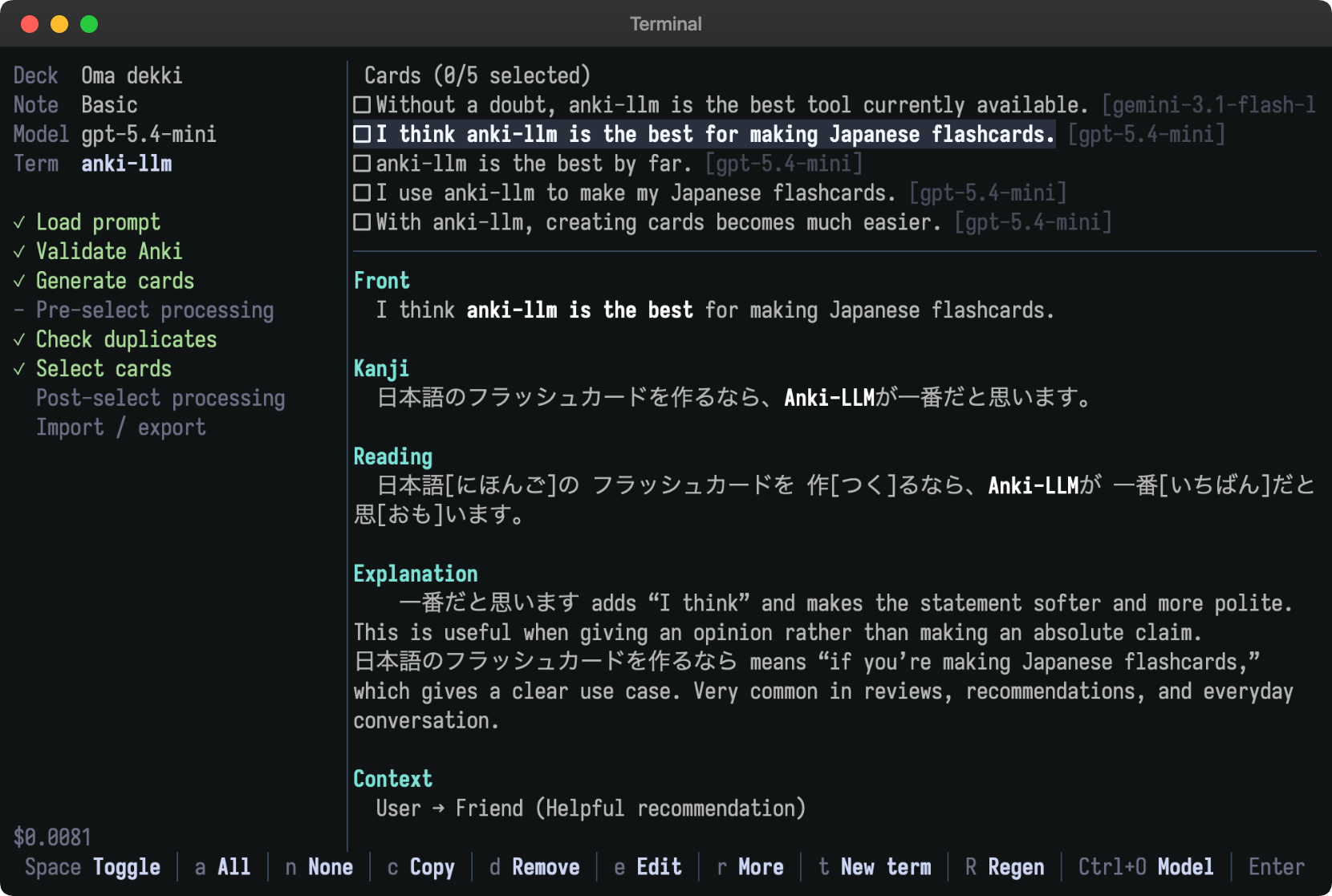
Generate cards interactively. Create several cards for a term, compare them in a terminal UI, edit or regenerate candidates, catch duplicates, and import only the cards you choose.
-
Keep workflows in plain files. Store prompts, note types, and per-project settings in a workspace that can be reviewed, versioned, and shared.
-
Add text-to-speech. Fill audio fields in bulk or synthesize audio while generating cards, with voice browsing, caching, and multiple TTS providers.
-
Edit note types with normal tools. Pull card template HTML and CSS into a workspace, edit them in your preferred editor or coding agent, and safely push them back to Anki.
-
Bring your preferred model. Use OpenAI, Gemini, DeepSeek, xAI, OpenRouter, Ollama, or any OpenAI-compatible chat completions endpoint.
-
Give agents structured Anki access.
anki-llm queryexposes AnkiConnect through a JSON-oriented CLI for collection inspection and agent-driven workflows.
Install with the release script:
curl -fsSL https://raw.githubusercontent.com/raine/anki-llm/main/scripts/install.sh | bashOr install with Homebrew:
brew install raine/anki-llm/anki-llmOr install from crates.io:
cargo install anki-llmInstall the
AnkiConnect add-on and keep Anki
Desktop running for commands that read or change your collection. File-only LLM
processing with process-file can run while Anki is closed.
Set an API key for your provider. For example, with OpenAI:
export OPENAI_API_KEY="your-api-key"Check the resolved model, workspace, credentials, and Anki connection without changing your collection:
anki-llm doctorContinue with the getting started guide to create a workspace and run your first processing or generation workflow.
- What is anki-llm?
- Getting started
- Core concepts
- Process a file
- Process a deck
- Write prompts
- Use workspaces
- Generate cards
- Configure processing steps
- Text-to-speech
- Manage note types
- Work with agents
- Command reference
- Prompt reference
- Models and providers
- TTS providers
- Configuration
- AnkiConnect reference
- Troubleshooting
- FAQ
- Changelog
- LLM-readable docs
Recipes:
Install the local quality tools and run the full read-only check suite:
just install-quality-tools
just check
just check writes full command output to target/check-logs. Use
just format or just clippy-fix when source files should be modified.
anki-llm is available under the MIT License.