
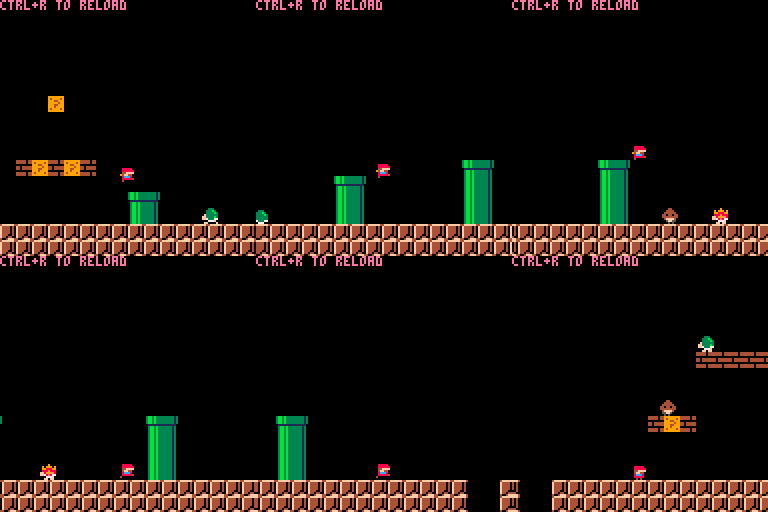
A Super Mario Bros. inspired platformer game for PICO-8, written entirely in JavaScript using jspicl. This project demonstrates how to build complex PICO-8 games with modern JavaScript, including hot-reloading, modular code structure, and advanced game mechanics.
Before you begin, ensure you have the following installed:
- Clone the repository:
git clone https://github.com/jspicl/jspicl-mario-sample.git
cd jspicl-mario-sample- Install dependencies:
yarn installLaunch the game with hot-reloading enabled:
yarn startThis command will:
- Compile JavaScript code to Lua
- Generate a PICO-8 cartridge (
build/game.p8) - Automatically launch PICO-8 with the cartridge
- Watch for file changes and reload automatically
Build the game without watching for changes:
yarn buildRestore the game.p8 cartridge from the project root to the build directory:
yarn restore-cartbuild directory. Make sure to backup your work first!
| Action | Key |
|---|---|
| Move Left | ← Arrow Key |
| Move Right | → Arrow Key |
| Jump | Z or C |
| Run/Fire | X or V |
jspicl-mario-sample/
├── src/                    # Source code
│   ├── index.js           # Main entry point
│   └── game/              # Game logic
│       ├── actorFactories.js   # Enemy and player creation
│       ├── animation.js        # Animation system
│       ├── constants.js        # Game constants
│       ├── debug.js           # Debug utilities
│       ├── input.js           # Input handling
│       ├── physics.js         # Physics engine
│       ├── utils.js           # Utility functions
│       ├── collisions/        # Collision detection
│       ├── render/            # Rendering logic
│       ├── sprites/           # Sprite definitions
│       └── states/            # Game state management
├── build/                 # Build output
│   └── game.p8           # Compiled PICO-8 cartridge
├── docs/                  # Documentation
├── game.p8               # Original cartridge
├── jspicl.config.js      # jspicl configuration
└── package.json          # Project dependencies
The development server watches for changes in JavaScript files. When you save a file, the cartridge automatically rebuilds and reloads in PICO-8.
You can edit the spritesheet directly in PICO-8 or with an external editor. When you save the spritesheet file, jspicl-CLI will reload the cartridge with your new sprites.
- Create a new sprite file in
src/game/sprites/ - Define the enemy behavior and animation
- Add the sprite to
src/game/sprites/index.js - Create a factory function in
src/game/actorFactories.js - Add collision handlers in
src/game/collisions/if needed
- jspicl - JavaScript to Lua transpiler for PICO-8
- PICO-8 - Fantasy console game engine
- JavaScript (ES6+) - Modern JavaScript with modules
- Yarn - Package manager
Make sure PICO-8 is installed and accessible from your command line. You may need to add PICO-8 to your system PATH or configure jspicl to point to the PICO-8 executable.
- Ensure
yarn startis running - Check the terminal for build errors
- Verify that PICO-8 didn't crash or freeze
- Try restarting the development server
- Ensure all dependencies are installed:
yarn install - Check that your JavaScript syntax is compatible with jspicl
- Review the jspicl documentation for supported features
This project is licensed under the MIT License - see the LICENCE.md file for details.