
autotag-metadata is a lightweight tool that creates metadata files for newly created files in the filesystem on a local machine. A common example is the creation of measurement files during an experiment, for which you would like to store additional information. The content of the newly created metadata file is based on a user-defined template. Multiple instances of the program can be launched to watch different folders simultaneously.
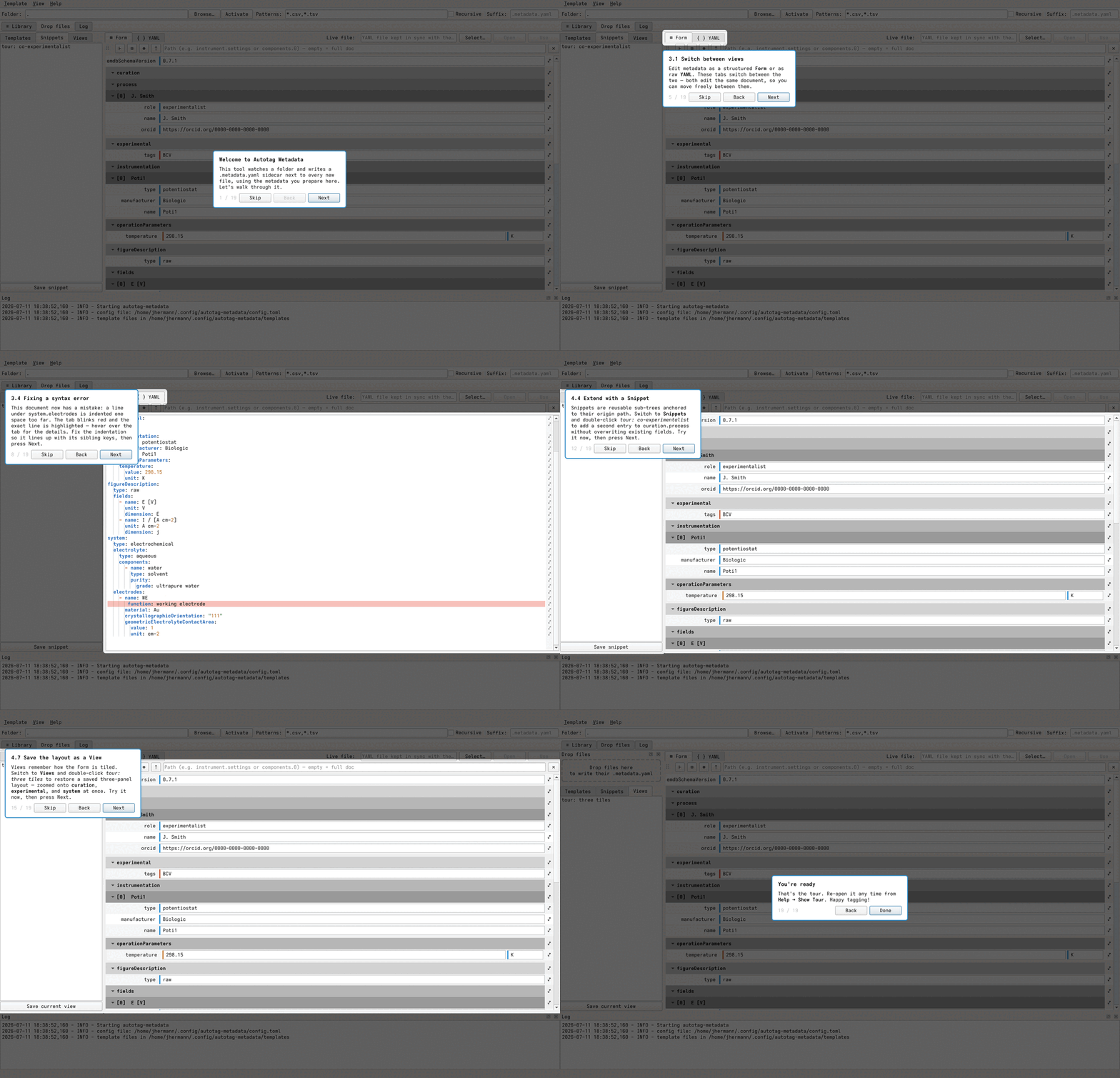
The application includes a guided tour (Help → Show Tour, and automatically on first launch) that walks through the whole interface — choosing a folder to watch, editing metadata as a form or as raw YAML, spotting and fixing syntax errors, and reusing snippets, templates, and multi-panel views:
Download the latest installer from the release section and launch the program from the Start menu.
Install pixi, then:
git clone https://github.com/echemdb/autotag-metadata
cd autotag-metadata
pixi run autotag-metadataAll environments and tasks are managed with pixi. Configuration lives
in pyproject.toml under [tool.pixi.*] — there is no separate pixi.toml.
pixi install # set up all environmentsCommon tasks
| Task | Command |
|---|---|
| Run the app | pixi run autotag-metadata |
| Run tests | pixi run -e python-312 doctest |
| Lint | pixi run -e dev lint |
| Format | pixi run -e dev black |
| Build docs | pixi run -e dev doc |
| Package (PyInstaller) | pixi run -e packaging package |
Tests run against Python 3.10–3.14. For headless environments set
QT_QPA_PLATFORM=offscreen.
Architecture
autotag_metadata/
    __main__.py          entry point
    app.py               UI controller — QMainWindow that builds the toolbar/dock chrome
    config.py            typed accessors over a TOML config file; stores templates/snippets/views
    file_handling.py     filesystem monitoring via watchfiles
    core/                (no Qt)
        metadata_writer.py   file hashing + .metadata.yaml writing
        yaml_utils.py        YAML parse / validate / dump
        yaml_document.py     subtree get/set + path-anchored snippet merging
    ui/
        yaml_multiview.py, zoom_view.py, yaml_form_view.py   tiling form editor
        yamltextedit.py, yaml_highlighter.py                 raw YAML editor + highlighting
        library_panel.py, editable_list.py, snippetslist.py  snippets/templates/views sidebars
        labeldropzone.py, drop_overlay.py, logger.py, *.ui
tests/
    test_config.py, test_metadata_writer.py, test_yaml_utils.py,
    test_yaml_document.py, test_templatetree.py, test_file_handling.py,
    test_integration.py
core/ modules have no Qt dependency and can be tested without a running application.
Detailed usage instructions are in the documentation.