Home Assistant Integration for real-time data monitoring / edit settings of Axpert King (also known as Voltronic Axpert III) inverters via RS232-TCP Gateway
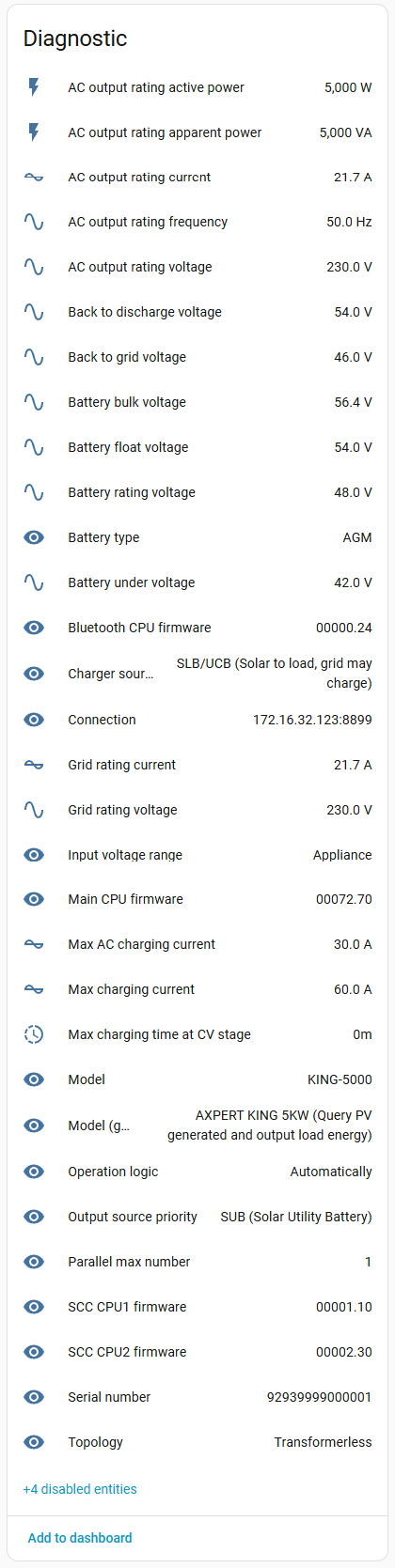
- Read live values and config params from inverter
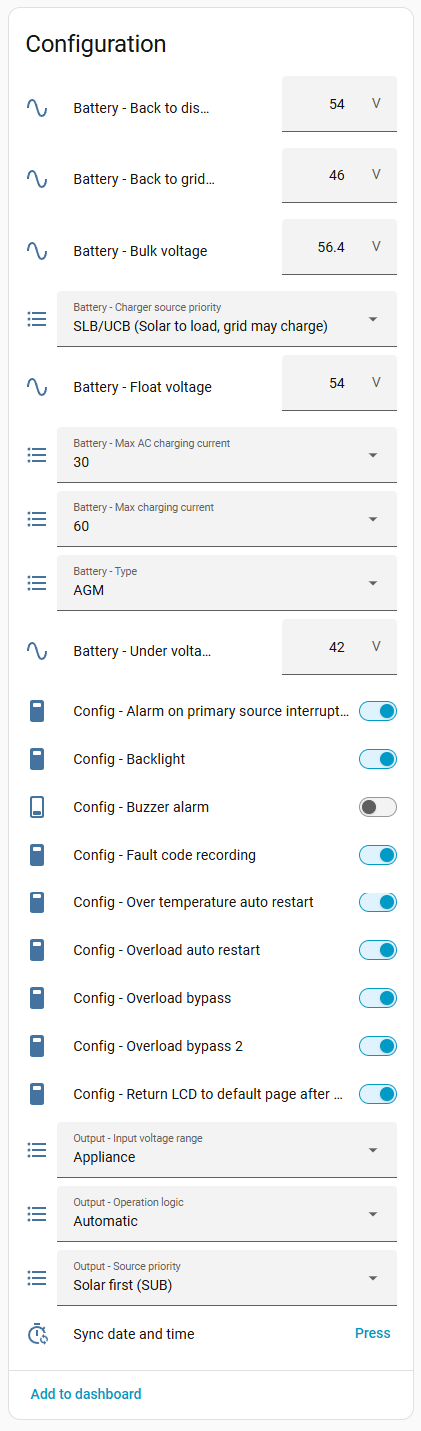
- Change inverter params (battery charge-discharge voltage / battery charge current / other inverter settings) (only if advanced mode ON)
- Add energy sensors for integration with energy usage
- Tracks daily energy consumption
- Sync inverter date and time
- Add support for RS232-serial connection
This code was written for couple of days without any skills in Python and HA architecture. That is first time I've used Python, so anyone is welcome to make this code better. Due to low baud rate in inverter this integration can be slow.
Caution
DO NOT activate advanced settings if you don't know how to setup battery voltages / charge current or anything else.
Changing setting without understanding can lead to inverter or battery damage.
Any changes you are making to settings of your inverter with this integration you are doing on your own decision. There is no warranty if it will work correctly.
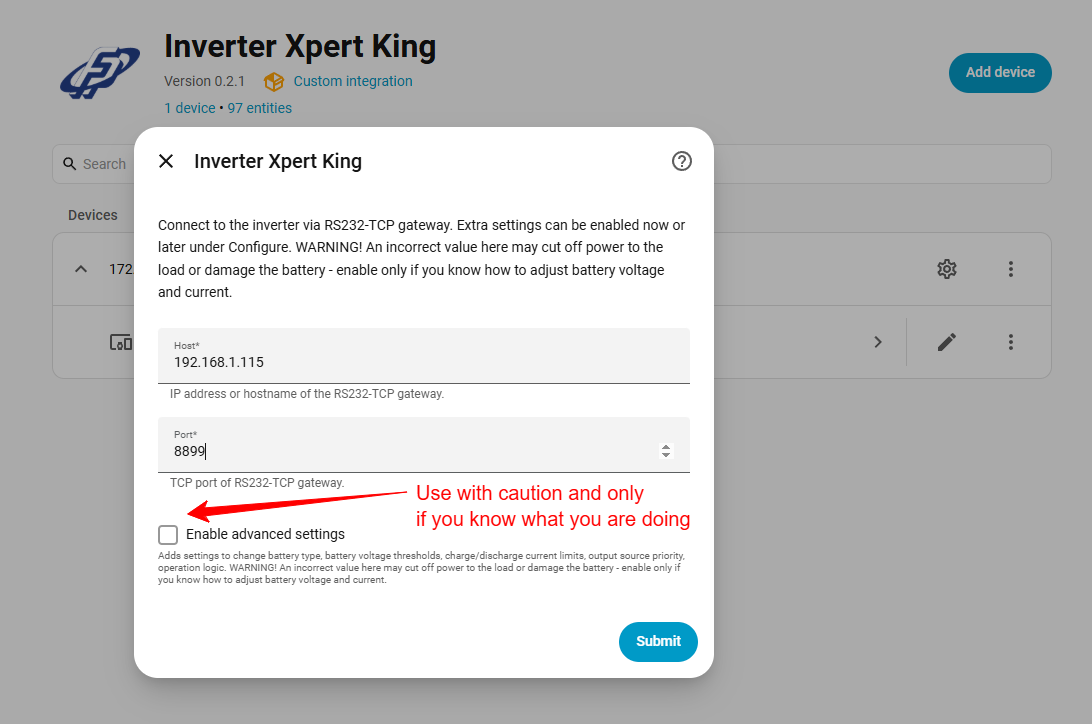
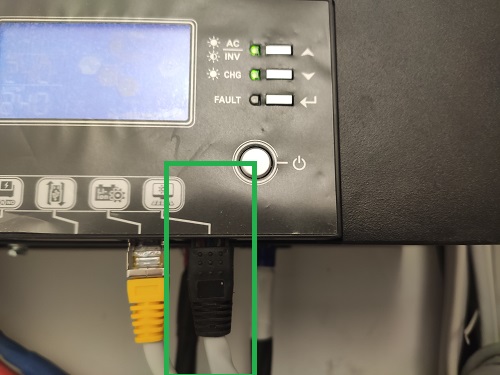
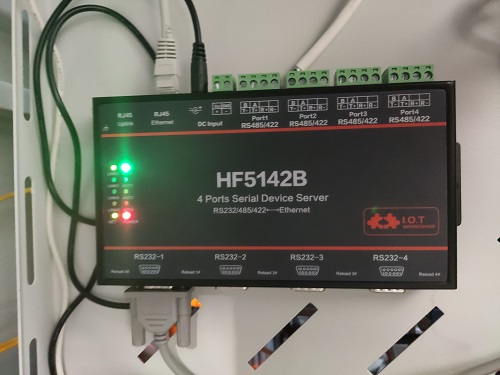
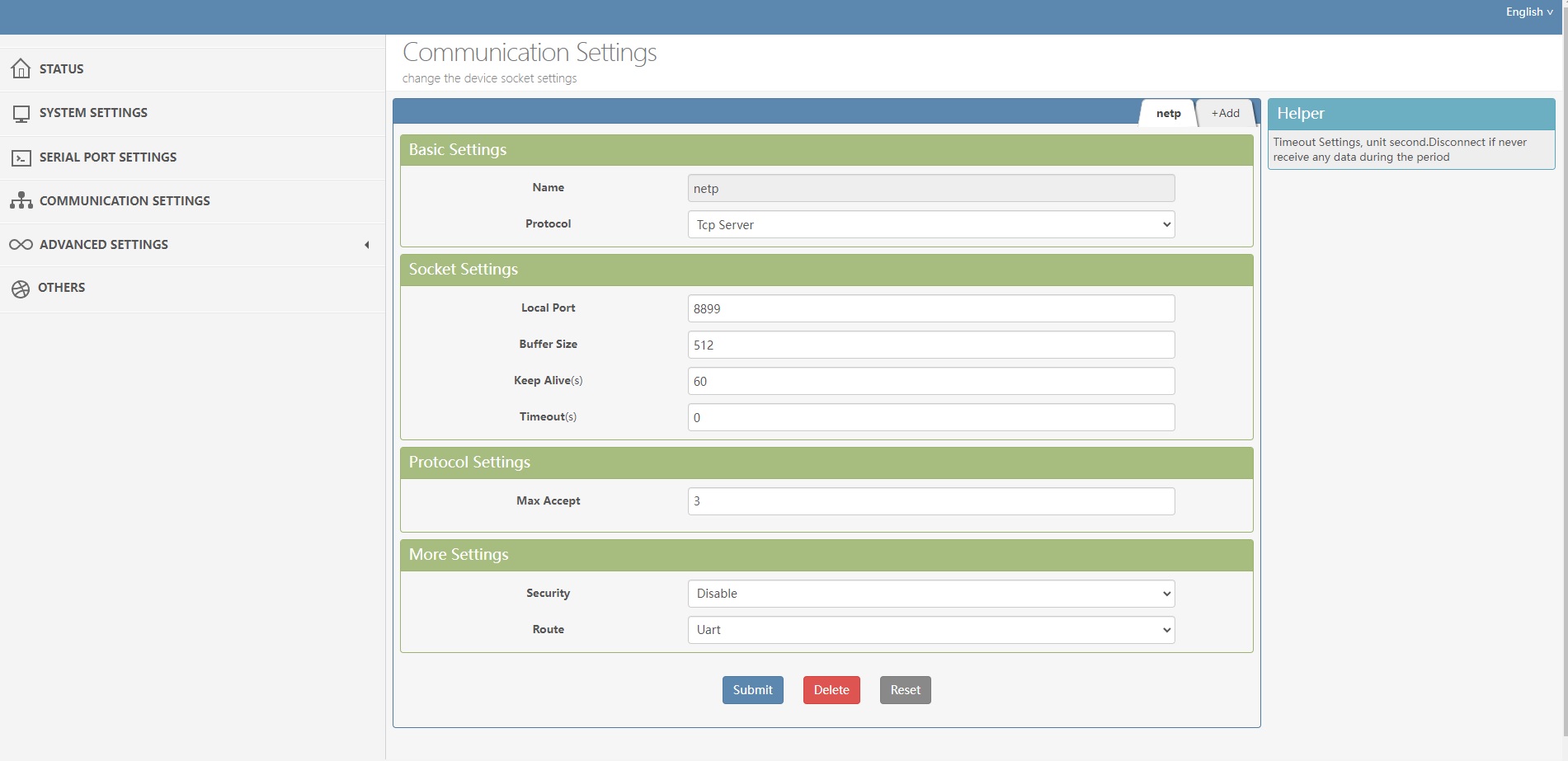
To connect inverter to HA you need any RS232->TCP gateway (I've used HI-FLYING HF5142B, coz prefer wires, but you can use any other or try to connect it with esp32 / 8266 bridging it's serial to TCP socket). 8P8C connector should be plugged to PC port on inverter side and DB9 connector should be plugged in RS232->TCP gateway. On gateway side you should configure TCP server to forward data from Serial port, it should be tcp server without authorisation (we will add auth in future if gateway will support it), you can choose any port to listen.
- Baud rate: 2400
- Data bit: 8
- Stop bit: 1
- Parity: None
After connecting inverter you need to add home-assistant-inverter-xpert-king integration using HACS to your HA. In your HA go to Main Menu -> HACS -> Integrations, in top right corner press 3 dots and click to "Custom Repositories". Add repository https://github.com/astraliens/home-assistant-inverter-xpert-king and category Integration. After this step close modal add repository window and press "Explore & Download Repositories" blue button at the bottom right corner of screen and search for Inverter Axpert King integration. Press on it and in right bottom corner of screen press "Download" button.
After this you can simply add it like regular integration, specifying IP and port of gateway where inverter connected. In several seconds integration get data from inverter, create all found sensors and will update them constantly.

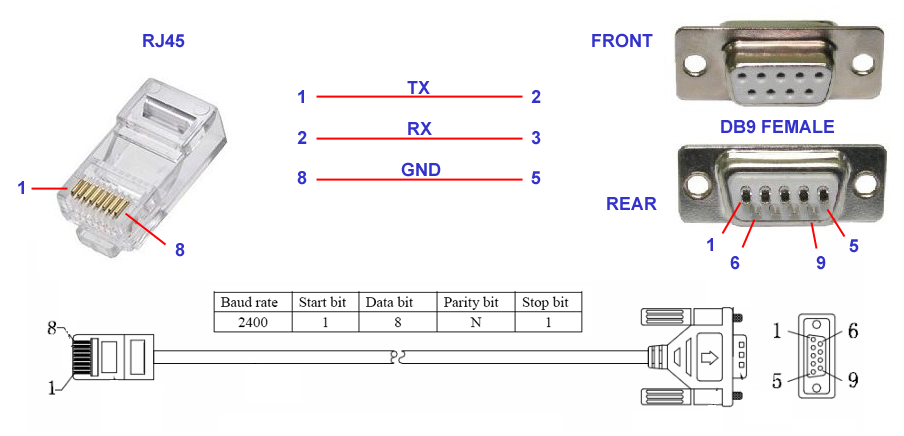
For those, who lost cable or connecting inverter directly to device serial port pinout of connectors shown on photo:
 |
 |
 |
|---|
This integration can sync your inverter date and time, but keep in mind that it will set date and time received from HA server, so before sync ensure you HA server date and time actual.
You can add Total energy all time sensor to your energy consumption monitoring to calculate your spents
You can say thanks by donating for buying pizza at:
