

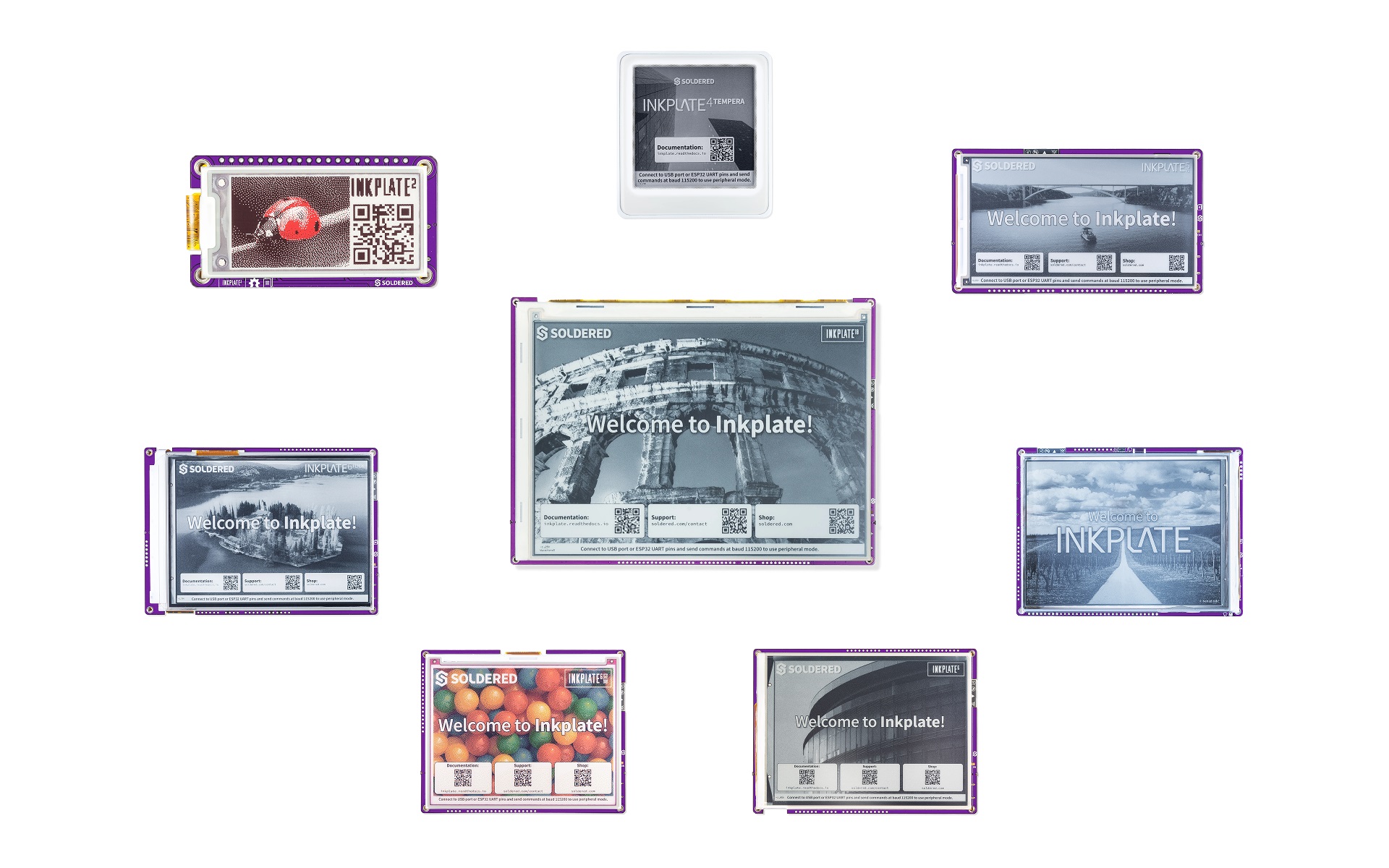
The Soldered Inkplate ESP-IDF component brings full ESP-IDF support to the Soldered Inkplate family of e-paper displays. It provides ready-to-use integrations for display control, touch input (where available), and file system (FS) access, so you can focus entirely on designing and implementing your user interface. All necessary ESP-IDF initialization is handled internally through the class constructors — meaning you can start building your UI right away without worrying about setup details.
inkplate/
   |
   +--- CMakeLists.txt                       <-- Component build definition
   +--- idf_component.yml                    <-- ESP-IDF component manifest
   +--- Kconfig.projbuild                    <-- Board selection menu (idf.py menuconfig)
   |
   +--- include/                             <-- Public headers
   |      +--- boards/
   |      |      +--- BoardBase.h            <-- Abstract base class for all board drivers
   |      |      +--- BoardCommon.h          <-- Shared board functionality
   |      |      +--- Inkplate.h             <-- Main include file (include this in your project)
   |      |      +--- Inkplate2.h
   |      |      +--- Inkplate4.h
   |      |      +--- Inkplate5.h
   |      |      +--- Inkplate6.h
   |      |      +--- Inkplate6Color.h
   |      |      +--- Inkplate10.h
   |      |      `--- Inkplate13.h
   |      |
   |      +--- features/
   |      |      +--- Frontlight.h           <-- Frontlight PWM control
   |      |      +--- I2C.h
   |      |      +--- I2S.h                  <-- I2S audio (Inkplate 4TEMPERA)
   |      |      +--- PCAL.h                 <-- PCAL6416A GPIO expander
   |      |      +--- RTC.h                  <-- Onboard real-time clock
   |      |      +--- SDCard.h               <-- SD card access
   |      |      +--- SPI.h
   |      |      +--- Touch.h
   |      |      +--- TouchCypress.h         <-- Cypress capacitive touchscreen
   |      |      +--- TouchElan.h            <-- Elan capacitive touchscreen
   |      |      +--- TPS.h                  <-- TPS65186 EPD power management
   |      |      +--- WiFi.h
   |      |      +--- APDS9960/              <-- Gesture & proximity sensor (Inkplate 4TEMPERA)
   |      |      +--- BME680/                <-- Environmental sensor (Inkplate 4TEMPERA)
   |      |      +--- BQ27441/               <-- Battery fuel gauge
   |      |      `--- LSM6DS3/               <-- IMU / accelerometer (Inkplate 4TEMPERA)
   |      |
   |      `--- graphics/
   |             +--- DitherKernels.h        <-- Floyd-Steinberg dithering kernels
   |             +--- Graphics.h
   |             +--- GraphicsDefs.h         <-- Shared graphics type definitions
   |             +--- Image.h
   |             +--- ImageColor.h
   |             +--- Shapes.h
   |             +--- Adafruit_GFX/          <-- Adafruit GFX compatibility layer
   |             `--- decoders/              <-- BMP, JPEG, PNG decoder headers
   |
   +--- src/                                 <-- Implementation files, mirrors include/
   |      +--- boards/
   |      |      +--- BoardCommon.cpp
   |      |      +--- Inkplate.cpp
   |      |      +--- Inkplate2.cpp
   |      |      +--- Inkplate4.cpp
   |      |      +--- Inkplate5.cpp
   |      |      +--- Inkplate6.cpp
   |      |      +--- Inkplate6Color.cpp
   |      |      +--- Inkplate10.cpp
   |      |      `--- Inkplate13.cpp
   |      |
   |      +--- features/
   |      |      +--- Frontlight.cpp
   |      |      +--- I2C.cpp
   |      |      +--- I2S.cpp
   |      |      +--- PCAL.cpp
   |      |      +--- RTC.cpp
   |      |      +--- SDCard.cpp
   |      |      +--- SPI.cpp
   |      |      +--- TouchCypress.cpp
   |      |      +--- TouchElan.cpp
   |      |      +--- TPS.cpp
   |      |      +--- WiFi.cpp
   |      |      +--- APDS9960/
   |      |      +--- BME680/
   |      |      +--- BQ27441/
   |      |      `--- LSM6DS3/
   |      |
   |      `--- graphics/
   |             +--- Graphics.cpp
   |             +--- Image.cpp
   |             +--- ImageColor.cpp
   |             +--- Shapes.cpp
   |             +--- Adafruit_GFX/
   |             `--- decoders/              <-- BMP, JPEG, PNG decoder implementations
   |
   `--- examples/                            <-- One folder per board
          +--- inkplate2/
          |      +--- basic/                 <-- black_white_red, hello_world, image_converter, textbox, text_with_shadow
          |      +--- advanced/              <-- deep_sleep, gpio, qwiic, rtc, wifi
          |      `--- diagnostics/           <-- burn_in_clean
          |
          +--- inkplate4/
          |      +--- basic/                 <-- black_white, grayscale, hello_world, image_converter, partial_update, ...
          |      +--- advanced/              <-- communication, deepsleep, io_expander, microsd, other, rtc, sensors, web
          |      `--- diagnostics/           <-- burn_in_clean, rtc_calibration, set_vcom
          |
          +--- inkplate6color/
          |      +--- basic/                 <-- full_screen_colors, hello_world, image_converter, simple
          |      +--- advanced/              <-- communication, deepsleep, io_expander, microsd, other, rtc, web
          |      `--- diagnostics/           <-- rtc_calibration
          |
          +--- inkplate10/
          |      +--- basic/                 <-- black_and_white, grayscale, hello_world, image_converter, partial_update, textbox
          |      +--- advanced/              <-- communications, deepsleep, io, microsd, other, rtc, wifi
          |      `--- diagnostics/           <-- burn_in_clean, rtc_calibration, set_vcom, set_waveform
          |
          `--- inkplate13/                   <-- (examples coming soon)
In order to get a head start with Inkplate (any), follow these steps:
-
If you aren't using macOS, install CH340 drivers (in case you don't have them yet) — instructions here
-
Install ESP-IDF v6.0 or newer. Follow the official Getting Started guide for your operating system.
-
Clone this repository somewhere on your machine:
git clone https://github.com/SolderedElectronics/Inkplate-ESP-IDF-component.git -
Add the component to your project. In your project's root
CMakeLists.txt, pointEXTRA_COMPONENT_DIRSat the cloned repo so ESP-IDF can find theinkplatecomponent:cmake_minimum_required(VERSION 3.16) set(EXTRA_COMPONENT_DIRS "/path/to/Inkplate-ESP-IDF-component/components") include($ENV{IDF_PATH}/tools/cmake/project.cmake) project(your_project_name)
IDF Component Manager: The component is not yet published to the IDF Component Registry. Until it is, use the
EXTRA_COMPONENT_DIRSmethod above. -
Register the component in your
main/CMakeLists.txt:idf_component_register(SRCS "main.cpp" REQUIRES "inkplate" INCLUDE_DIRS ".")
-
Select your board via menuconfig:
idf.py menuconfigNavigate to Inkplate Boards and select your Inkplate model.
-
Build, flash, and monitor:
idf.py build flash monitor
This is currently a work in progress, although, some examples are available in examples folder.
Find Inkplate documentation here.
Inkplate boards has two options for powering it. First one is obvious - USB port at side of the board. Just plug any micro USB cable and you are good to go. Second option is battery. Supported batteries are standard Li-Ion/Li-Poly batteries with 3.7V nominal voltage. Connector for the battery is standard 2.00mm pitch JST connector (except on Inkplate 2, it uses SMD solder pads for battery terminals). The onboard charger will charge the battery with 500mA when USB is plugged at the same time. You can use battery of any size or capacity if you don't have a enclosure. If you are using our enclosure, battery size shouldn't exceed 90mm x 40mm (3.5 x 1.57 inch) and 5mm (0.19 inch) in height (excluding Inkplate 2, it uses this battery. This battery is good fit for the Inkplate. Also, Inkplate's hardware is specially optimized for low power consumption in deep sleep mode, making it extremely suitable for battery applications.
Please check the polarity on the battery JST connector! Some batteries that can be purchased from the web have reversed polarity that can damage Inkplate board! You are safe if you are using the pouch battery from soldered.com or Inkplate with the built-in battery .
CR2032 battery is only for RTC backup. Inkplate cannot be powered with it.

At Soldered, we design and manufacture a wide selection of electronic products to help you turn your ideas into acts and bring you one step closer to your final project. Our products are intented for makers and crafted in-house by our experienced team in Osijek, Croatia. We believe that sharing is a crucial element for improvement and innovation, and we work hard to stay connected with all our makers regardless of their skill or experience level. Therefore, all our products are open-source. Finally, we always have your back. If you face any problem concerning either your shopping experience or your electronics project, our team will help you deal with it, offering efficient customer service and cost-free technical support anytime.
Inkplate boards are available for purchase via:
For all questions and issues please reach us via e-mail or our contact form.