How to setup Nightscout as a data source
- Requirements:
- A Nightscout site (How to setup a Nightscout site)
- Iphone or Android phone
- Glance app installed (on your phone click to install Glance)
- Download Glance from the Fitbit app store (on your phone click to install Glance)
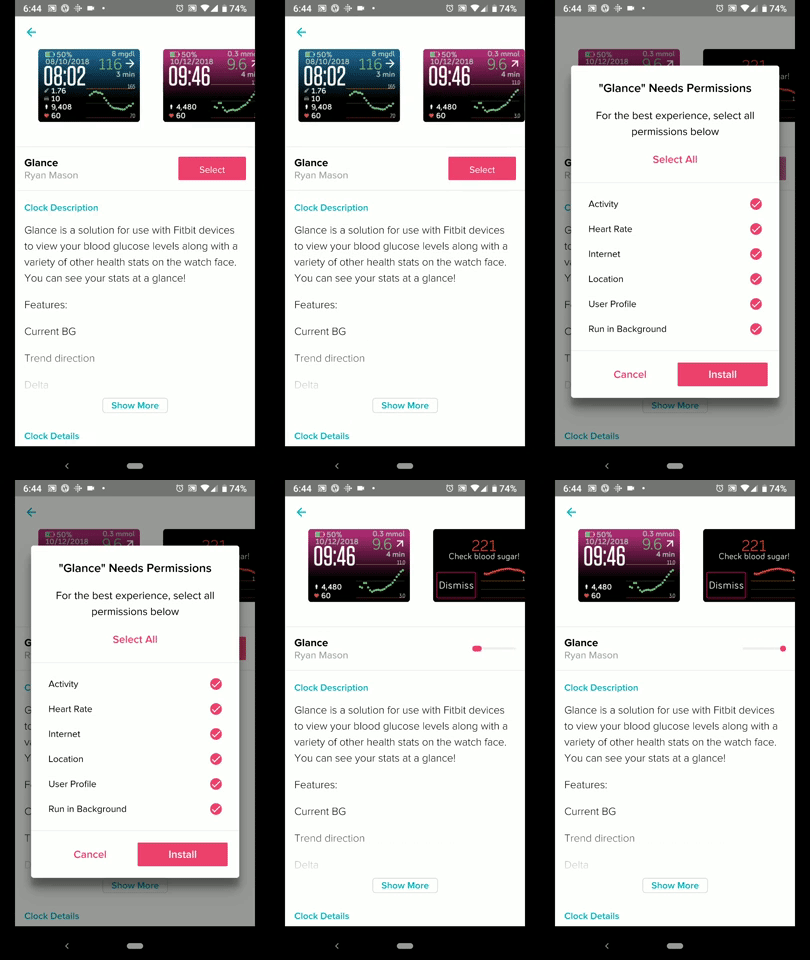
-
After installing Glance, Navigate to Glance's settings
-
Fitbit app=>click the watch in the upper corner=>clock faces=>tap the watch=>tap settings button at the bottom
- In Glance's settings select
Nightscoutas your data source then enter your Nightscoutsite nameand select your Nightscouthost site
-
-
If you did everything right you you should see your blood sugars on the watch.


- Next steps learn how to configuring Glance's settings
I developed Glance to help people with diabetes! 25% of all donations will go directly to the Faustman lab. The remaining 50% will be dedicated to future research and development of Glance.
