


Raspberry Pi kernel driver for Sony IMX585, an 8.3 MP STARVIS 2 back-side illuminated CMOS sensor optimised for low-light and 4K applications.
- 2-lane and 4-lane MIPI CSI-2 (up to 1782 Mbps/lane)
- 10-bit and 12-bit RAW output
- 3856×2180 @ up to 60 fps, 4-lane 12-bit
- ClearHDR mode for high-dynamic-range capture
- Mono variant support
- Three sync modes for multi-camera setups
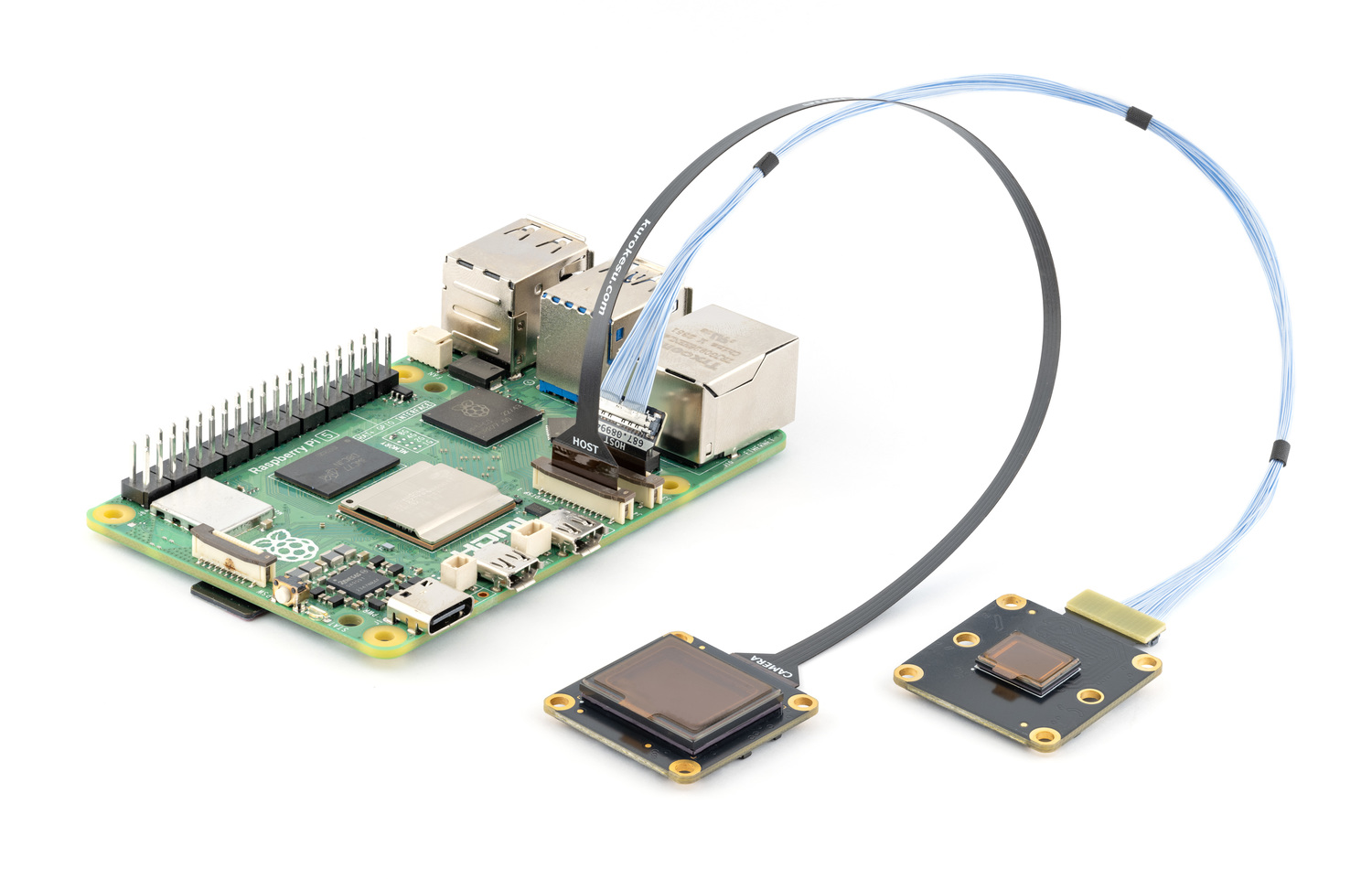
IMX585 camera modules are available at kurokesu.com
Connect camera to CSI port with Pi powered off.
Update OS and reboot:
sudo apt update && sudo apt full-upgrade -y
sudo reboot
Important
If driver or camera stack was previously built from source, run one-time cleanup before first apt install. See migrating from a source install.
Enable Kurokesu apt archive (skip if already enabled):
curl -fsSLO https://apt.kurokesu.com/setup.sh
sudo sh setup.sh
Install driver and camera stack:
sudo apt update
sudo apt install -y imx585-rpi-dkms rpicam-apps
With archive enabled, apt resolves Kurokesu rpicam-apps and libcamera forks with IMX585 support as updates to stock packages. Later updates arrive with regular apt upgrade.
Edit boot configuration:
sudo nano /boot/firmware/config.txtMake two changes:
- Find
camera_auto_detectnear the top and set it to0:
camera_auto_detect=0- Add
dtoverlay=imx585under the[all]section at the bottom of the file:
[all]
dtoverlay=imx585
If camera is connected to cam0 port, use dtoverlay=imx585,cam0 instead. See cam0.
Save and exit.
config.txt changes take effect after reboot:
sudo rebootVerify camera is detected:
rpicam-hello --list-camerasExpected output (varies by link frequency and lane configuration):
Available cameras
-----------------
0 : imx585 [3840x2160 12-bit RGGB] (/base/axi/pcie@1000120000/rp1/i2c@80000/imx585@1a)
    Modes: 'SRGGB12_CSI2P' : 1928x1090 [50.00 fps - (0, 0)/3840x2160 crop]
                             3856x2180 [43.80 fps - (0, 0)/3840x2160 crop]
Start live preview:
rpicam-hello -t 0On headless systems, capture a still image instead:
rpicam-still -o test.jpgimx585 overlay supports comma-separated options to override defaults:
| option | description | default |
|---|---|---|
cam0 |
Use cam0 port instead of cam1 | cam1 |
2lane |
Use 2-lane MIPI CSI-2 | 4 lanes |
mono |
Enable monochrome sensor variant | off |
always-on |
Keep regulator powered (prevents runtime PM power-off) | off |
link-frequency=<Hz> |
Set MIPI CSI-2 link frequency (Hz) | 720000000 |
sync-mode=<mode> |
Multi-camera synchronization mode | internal-leader |
If camera is connected to cam0 port, append ,cam0:
dtoverlay=imx585,cam0To use 2-lane MIPI CSI-2 instead of the default 4-lane, append ,2lane:
dtoverlay=imx585,2laneNote
Maximum framerate is roughly halved on 2-lane compared to 4-lane at the same link frequency. See the link-frequency table for exact values.
For the monochrome sensor variant, append ,mono:
dtoverlay=imx585,monoalways-on keeps camera regulator permanently enabled, preventing kernel from powering off the sensor during runtime PM suspend. Useful for debugging hardware issues, since it forces CAM_GPIO high constantly.
dtoverlay=imx585,always-onDefault link frequency is 720 MHz (1440 Mbps/lane). Other values trade MIPI bandwidth against maximum framerate.
To change link frequency, append ,link-frequency=<Hz>:
dtoverlay=imx585,link-frequency=891000000| Frequency (Hz) | Mbps/lane | Max FPS @ 4K 12-bit 4-lane | Max FPS @ 4K 12-bit 2-lane |
|---|---|---|---|
| 297000000 | 594 | 20.8 fps | 10.4 fps |
| 360000000 | 720 | 25.0 fps | 12.5 fps |
| 445500000 | 891 | 30.0 fps | 15.0 fps |
| 594000000 | 1188 | 41.7 fps | 20.8 fps |
| 720000000 (default) | 1440 | 50.0 fps | 25.0 fps |
| 891000000 | 1782 | 60.0 fps | 30.0 fps |
| 1039500000 | 2079 | 75.0 fps | 37.5 fps |
Note
RPi5/RP1 has a 400 Mpix/s processing limit. Without overclocking RP1 (the Camera Frontend), effective framerate is capped at ~43.8 fps @ 4K regardless of the link frequency configured here.
Note
ClearHDR halves the framerate. 1080p 2×2 binned mode doubles it.
Warning
The driver also accepts 1188 MHz (2376 Mbps/lane), but RPi4 does not support this rate and RPi5 exhibits frame drops. Not recommended for production use.
The driver exposes three sync modes for multi-camera setups, selectable via the sync-mode overlay option:
| Mode | Description |
|---|---|
internal-leader (default) |
Sensor runs from its own internal clock and outputs both XVS (vertical sync) and XHS (horizontal sync). Other cameras can lock onto these signals. |
internal-follower |
Sensor still uses its own clock, but takes in an external XVS signal. It aligns vertical sync to this input by adding or subtracting a horizontal sync pulse. |
external |
Sensor clock and timing are fully driven by external XVS and XHS signals. Both syncs are inputs, no outputs are generated. |
dtoverlay=imx585,sync-mode=internal-followerSee the IMX585 Camera Clock Synchronization Guide for hardware wiring and timing details.
Tip
Options can be combined. Example (mono, always-on, cam0, 297 MHz link):
dtoverlay=imx585,mono,always-on,cam0,link-frequency=297000000Install required tools:
sudo apt install -y git
sudo apt install -y --no-install-recommends dkms
Clone this repository:
cd ~
git clone https://github.com/Kurokesu/imx585-rpi-driver.git
cd imx585-rpi-driver/
If driver was installed from apt archive previously, remove it first:
sudo apt remove imx585-rpi-dkmsRun setup script:
sudo ./setup.shCamera stack, boot configuration and verification follow Install. Skip imx585-rpi-dkms there, only rpicam-apps is needed. To build libcamera and rpicam-apps from source as well, see libcamera/BUILDING.md.
One-time cleanup before first apt install.
Remove imx585 driver modules installed by setup.sh:
dkms status | grep imx585 | cut -d, -f1 | sort -u | xargs -rI{} sudo dkms remove {} --allSource-built libcamera and rpicam-apps install to /usr/local and shadow packaged binaries. Remove them:
Warning
Command below deletes everything under /usr/local with libcamera, rpicam or libpisp in its name, including custom scripts or files named after them.
sudo find /usr/local -depth \( -name '*libcamera*' -o -name '*rpicam*' -o -name '*libpisp*' \) -exec rm -rf {} +Cleanup complete. Continue with install steps.
- Will Whang for the original IMX585 driver (imx585-v4l2-driver).
- Soho Enterprises for additional register information (passed through from Will's repo).