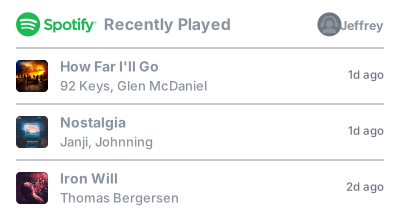
Display your recently played Spotify tracks on your GitHub profile README. Powered by Cloudflare.
Check out lastfm-recently-played-readme for a similar integration for Last.fm scrobbles.

Note
2026-08-16: This project is now hosted on Cloudflare Workers for cost reasons. The old Vercel endpoint will continue to work, but it's recommended to switch to the new workers.dev address (see below).
- Connect your Spotify account. This is needed to read your listening history.
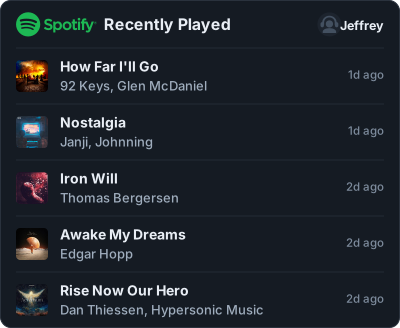
- Copy the snippet it gives you into your README, or open the configurator to customize the card first.
Note
By authorizing, your Spotify user ID and an encrypted refresh token are stored in a private Firebase database, so the card can keep working without you signing in again. You can disconnect at any time, which asks you to confirm and then deletes that record - and separately revoke access at spotify.com/account/apps.
[](https://open.spotify.com/user/jeffreyca16)Use the configurator to interactively build your widget, or add the query parameters below by hand, e.g. ?user=jeffreyca16&theme=dracula&count=3.
| Parameter | Description | Default | Values |
|---|---|---|---|
user |
Whose recent tracks to show | required | Spotify user ID |
count |
How many tracks. The now-playing track counts as one | 5 |
1-10 |
theme |
Color scheme | dark |
dark, spotify, legacy, light, radical, dracula, tokyonight, nord, catppuccin, transparent |
bg_color |
Card background | theme's | hex digits, no # - e.g. 212121 |
text_color |
Track titles. Dividers, borders and placeholders follow it | theme's | hex digits, no # |
artist_color |
The artist line | theme's | hex digits, no # |
meta_color |
Timestamps, track lengths and the footer | theme's | hex digits, no # |
accent_color |
The now-playing bars, progress bar and title hover | theme's | hex digits, no # |
logo_color |
The Spotify logo | 1db954 |
hex digits, no # |
width |
Card width in pixels | 400 |
260-1000 |
radius |
Corner rounding | 10 |
0-40 |
art |
Album artwork | 1 |
1 / 0 |
header |
The "Recently Played" row | 1 |
1 / 0 |
logo |
Spotify logo in the header | 1 |
1 / 0 |
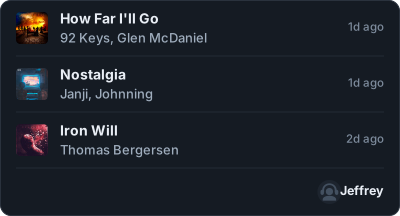
profile |
Where your name and picture appear | header |
header, footer-left, footer-right, off |
username |
Which name to show in that spot | display |
display, id, off |
avatar |
Show your profile picture in that spot | 1 |
1 / 0 |
time |
"6m ago" timestamps | 1 |
1 / 0 |
footer |
What sits below the tracks. Ignored when profile is in the footer |
off |
off, wave |
now_playing |
Pin the track you are listening to on top | 1 |
1 / 0 |
progress |
Progress bar under the now-playing track | 1 |
1 / 0 |
explicit |
Explicit-content badge after the title | 1 |
1 / 0 |
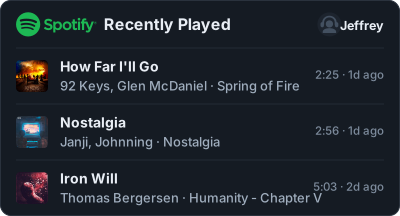
duration |
Track length in the meta line | 0 |
1 / 0 |
album |
Album name after the artist | 0 |
1 / 0 |
unique |
Drop repeated tracks | 0 |
1 / 0 |
Booleans also accept true/false, yes/no, on/off. Numbers outside their range are clamped rather than rejected.
Every color takes 3, 4, 6 or 8 hex digits (without leading #) - 4 and 8 include alpha.
bg_color is safe on its own: the card picks readable text for whatever background you give it, so ?bg_color=ffffff on the dark theme comes out dark-on-white rather than white-on-white. Set text_color to choose for yourself.
GitHub supports <picture> in READMEs, so the card can follow the reader's theme:
<picture>
  <source media="(prefers-color-scheme: dark)"
          srcset="https://spotify-recently-played.jeffreyca.workers.dev/svg?user=jeffreyca16&theme=dark">
  <img src="https://spotify-recently-played.jeffreyca.workers.dev/svg?user=jeffreyca16&theme=light">
</picture>Every theme and option is live in the configurator; these are a few of the more useful combinations.
Album names and track lengths
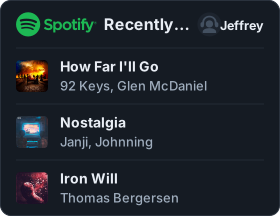
Your profile in the footer instead of the header
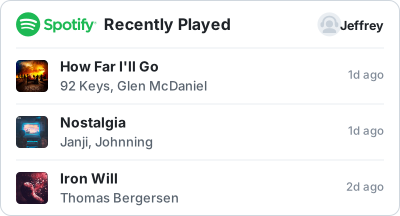
Light theme
Catppuccin with a custom background
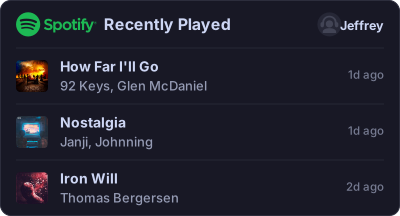Text only - no artwork, no logo, no picture, square corners
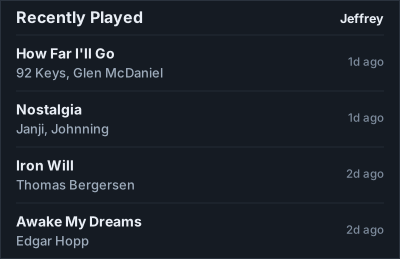Narrow, for a sidebar or a table cell
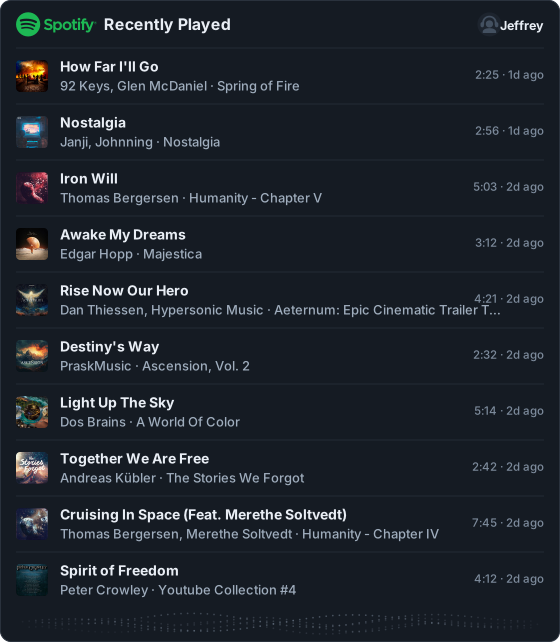
Ten tracks, wide, everything on
Transparent, to sit on any background
Requires Node 22+.
git clone https://github.com/JeffreyCA/spotify-recently-played-readme.git
cd spotify-recently-played-readme
npm install
You will need a Spotify app with these Redirect URIs registered:
https://<your-worker>/callbackhttp://127.0.0.1:8787/callbackfor local development
Spotify allows http only for 127.0.0.1 - never localhost, and never wildcards.
You will also need a Firebase Realtime Database and a service account with access to it. Deploy database.rules.json (firebase deploy --only database) so the database is closed to unauthenticated access; the service account bypasses rules, so this does not affect the Worker.
cp .dev.vars.example .dev.vars   # then fill it in
npm run dev
That serves the configurator at http://127.0.0.1:8787 and the widget at http://127.0.0.1:8787/svg?user=YOUR_USER_ID.
npm run typecheck
npm testThat clones the repo into your own account and provisions the Worker, but it will not render anything until it is configured - it needs a Spotify app, four secrets and three Firebase identifiers. To deploy by hand instead:
npx wrangler secret put SPOTIFY_CLIENT_SECRET
npx wrangler secret put FIREBASE_PRIVATE_KEY_B64
npx wrangler secret put STATE_SECRET
npx wrangler secret put TOKEN_ENC_KEY
npm run deploy
If you attach a custom domain, a WAF rate-limit rule on /svg is worth adding, since the URL is public. WAF rules need a domain you control; they can't be applied to a *.workers.dev URL.
Only four of these are credentials.
| Name | Where | Notes |
|---|---|---|
SPOTIFY_CLIENT_SECRET |
wrangler secret put |
|
FIREBASE_PRIVATE_KEY_B64 |
wrangler secret put |
base64 of the service account PEM |
STATE_SECRET |
wrangler secret put |
openssl rand -base64 32 |
TOKEN_ENC_KEY |
wrangler secret put |
openssl rand -base64 32. Required; back this up |
SPOTIFY_CLIENT_ID |
wrangler.jsonc |
public - it is in every authorize URL |
PUBLIC_BASE_URL |
wrangler.jsonc |
your origin, e.g. https://spotify-recently-played.example.workers.dev |
UPSTREAM_CACHE_SECONDS |
wrangler.jsonc |
default 60 |
NOW_PLAYING_CACHE_SECONDS |
wrangler.jsonc |
default 20 |
ART_CACHE_SECONDS |
wrangler.jsonc |
default 86400 |
FIREBASE_PROJECT_ID |
Cloudflare dashboard | not a credential |
FIREBASE_CLIENT_EMAIL |
Cloudflare dashboard | not a credential |
FIREBASE_DATABASE_URL |
Cloudflare dashboard | not a credential |
The Firebase values are identifiers rather than secrets; they sit in the dashboard only because this repo is public.
Back up TOKEN_ENC_KEY. Refresh tokens are encrypted with it, and losing it means every user has to authorize again.
The Worker asks Spotify for your recent tracks, downloads the album art, and renders everything into a single self-contained SVG. Album art is embedded directly in the image, because an SVG displayed in an <img> can't load anything from outside itself.
Spotify has no public endpoint for someone else's listening history, so this needs your authorization rather than just a username - the stored refresh token (see Getting started) is exchanged for a short-lived access token on each render.
Now playing needs a reconnect for older accounts. It uses user-read-currently-playing, which the original Vercel app never asked for. Cards for accounts that authorized before omit that row until they reconnect; everything else keeps working.
Not affiliated with Spotify; the Spotify name and logo are their trademarks.