
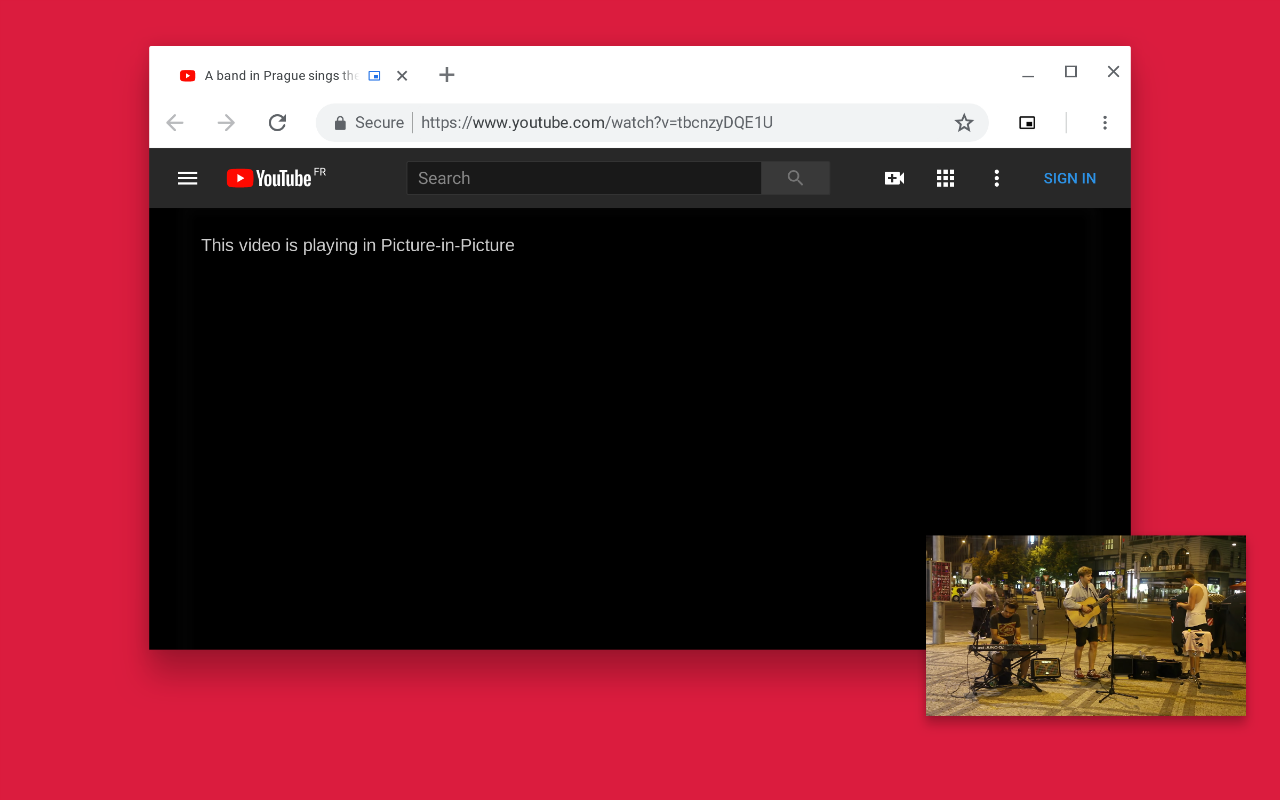
A Chrome Extension for triggering Picture-in-Picture on any video — manually via toolbar click, or automatically when you switch tabs.
Get it on the Chrome Web Store at https://chrome.google.com/webstore/detail/hkgfoiooedgoejojocmhlaklaeopbecg
The keyboard shortcut (defaults to Alt-P) can be changed on the Chrome Extension Shortcuts settings page:
chrome://extensions/shortcuts
- Click the extension icon →
script.jsis injected into all frames of the active tab - The largest playing
<video>is found - If the page supports the Document PiP API, a full Document PiP window opens with controls
- Otherwise, a floating overlay window is created using
captureStream()or by moving the video node directly (for DRM-protected content)
autoPip.jsruns as a content script on every page- Listens to
visibilitychange— when the tab is hidden, automatically opens a PiP window - When you return to the tab, the PiP window is closed
- Also responds to
mediaSessionenterpictureinpictureevents (Chrome 134+ automatic pip promotion)
⚠️ Auto PiP requires the video to be unmuted and playing. If the video is muted, Chrome does not treat it as active media and the tab-switch trigger will not fire (or will hit the activation budget limit after ~2 times). Unmute the video for unlimited auto-pip on tab switch.
Both manual and auto PiP windows include a controls bar:
- ▶/⏸ Play / Pause
- ⏮/⏭ Previous / Next track (uses
mediaSessionif available, otherwise seeks ±10s) - Seek bar (scrub through video)
- 🔇 Mute toggle
- Volume slider
- Current time / duration display
Controls are responsive — they adapt based on pip window width:
| Width | Shown |
|---|---|
| < 130px (tiny) | Play/Pause only |
| < 210px (small) | + Mute |
| < 320px (medium) | + Seek bar |
| ≥ 320px (large) | All controls |
The PiP window remembers its last user-intentional size and position across tabs and sessions.
How it works:
- On open: reads stored
w/h/x/yfrom the background service worker and passes torequestWindow() - On open: calls
pipWin.moveTo(x, y)to restore last position - Resize save: only saves when the user was near the window edge (detected via
mousemoveproximity) at the time the resize event fired — prevents DPR drift from corrupting stored size - Tab-return auto-closes are skipped —
_autoClosingflag preventspagehidefrom saving on those - Position (
screenX/Y) is saved alongside size
The DPR Drift Problem (and why it's hard):
On Windows at non-100% display scaling (e.g. 125% DPR), Chrome continuously adjusts the pip window's innerWidth/Height — even without any user interaction. This fires multiple resize events with small increments (e.g. 248x55 → 250x58 → 252x62 → 254x63).
Key findings from investigation:
- Drift always increases — the pip window size grows over time, never shrinks. Each drift step adds 2-4px.
- Drift is random / not consistent — the final drifted size is different every time the pip opens. Same requested size can result in different final sizes across opens.
resizeTo()is silently ignored — callingpipWin.resizeTo(w, h)does absolutely nothing for Document PiP windows. No error, no effect.innerWidth/HeightvsouterWidth/Height— both drift. The values reported by the pip window are unreliable after open.- OS resize handle drag is invisible to the document —
pointerdown,mousedownevents do NOT fire inside the pip document when the user grabs and drags the OS window border. The OS intercepts the drag before the document sees it. mousedowninside pip document is NOT detectable for resize handles — the OS intercepts the resize handle grab before it reaches the document.mousedownonly fires for clicks on actual document content (video, buttons, etc.), not on the OS window border.- Only the TOP edge resize is detectable via
mousemove—clientY <= 8maps to the area just below the pip window's titlebar/URL bar, which is close to the top resize handle. Resizing from bottom, left, or right sides does NOT bringclientX/Ynear the content edges — those resize handles are on the outer OS chrome, which is already outside the document. mousemovenear top edge IS detectable — when the cursor hovers just below the pip titlebar (in the URL bar zone of the pip),clientYis close to 0. This is the only edge where near-edge detection works for resize.
What we tried (and why it failed):
| Approach | Problem |
|---|---|
| Save every resize after 1.5s settle | Drift continues indefinitely past 1.5s |
| SizeLock: wait for two readings to agree | Drift can appear stable briefly, then continue |
resizeTo() snap-back to stored size |
Silently ignored by Chrome for Document PiP |
pointerdown/pointerup near edge |
OS-level border drag doesn't fire pointer events inside document |
mousedown near edge |
OS intercepts resize handle clicks before document sees them |
mousemove near edge + resize within 300ms |
Works for actual user resize, but DPR drift can also coincidentally fire during hover |
Current approach: mousemove proximity detection with a 300ms window. When the mouse transitions into the edge zone (clientX <= 8px or clientX >= innerWidth - 8px etc.), a timestamp is set. A resize event is only treated as user-initiated if the mouse entered the edge zone within the last 300ms. Since DPR drift fires independent of cursor position, it is filtered out in most cases.
Known limitation: DPR drift that coincidentally fires within 300ms of a cursor entering the edge zone will still be saved. This is rare in practice.
The service worker holds in-memory globals:
let _pipW, _pipH, _pipX, _pipY;These are restored from chrome.storage.local on service worker startup (pipSizeW, pipSizeH, pipSizeX, pipSizeY).
Content scripts communicate via chrome.runtime.sendMessage:
{ type: 'getPipSize' }→ returns{ w, h, x, y }{ type: 'setPipSize', w, h, x, y }→ updates globals + persists to storage{ type: 'pipLog', msg }→ logs to the service worker console (visible inchrome://extensions→ Service Worker)
Both PiP windows show a green overlay badge (top-right corner) displaying live WxH @(x,y) — updated on every resize and move event. Useful for verifying size stability without needing DevTools.
| Version | Changes |
|---|---|
| v1.14 | Original fork baseline |
| v1.40 | Pre-controls baseline |
| v1.41 | Added full playback controls bar to Document PiP window (setupDocPipWindow) — play/pause, prev/next, seek, mute, volume, time display; responsive CSS with 4 tiers |
| v1.46 | Fixed console logging from inside pip window using pipWindow.console.log() (CSP blocks inline scripts/eval); bumped 5 missed versions |
| v1.51 | Global size/position persistence via background service worker globals (_pipW/_pipH/_pipX/_pipY); chrome.storage.local persistence across restarts; snapToGrid DPR rounding; pagehide save; moveTo() position restore |
| v1.57 | Bumped 6 missed version increments; service worker logs for getPipSize/setPipSize/restore |
| v1.58 | Added 800ms layout-storm suppression guard to saveGeometry |
| v1.59 | Increased guard to 1500ms; added age/rawW/rawH/dpr debug fields in setPipSize message |
| v1.60 | Attempted "save requested dimensions immediately on open" approach — failed, position captured before moveTo |
| v1.61 | Canonical size tracking (canonW/H) — only update if resize > 4px; still drifting |
| v1.62 | Added resizeTo() correction at 800ms — confirmed ignored by Edge |
| v1.63 | Stripped all complex logic — single pagehide save of innerWidth/Height; drift stopped for manual pip |
| v1.64 | Added debug badge (green WxH @(x,y) overlay) to manual pip window (script.js) |
| v1.65 | Found auto-pip root cause: stopAutoPip tab-return closes were saving unsettled sizes; added _autoClosing flag to skip save on auto-close |
| v1.66 | Attempted polling setInterval size lock — resizeTo confirmed silently ignored by Edge |
| v1.67 | SizeLock: wait 600ms, read settled size, save to background |
| v1.68 | Multi-sample stability: poll at 300ms then every 400ms until two consecutive readings agree; added _setAutoClosing diagnostic logs |
| v1.69 | Stripped SizeLock complexity → simple pagehide-only save. Fixed clearTimeout cross-window bug (must use pipWin.clearTimeout). |
| v1.70 | Added _autoClosing flag — tab-return auto-closes no longer save drifted size. Multiple attempts at user-vs-drift detection. |
| v1.71 | Fixed second-open bug: stopAutoPip no longer nulls _autoPipWindow immediately — pagehide is the single cleanup point. triggerAutoPip retries via pagehide hook if pip is still closing. Mouse-edge detection for user resize: only saves when mousemove entered edge zone within 300ms of resize event. Background pipLog handler now logs to SW console. |
| File | Purpose |
|---|---|
src/manifest.json |
MV3 manifest — permissions, content scripts, service worker |
src/background.js |
Service worker — global size/position state, message handler |
src/script.js |
Injected on toolbar click — manual PiP with controls |
src/autoPip.js |
Content script — automatic PiP on tab switch |
src/assets/ |
Extension icons |