
A feature-rich, full-stack clone of the Spotify web application, built with modern technologies. This project showcases a complete user experience, from authentication and music playback to real-time chat and friend activity updates. It also includes a secure, dedicated admin panel for comprehensive content management.
Live Demo: spotify-clone
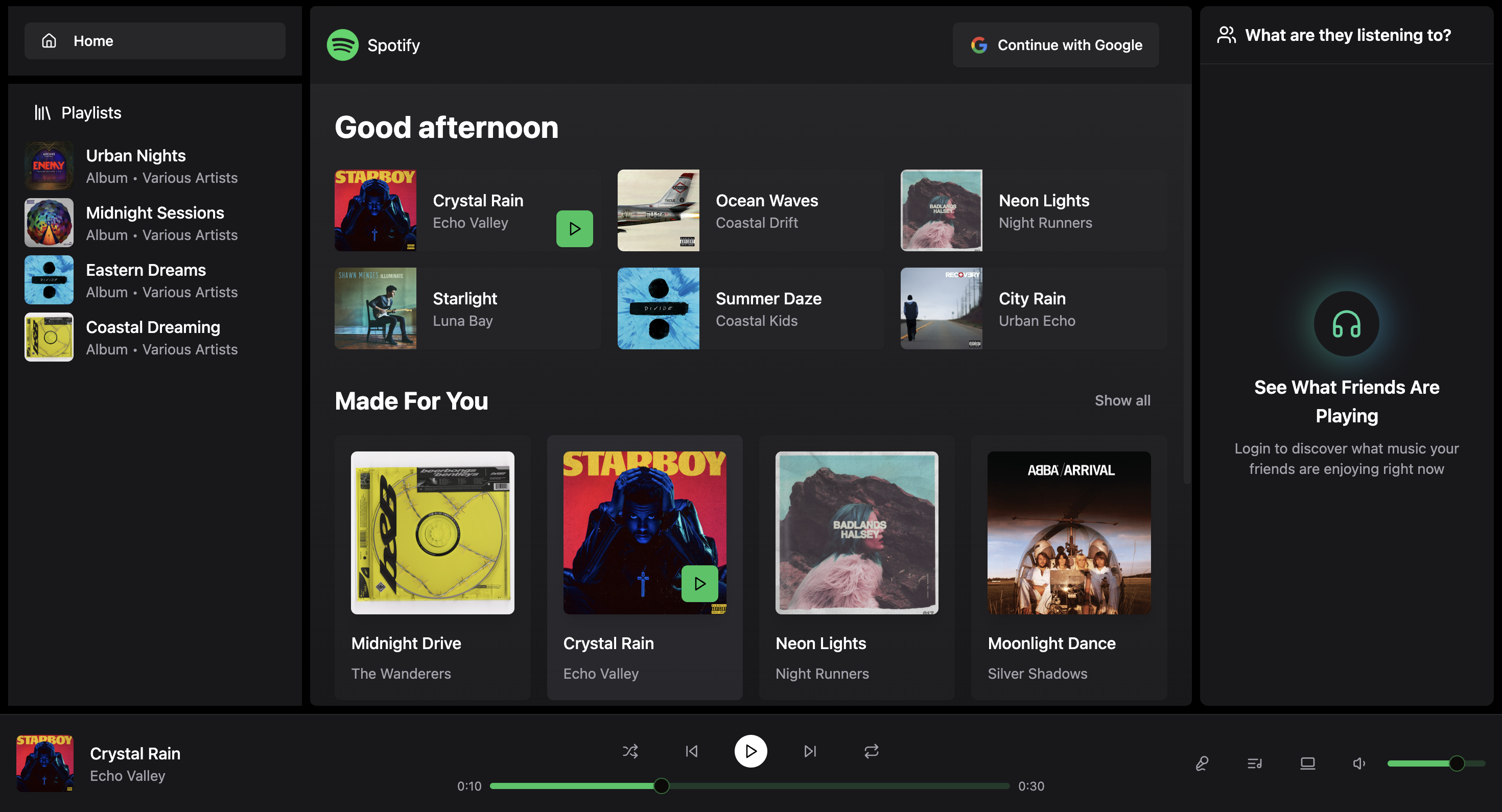
This application is packed with features designed to replicate the core Spotify experience and beyond.
- Secure Authentication: Seamless and secure user sign-up and login using Google OAuth, powered by Clerk.
- Music & Album Browsing: Explore a full library of songs and albums with a clean, intuitive interface.
- Full Audio Playback: A persistent audio player with standard controls (play, pause, next, previous), volume adjustment, and a seekable progress bar.
- Real-time Friend Activity: See what your friends are listening to in real-time in the "Friends Activity" sidebar, including their online status.
- Real-time Chat: Engage in one-on-one chats with other users, with messages delivered instantly.
- Dynamic UI: The UI updates in real-time to reflect the currently playing song and user statuses.
- Secure Admin Dashboard: A separate, protected route (
/admin) for application management. - Live Statistics: View real-time statistics, including total users, songs, albums, and unique artists.
- Song Management: Easily upload new songs with audio files and artwork. Add, edit, and delete tracks from the library.
- Album Management: Create new albums and manage existing ones, including adding songs to them.
This project is built with a modern MERN-like stack, utilizing TypeScript and a robust set of tools for both the frontend and backend.
- Framework: React with Vite
- Language: TypeScript
- State Management: Zustand
- Styling: Tailwind CSS
- Real-time Communication: Socket.IO Client
- UI Components: Shadcn/ui (using Radix UI & Lucide React)
- Authentication: Clerk
- Runtime: Node.js
- Framework: Express.js
- Database: MongoDB with Mongoose
- Real-time Communication: Socket.IO
- Authentication: Clerk SDK for backend verification
- Media Storage: Cloudinary for audio and image uploads
To get a local copy up and running, follow these simple steps.
- Node.js (v18.x or later)
npmoryarn- A MongoDB Atlas account (or a local MongoDB instance)
- A Cloudinary account
- A Clerk account
-
Clone the repository:
git clone https://github.com/jackofall-trades/spotify_clone.git cd spotify_clone -
Set up Backend Environment Variables: Create a
.envfile in thebackenddirectory and add the following variables:MONGODB_URI=your_mongodb_connection_string PORT=5001 # Clerk Credentials CLERK_PUBLISHABLE_KEY=your_clerk_publishable_key CLERK_SECRET_KEY=your_clerk_secret_key # Cloudinary Credentials CLOUDINARY_CLOUD_NAME=your_cloudinary_cloud_name CLOUDINARY_API_KEY=your_cloudinary_api_key CLOUDINARY_API_SECRET=your_cloudinary_api_secret # Your Admin Email ADMIN_EMAIL=your_email_for_admin_access
-
Set up Frontend Environment Variables: Create a
.envfile in thefrontenddirectory and add the following:VITE_CLERK_PUBLISHABLE_KEY=your_clerk_publishable_key
-
Install all dependencies from the root directory: This command will install dependencies for both the
frontendandbackend.npm install
-
Run the application:
- To run the backend server:
npm run dev --prefix backend
- To run the frontend development server:
npm run dev --prefix frontend
The frontend will be available at
http://localhost:3000and will connect to the backend running onhttp://localhost:5001. - To run the backend server:
This application is configured for easy deployment on platforms like Render. The root package.json contains the necessary build and start scripts to handle the entire process:
npm run build: Installs all dependencies and builds the frontend for production.npm start: Starts the backend Node.js server, which also serves the static frontend files.
Distributed under the ISC License. See LICENSE for more information.