
A modern, full-stack food ordering platform connecting food lovers with their favorite restaurants seamlessly.
Features • Tech Stack • Demo • Installation • Environment Variables • Project Structure • How to Use • API Endpoints • Contributing • License • Contact
- User-Friendly Interface: Intuitive browsing and ordering experience
- Restaurant Discovery: Browse restaurants by cuisine, location, or ratings
- Search & Filter Options: Find dishes or restaurants quickly and efficiently
- Real-time Order Tracking: Track your order status in real-time
- Secure Authentication: Email/password authentication with JWT
- Order History: View past orders and reorder with a single click
- Payment Integration: Secure payments via Razorpay
- Mobile Responsiveness: Optimized for all devices
- Order Management: Accept, reject, and manage incoming orders
- Menu Management: Add, edit, and organize menu items
- Inventory Control: Track and manage food inventory
- Analytics Dashboard: View sales data and customer insights
- Profile Management: Update restaurant information and operational hours
- Notifications: Email notifications for order updates
- Rating & Reviews: Customer feedback system for continuous improvement
- Image Management: Integrated with ImageKit for efficient image storage
- React: UI library for building interactive interfaces
- Tailwind CSS: Utility-first CSS framework
- React Router: For navigation and routing
- Redux Toolkit: State management
- React Query: Data fetching and caching
- Vite: Build tool for faster development
- Node.js: JavaScript runtime environment
- Express.js: Web application framework
- MongoDB: NoSQL database
- Mongoose: MongoDB object modeling
- JWT: Authentication middleware
- ImageKit.io: Image management services
- Razorpay: Payment gateway integration
- Nodemailer: Email service integration
- Express Validator: Request validation
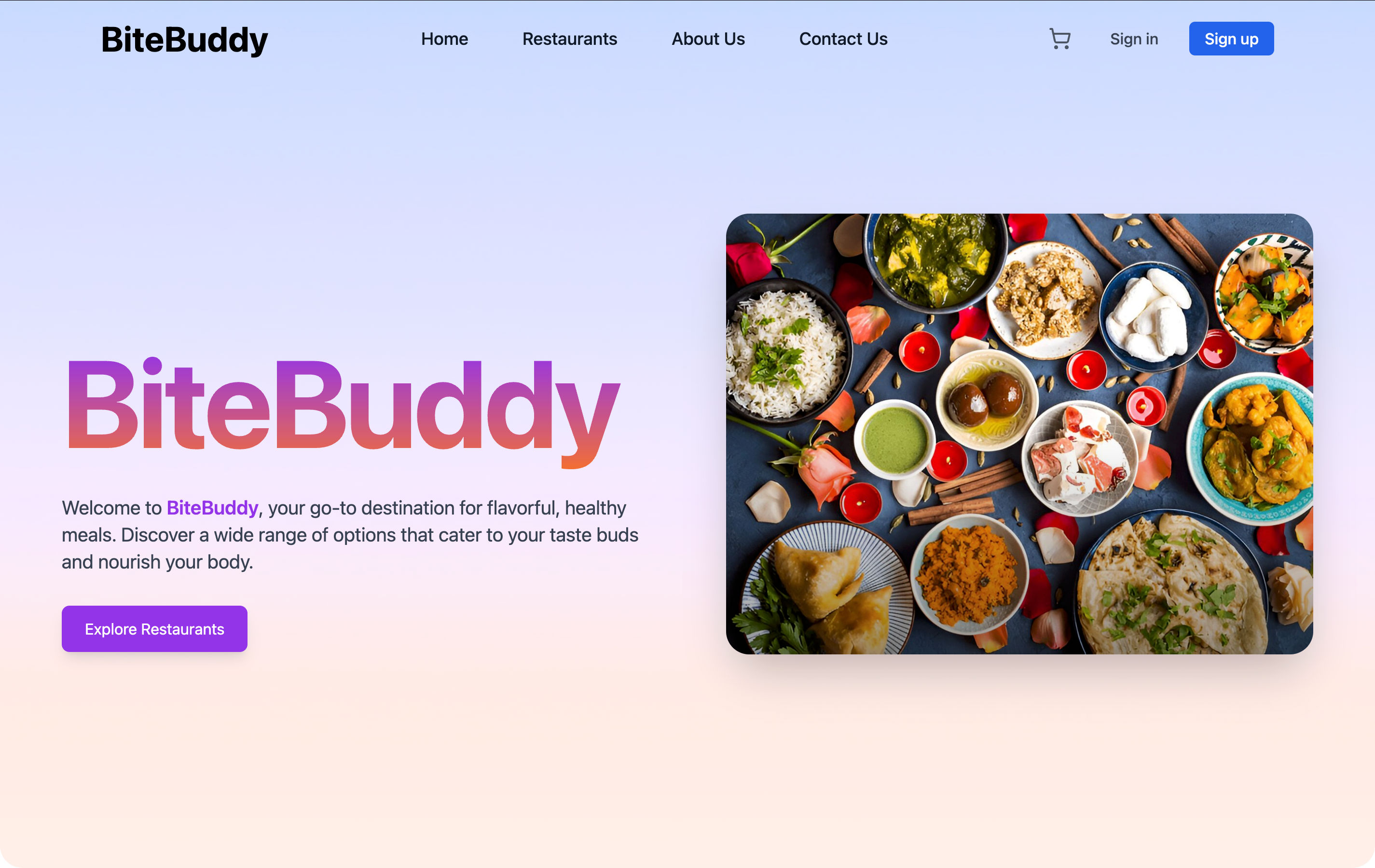
Check out our live demo: BiteBuddy Demo
Test Credentials:
- Customer:
- Email: test@example.com
- Password: test123
- Node.js (v14 or later)
- npm or yarn
- MongoDB (local instance or cloud connection)
-
Clone the Repository:
git clone https://github.com/AAYUSH412/Full-Stack-Online-Food-Ordering-System.git cd Full-Stack-Online-Food-Ordering-System -
Install Dependencies:
# Install root dependencies
npm install

# Install workspace dependencies
npm run setup
Or install each workspace manually:
# Backend dependencies
cd backend && npm install

# Frontend dependencies
cd frontend && npm install

# Admin panel dependencies
cd admin && npm install
-
Environment Variables:
- Create
.envfiles in each directory (backend, frontend, admin) using the provided.env.examplefiles - Fill in required environment variables (see Environment Variables section)
- Create
-
Start Development Servers:
# Run all services concurrently
npm run dev

# Or run individual services
npm run dev:backend
npm run dev:frontend
npm run dev:admin
-
Access the Applications:
- Frontend: http://localhost:5173
- Backend API: http://localhost:4000
- Admin Panel: http://localhost:5174
Create the following environment files with these variables:
PORT=4000
MONGO_URI=your_mongodb_connection_string
JWT_SECRET=your_jwt_secret
IMAGEKIT_PUBLIC_KEY=your_imagekit_public_key
IMAGEKIT_PRIVATE_KEY=your_imagekit_private_key
IMAGEKIT_URL_ENDPOINT=your_imagekit_url_endpoint
RAZORPAY_KEY_ID=your_razorpay_key_id
RAZORPAY_KEY_SECRET=your_razorpay_secret
EMAIL_USER=your_email_user
EMAIL=your_email_address
EMAIL_PASSWORD=your_email_password
FRONTEND_URL=http://localhost:5173
NODE_ENV=development
VITE_API_URL=http://localhost:4000
VITE_RAZORPAY_KEY_ID=your_razorpay_key_id
VITE_API_URL=http://localhost:4000
📁 Full-Stack-Online-Food-Ordering-System
├── 📁 frontend            # Customer-facing React application
│   ├── 📁 public          # Static assets
│   ├── 📁 src             # Source code
│   │   ├── 📁 assets      # Images and static resources
│   │   ├── 📁 components  # Reusable UI components
│   │   ├── 📁 context     # React context providers
│   │   ├── 📁 hooks       # Custom React hooks
│   │   ├── 📁 pages       # Application pages
│   │   ├── 📁 services    # API service functions
│   │   └── 📁 utils       # Utility functions
│   ├── .env.local         # Environment variables
│   └── package.json       # Dependencies and scripts
│
├── 📁 backend             # Express API server
│   ├── 📁 config          # Configuration files
│   ├── 📁 controllers     # Request handlers
│   ├── 📁 middleware      # Express middleware
│   ├── 📁 models          # Mongoose models
│   ├── 📁 routes          # API routes
│   ├── 📁 services        # Business logic
│   ├── 📁 utils           # Utility functions
│   ├── .env.local         # Environment variables
│   └── package.json       # Dependencies and scripts
│
├── 📁 admin               # Restaurant admin panel
│   ├── 📁 public          # Static assets
│   ├── 📁 src             # Source code
│   ├── .env.local         # Environment variables
│   └── package.json       # Dependencies and scripts
│
├── package.json           # Root package with workspace configurations
├── README.md              # Project documentation
└── CONTRIBUTING.md        # Contribution guidelines
- Registration/Login: Create an account or log in to access the platform
- Browse Restaurants: Explore restaurants and their menus
- Add to Cart: Select desired items and add them to your cart
- Checkout: Review order and proceed to payment
- Track Order: Monitor your order status in real-time
- Rate & Review: Share your experience after receiving your order
- Dashboard Access: Log in to the admin panel
- Manage Orders: View and process incoming orders
- Update Menu: Add, edit, or remove menu items
- Profile Settings: Update restaurant information and business hours
- View Analytics: Access sales data and performance metrics
POST /api/auth/register- Register a new userPOST /api/auth/login- Login userGET /api/auth/profile- Get user profile
GET /api/restaurants- Get all restaurantsGET /api/restaurants/:id- Get restaurant detailsGET /api/restaurants/:id/menu- Get restaurant menu
POST /api/orders- Create a new orderGET /api/orders- Get user ordersGET /api/orders/:id- Get order detailsPATCH /api/orders/:id- Update order status
For a complete list of endpoints, refer to the API documentation.
We welcome contributions to BiteBuddy! Please follow these steps:
- Review the CONTRIBUTING.md file for detailed guidelines
- Fork the repository
- Create a new branch (
git checkout -b feature/your-feature-name) - Make your changes
- Commit your changes (
git commit -m 'Add some feature') - Push to the branch (
git push origin feature/your-feature-name) - Open a Pull Request
This project is licensed under the MIT License.
- GitHub Repository: AAYUSH412/Full-Stack-Online-Food-Ordering-System
- Developer: Aayush Vaghela
- Email: aayushvaghela12@gmail.com
Thank you for choosing BiteBuddy! Your satisfaction is our priority.
