スターをして頂けると励みになります ⭐️
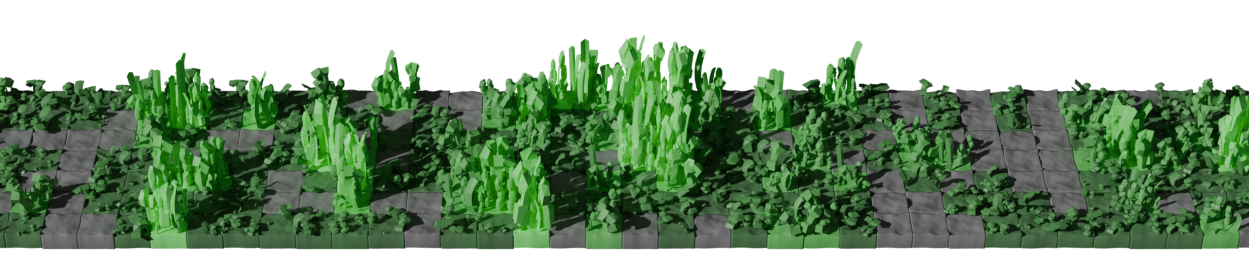
CGrass は GitHub Actions 上で動作する GitHub Contribution 画像生成ツールです. 生成された 3D 画像をプロフィールの README に設定することができます.
あなたの Profile リポジトリの .github/workflows/cgrass.yml に以下のコードをコピーしてください。
name: Generate Picture and Push to output branch

on:
    push:
        branches:
            - main
    schedule:
        - cron: '0 0 * * *' # any time you want

permissions:
    contents: write

jobs:
    generate:
        runs-on: ubuntu-24.04

        steps:
          - name: Checkout
            uses: actions/checkout@v4

          - name: Generate Picture
            uses: nrysk/cgrass@v1.0.0
            with:
                github_username: ${{ github.repository_owner }}
                github_token: ${{ secrets.GITHUB_TOKEN }}
                output_path: output/output.png
                command: "theme"
                argument: "github"

          - name: Push output image to output branch
            uses: crazy-max/ghaction-github-pages@v4
            with:
                target_branch: output
                build_dir: output
                commit_message: "Generate Output Image"
            env:
GITHUB_TOKEN: ${{ secrets.GITHUB_TOKEN }}以下のコードで生成された画像を表示できます。<username> は GitHub のユーザ名で置き換えてください.


command: "theme"
argument: "github" # change here
command: "theme"
argument: "github-nograss" # change here
command: "theme"
argument: "planet" # change here
command: "theme"
argument: "planet-nograss" # change hereProfile リポジトリに設定ファイルを作成します. 例えば, mytheme.toml というファイルをリポジトリのルートに作成します.
コンフィグファイル例: mytheme.toml
.github/workflows/cgrass.yml の command と argument を変更します.
  - name: Generate Picture
    uses: nrysk/cgrass@v1.0.0
    with:
        github_username: ${{ github.repository_owner }}
        github_token: ${{ secrets.GITHUB_TOKEN }}
        output_path: output/output.png
        command: "themefile" # change here
argument: ${{ github.workspace }}/mytheme.toml # change here- ground と grass の色は RGBA で指定します.
- sun の色は RGB で指定します.
アイデアがあれば, 共有していただけると幸いです