Describe the bug
History page won't load in Vivaldi (vivaldi://history/). It's a blank grey screen. I can't even open devtools (F12) or right-click on it.
I noticed my history page stopped working a couple months ago but thought it was a Vivaldi bug that would be fixed in the next update, but it never did. Turns out it only happens with minimo enabled.
To Reproduce
Steps to reproduce the behavior:
- Install and enable Minimo new tab page
- Open history (cmd + y)
- See error
Expected behavior
New tab page loads
Screenshots
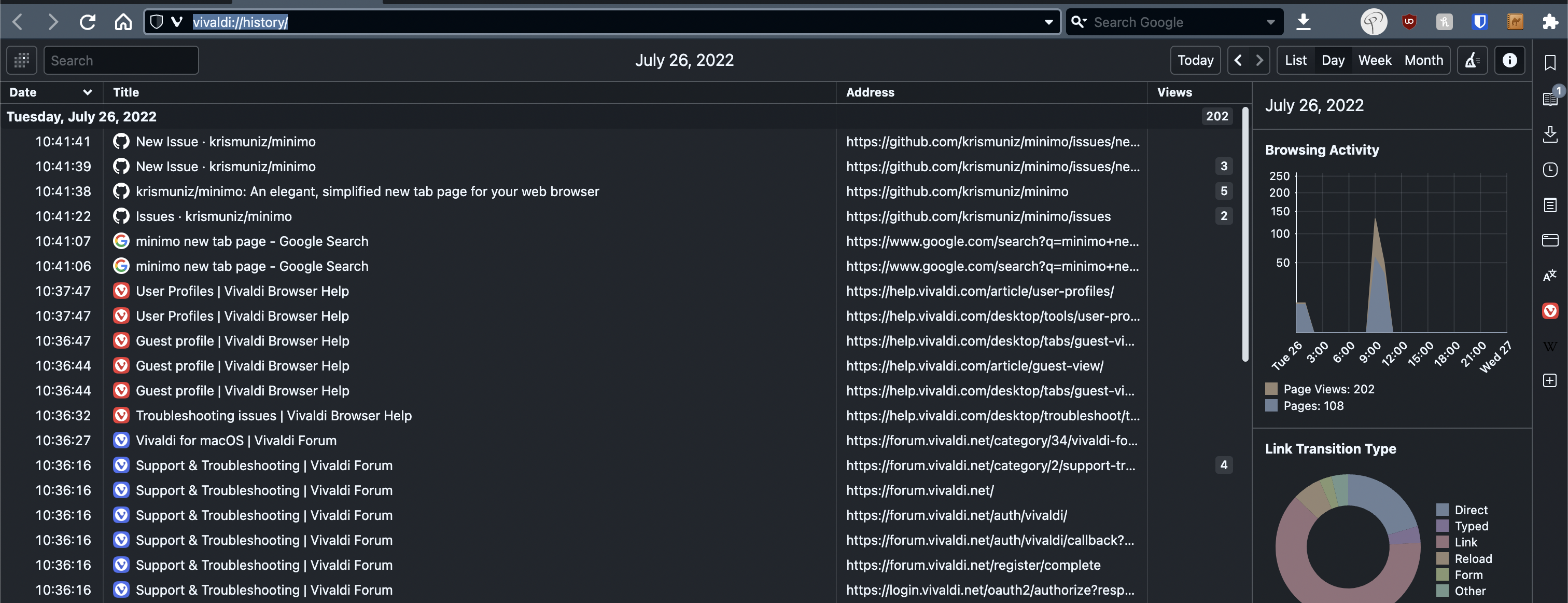
The history page with minimo enabled:

The history page (with minimo disabled)
Desktop (please complete the following information):
- OS: macOS, Linux
- Browser: Vivalid 5.3.2679.61 (based on chromium)
- Version: Minimo 1.4.1


Describe the bug
History page won't load in Vivaldi (
vivaldi://history/). It's a blank grey screen. I can't even open devtools (F12) or right-click on it.I noticed my history page stopped working a couple months ago but thought it was a Vivaldi bug that would be fixed in the next update, but it never did. Turns out it only happens with minimo enabled.
To Reproduce
Steps to reproduce the behavior:
Expected behavior
New tab page loads
Screenshots

The history page with minimo enabled:
The history page (with minimo disabled)

Desktop (please complete the following information):