A compilation of open-source projects for Star Resonance (Blue Protocol). These tools cover DPS meters, overlays, bots, asset extraction, and community utilities. Use responsibly and follow the game’s terms of service.
For real-time combat tracking, analysis, and packet-based DPS/HPS meters.
Tools that collect combat data directly (via packet sniffing or capture).
dmlgzs/StarResonanceDamageCounter THE OG
- Real-time DPS and combat data sniffer for Star Resonance.
- Provides live damage statistics, DPS calculations, and detailed combat analysis.
- No modification of the game client is needed; relies on network packet capture.


asgharkapk/Star-Resonance-Dps This fork includes:
-
more en translations
-
Theme changes
- changed progressbar colors
- fully transparent background in light theme
- removed useless empty space before progress bars
- Changed proportion % in progressbars to death counter
-
New Features
- Adde sorting by per second or total switch
- Added automatica GitHub Actions Release
- Automatic Window Resize presets
-
Fixed minor bugs
- fixed always using class not subclass for progress bar color and icon
- reset death count with reset button
- skill diary translation
- fixed subclass icon and color detection dictionary
-
compact theme in compact branch
-
not compact theme in normal branch
-
beta test branch: monster branch
-
فارسی branch: فارسی branch
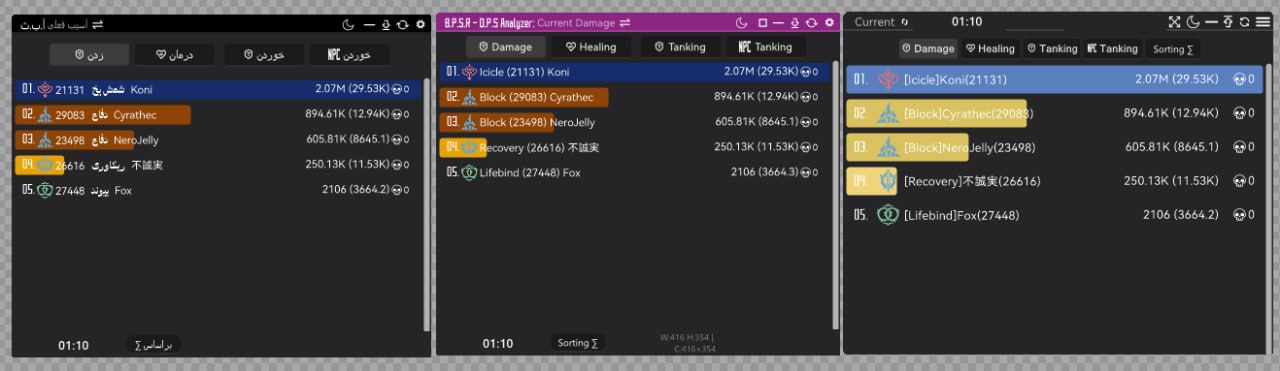
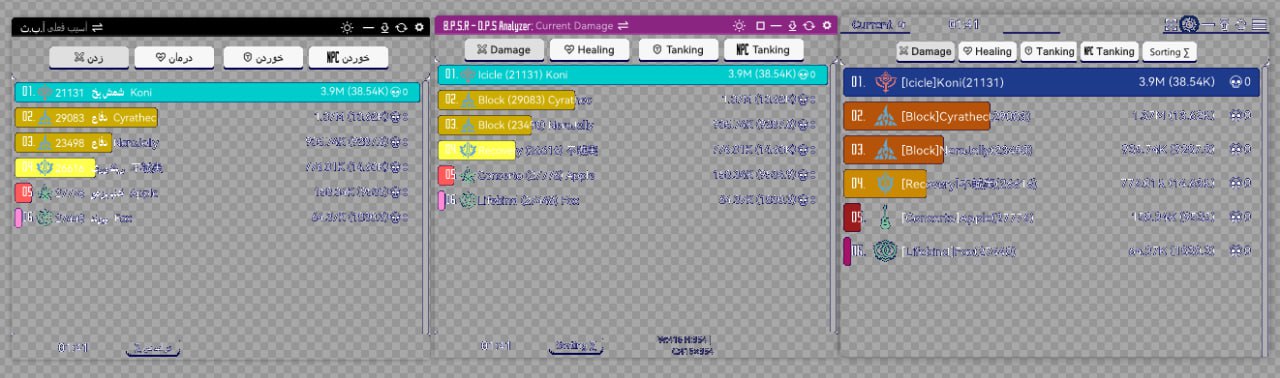
- Based on StarResonanceDamageCounter for real-time DPS analysis.
- Tracks individual and team damage output during encounters.
- Helps optimize gameplay by understanding DPS distribution and critical hits.


tom228studio/StarResonanceDamageCounter-master
- Localized Russian fork of the original DamageCounter.
- Provides combat analytics, DPS tracking, and skill statistics.
- Focuses on reliability in real-time battle scenarios with packet capture.
- Star Resonance DPS Statistics Tool
- Based on and ported from the StarResonanceDamageCounter project
- Does not modify the game client or violate game terms of service
- Designed to help players analyze combat data and improve performance
- Requires .NET 8.0 runtime
- Licensed under AGPL v3
- Open for community contributions via Issues and Pull Requests
- Intended for fair use only — do not use for player discrimination or to harm the game community

- Advanced DPS analysis and combat data tool for Star Resonance.
- Based on and extended from StarResonanceDamageCounter, with additional analysis modules and UI improvements.
- Captures, parses, and visualizes combat logs for real-time and post-battle review.
- Offers multiple frontends (WPF/WinForms) for customizable user experience.
- Designed for player self-improvement and performance benchmarking.
- Does not modify or interfere with the game client — works through network data interpretation.
- Requires .NET 8.0 runtime to operate.
- Distributed under the AGPL v3.0 open-source license.
- Aimed at transparency, education, and fair gameplay analytics.


- A real-time DPS/HPS meter overlay for Blue Protocol: Soul Resurrection
- Built with Electron and advanced packet sniffing capabilities
- Tracks damage and healing per second with 50ms updates
- Supports dual view modes: Nearby (Top 10 players + you) and Solo (personal stats)
- Features include channel change detection, class icons, HP bars, and damage contribution visualization
- Offers rank badges 🥇🥈🥉 and blue highlight for local player
- Customizable interface with draggable, lockable, and always-on-top transparent window
- Includes click-through mode for seamless in-game overlay usage
- Minimalistic and responsive design optimized for real-time gameplay analysis
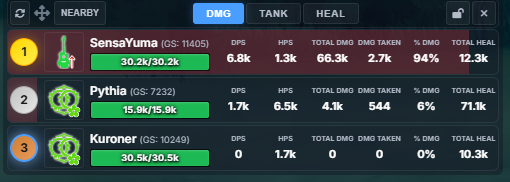
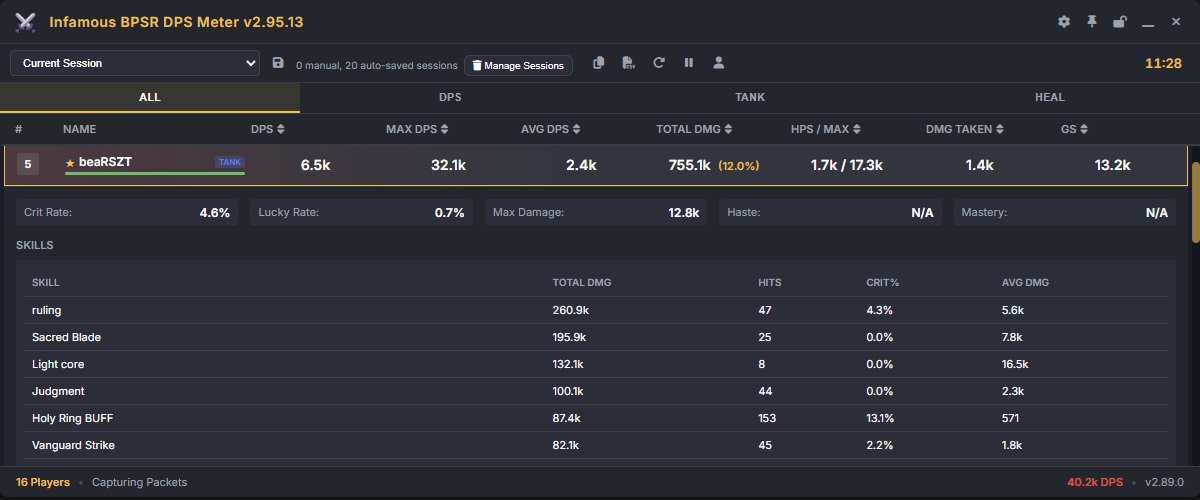
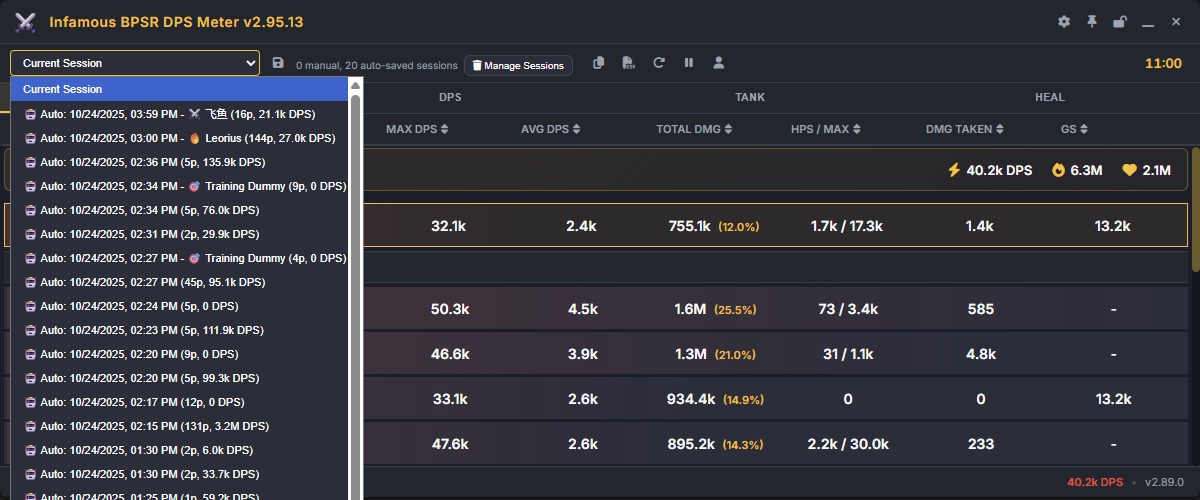
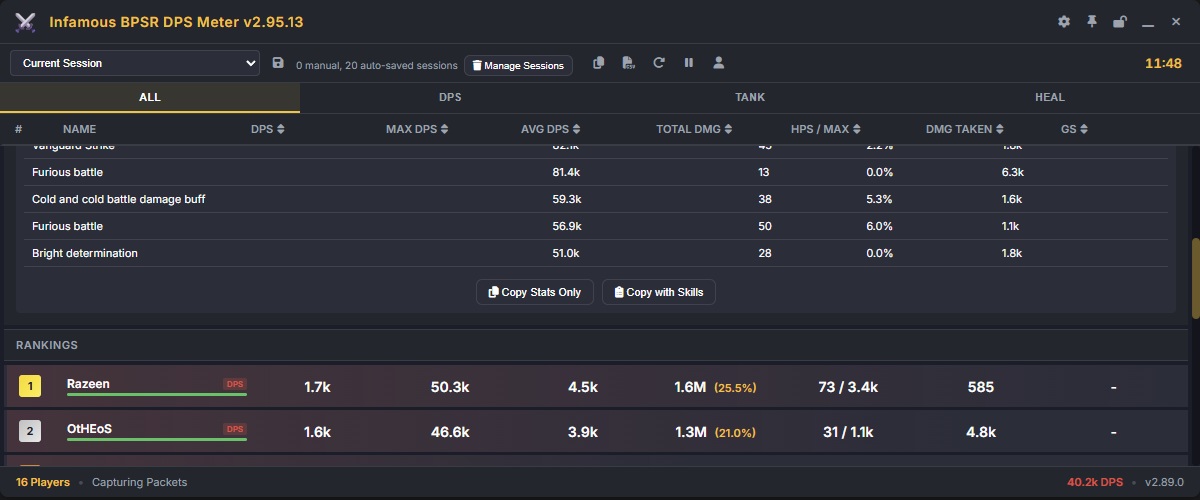
ssalihsrz/InfamousBPSRDPSMeter
- Infamous Blue Protocol: Star Resonance DPS Meter
- Real-time damage tracking and performance analysis tool
- Inspired by similar DPS meters from popular online RPGs
- Built to provide transparent and fair player statistics
- Supports customizable overlays and detailed combat summaries
- Requires .NET runtime and in-game data parsing setup
- Community-driven project — feedback and contributions are welcome
- Intended for educational and analytical use only
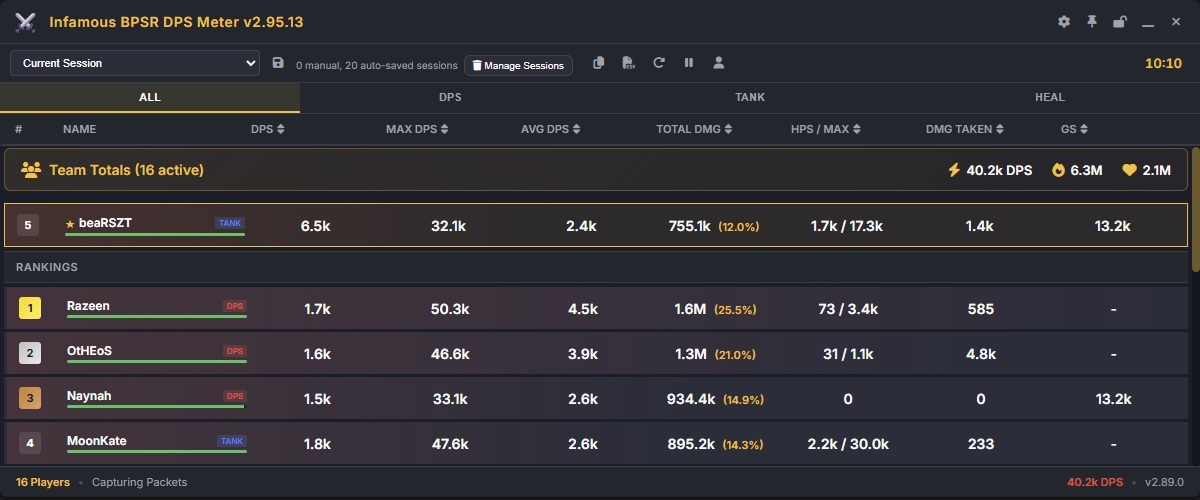
- Blue Protocol: Star Resonance Plug-in System (PSO-SX)
- Modular enhancement framework for Star Resonance utilities
- Includes support for performance tracking, overlays, and UI extensions
- Focused on stability, modularity, and community plugin development
- Compatible with various Star Resonance helper tools
- Written in C# with modern architecture design
- Licensed under open-source terms for collaborative development
- For fair and transparent gameplay analytics only
Below are some example views of the overlay in action:


Real-time DPS display showing nearby players’ output.

Real-time HPS display showing nearby players’ output.

“Sola Extended” view with enhanced tracking and session analytics.

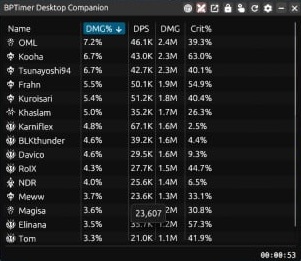
- Blue Protocol Timer Utility
- Comprehensive time tracking and boss/event scheduling tool
- Supports multiple regions and synchronized server times
- Built with web-based UI for easy access and portability
- Features countdowns, alerts, and world boss tracking
- Ideal for players and communities organizing events
- Continuously updated with global Blue Protocol content
- Open-source and community-maintained for accuracy and fairness

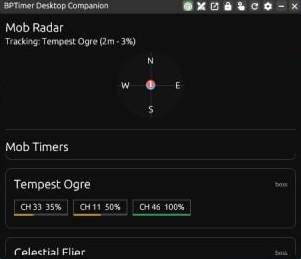
Blue-Protocol-Source/BPSR-ZDPS ZDPS is a Damage Meter and Companion Tool for Blue Protocol: Star Resonance. It's built on modern frameworks, making it fast and efficient at performing the role of a DPS Meter. It however also packs a lot of additional features in it such as complete Encounter History, Module Optimizer, Log Reporting, Field Boss/Magical Creature Spawn Tracking, Cooldown Tracking, and more.


backaround/BPSR-PSO Blue Protocol: Star Resonance - Per Second Overlay Provides a useful GUI to track DPS / HPS / DMG Taken for nearby players

Denoder/BPSR-Meter A DPS meter for Blue Protocol built with Electron, React 19, and TypeScript. This project is a fork of NeRooNx's BPSR Meter, featuring improved performance with Vite, Tailwind CSS, and optimized DOM updates.

seilent/BPSR-ZDPS ZDPS is a Damage Meter and Companion Tool for Blue Protocol: Star Resonance. It's built on modern frameworks, making it fast and efficient at performing the role of a DPS Meter. It however also packs a lot of additional features in it such as complete Encounter History, Module Optimizer, Log Reporting, Field Boss/Magical Creature Spawn Tracking, Cooldown Tracking, and more.
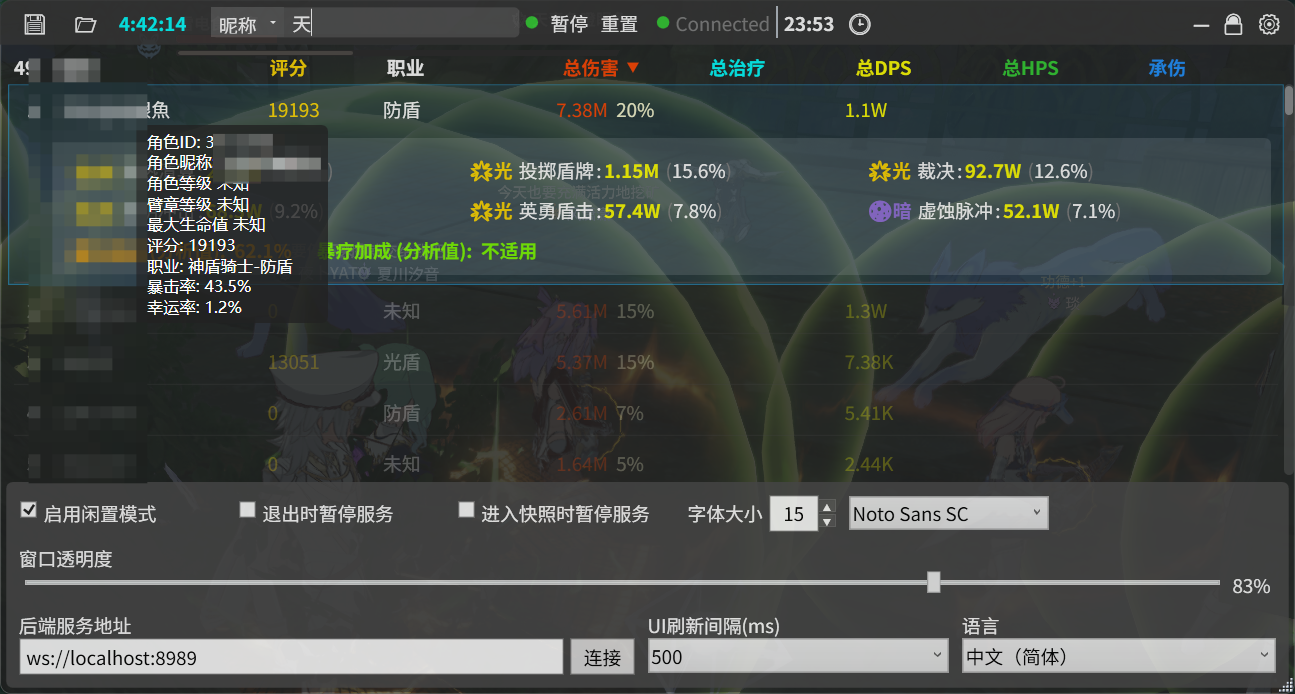
GUI or overlay tools that display DPS data from a backend.
- Lightweight frontend for displaying combat data from DamageCounter.
- Shows team DPS, healing, and skill usage in real-time floating windows.
- Supports multi-player monitoring and skill distribution analysis.
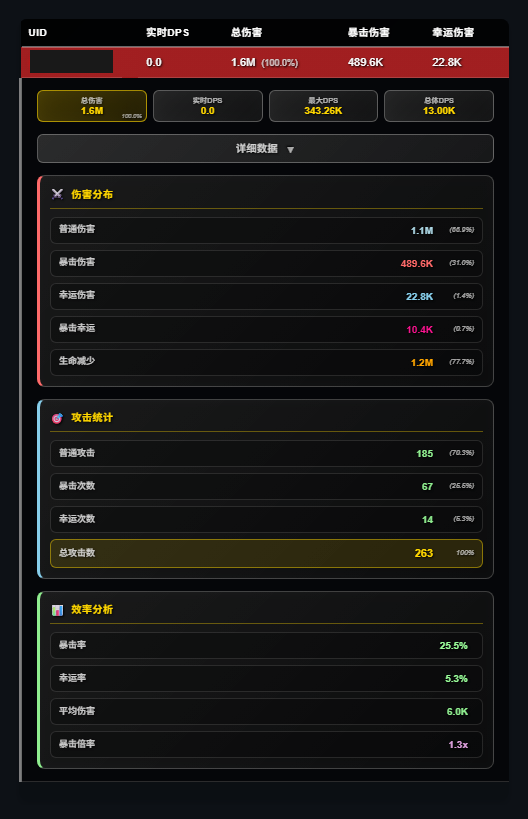
- English-language desktop DPS/HPS meter overlay.
- Displays total damage, healing, contributions, critical hit rate, and max DPS.
- Non-intrusive; overlays game window without affecting gameplay.


CKylinMC/StarResonanceDamageCounterOverlay
- Tauri-based frontend for displaying DPS and combat data.
- Works as a companion to DamageCounter backend, visualizing real-time statistics.
- Lightweight and responsive with simple UI controls for team data tracking.
ziqi-rgb/StarResonanceDamageCounter-overlay
- Displays live combat data in floating windows without capturing packets.
- Syncs with DamageCounter for DPS, team stats, and skill information.
- Supports nickname edits and multiple independent windows for characters.
- Floating window overlay for DamageCounter API data.
- Shows team metrics, skill usage, and individual tracking.
- Customizable window layout and nickname settings.
tom228studio/StarResonanceDamageCounter-overlay-main
- Russian version of DamageCounter overlay supporting team monitoring.
- Allows UI customization like transparency, colors, and nickname edits.
- Displays skill statistics, DPS contribution, and supports multi-window layouts.
- Blue Protocol: Star Resonance - Per Second Overlay (PSO) provides a GUI to track DPS/HPS for nearby players.
- Standalone packet analyzer that does not modify BPSR files.
- Built with Node.js and Npcap for real-time combat data tracking. Pros:
- Non-invasive and does not require modifying game files.
- Offers clear, visual DPS/HPS metrics.
- Easy setup for developers (Node.js + npm). Cons:
- Requires Npcap installation with WinPcap API compatibility.
- Windows-only (Npcap dependency).
- Might need admin rights for packet capture. User comments:
- Users report it works reliably for monitoring nearby player performance.

- Real-time DPS and combat tracker for Blue Protocol.
- Provides live player and monster damage statistics, DPS calculations, and detailed combat analysis.
- Tracks group damage with individual player stats and boss/monster breakdowns.
- Includes combat timers, auto-clear options, and session logging with export capabilities.
- Built using Electron, React 19, and TypeScript for Windows OS.
- Uses network packet capture via Npcap or WinDivert, requiring no modification to the game client.
- Multilingual support: English and Chinese interface.
- Auto-update support via GitHub releases ensures users stay on the latest version.
- Open-source under AGPL-3.0, allowing modification and redistribution under the same license.
- Requires Node.js v22.20.0 or higher for building from source.
- Early-stage project with limited community adoption; users should check compatibility with the latest game version.

- StarResonanceDPS is an Electron-based third-party tool for real-time DPS tracking and analysis in Star Resonance.
- It captures network packets locally and parses Protocol Buffers data to compute detailed damage statistics.
- Provides real-time DPS monitoring, including normal, critical, and lucky damage, plus historical peak and average DPS.
- Supports multi-player tracking and automatically calculates critical rates and damage distributions.
- Runs as a native desktop app on Windows 10/11, requiring administrator permissions and WinPcap/Npcap for packet capture.
- Users can clone the repository, install dependencies with
npm install, and launch withnpm startin admin mode. - The interface allows selection of network devices, starting/stopping captures, clearing stats, and viewing live DPS dashboards.
- All processing is local; the tool does not modify game files, and users must follow community rules while using it.
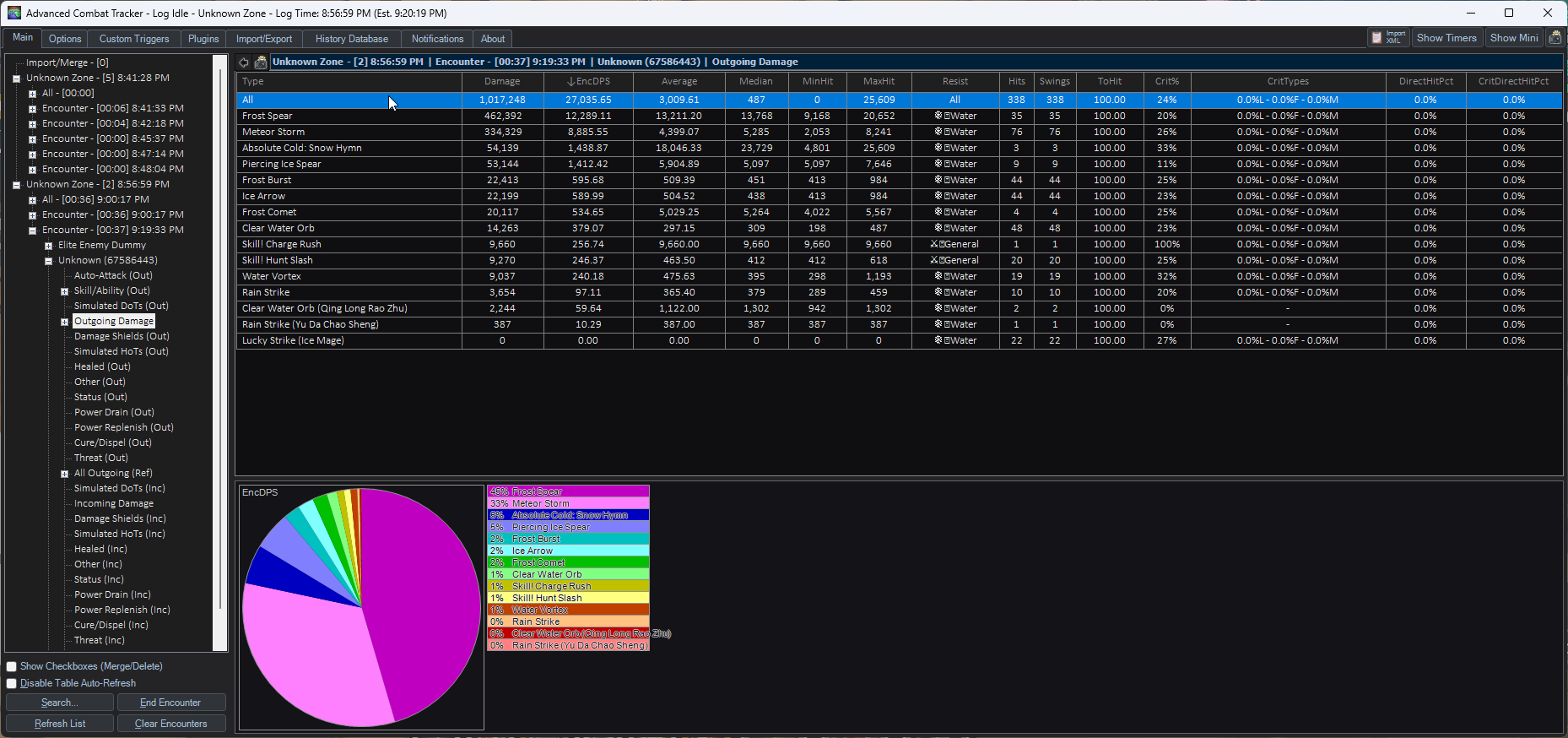
- BPSR_ACT_Plugin is an Advanced Combat Tracker (ACT) plugin for Blue Protocol: Star Resonance.
- It provides detailed combat analysis, including DPS, death reports, damage by combatant, and individual hit info.
- Users must install Advanced Combat Tracker and Npcap, then place the plugin DLL in
%appdata%\Advanced Combat Tracker\Plugins. - The plugin is loaded via ACT’s Plugins tab, enabling real-time combat tracking and analytics.
- Features planned include better device autodetection, class/spec display, zone handling, and improved monster/skill name translations.
- Uses SharpPcap, PacketDotNet, and ZstdSharp.Port for packet capture and processing.
- All networking and packet handling code is adapted from Star Resonance Damage Counter.
- The tool is open-source and intended for detailed combat monitoring and research, not for cheating.
- Blue Protocol: Star Resonance - Per Second Overlay (BPSR-PSO) is a standalone GUI application that tracks DPS/HPS for nearby players by analyzing network packets in transit. It does not modify the game or interact directly with game files. Setup & Installation:
- Install Node.js (npm included).
- Install Npcap (installer in
/resourcesfolder; enable "WinPcap API-compatible Mode"). - Clone the repository:
git clone https://github.com/Chase-Simmons/BPSR-PSO.git - Navigate to the folder and install dependencies:
npm installRunning:
- Run Npcap installer and start the application.
- Latest release: BPSR-PSO releases Features:
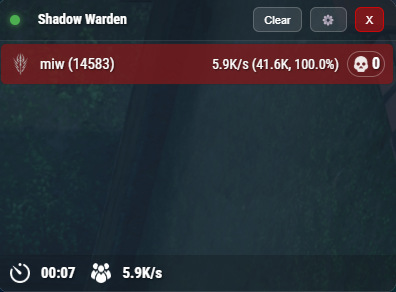
- Main window for monitoring DPS/HPS.
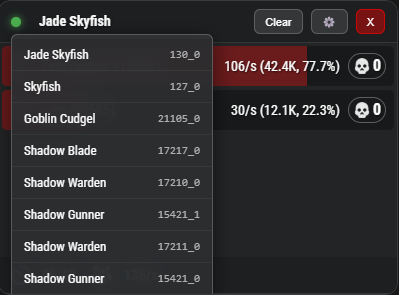
- Monster list overview.
- Skill detail view (click DPS blocks to open).
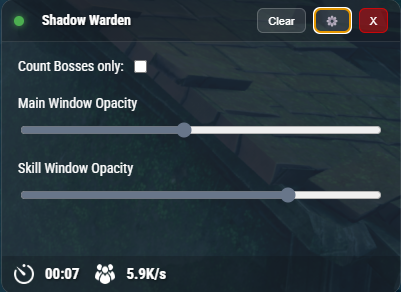
- Settings accessible from main window.
Note: Designed by the developer for personal use, inspired by TERA Online's Shinra meter.
License: AGPL-3.0
Main window
 Monster list
 Settings in Main window
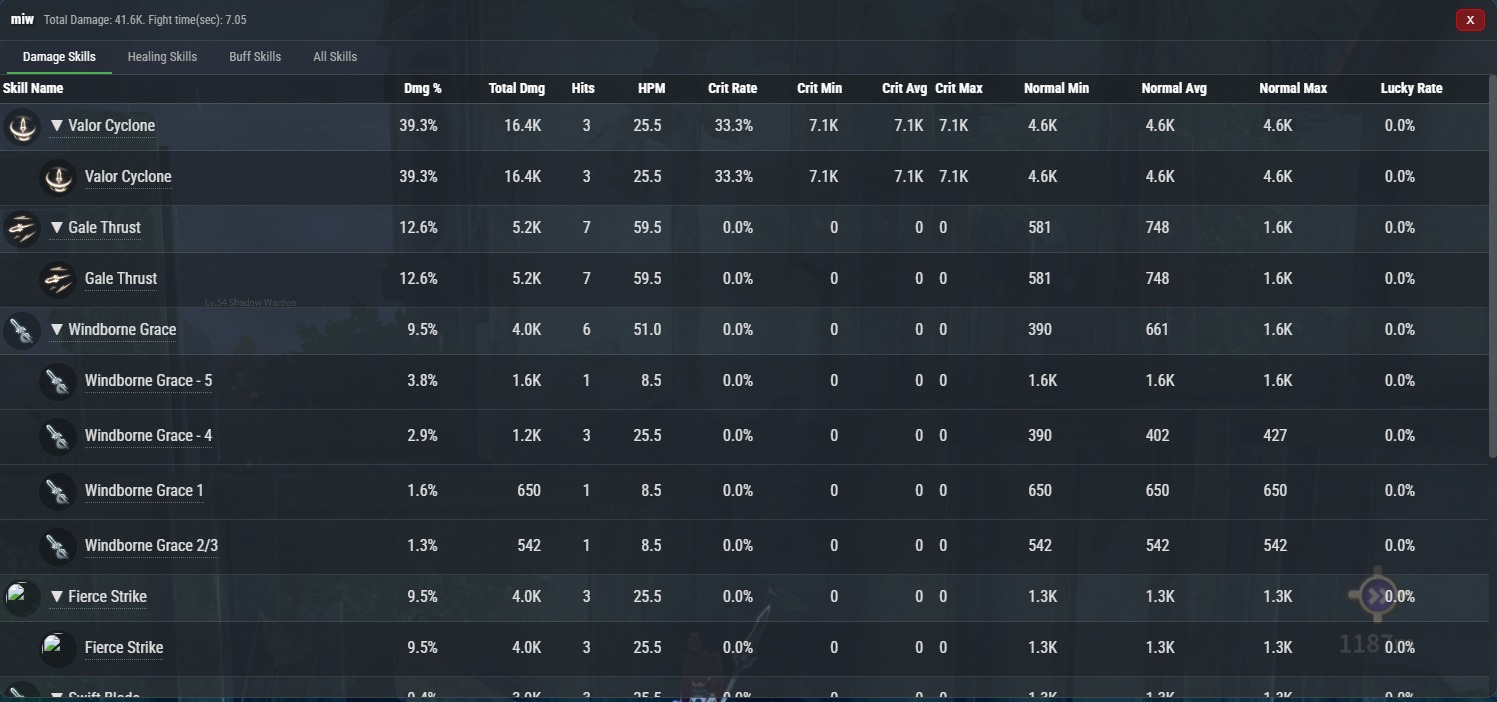
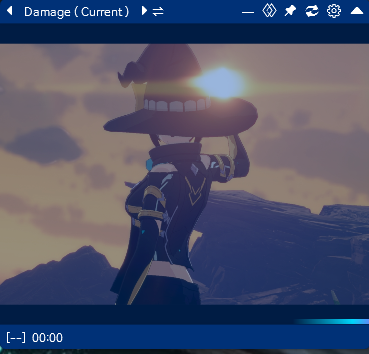
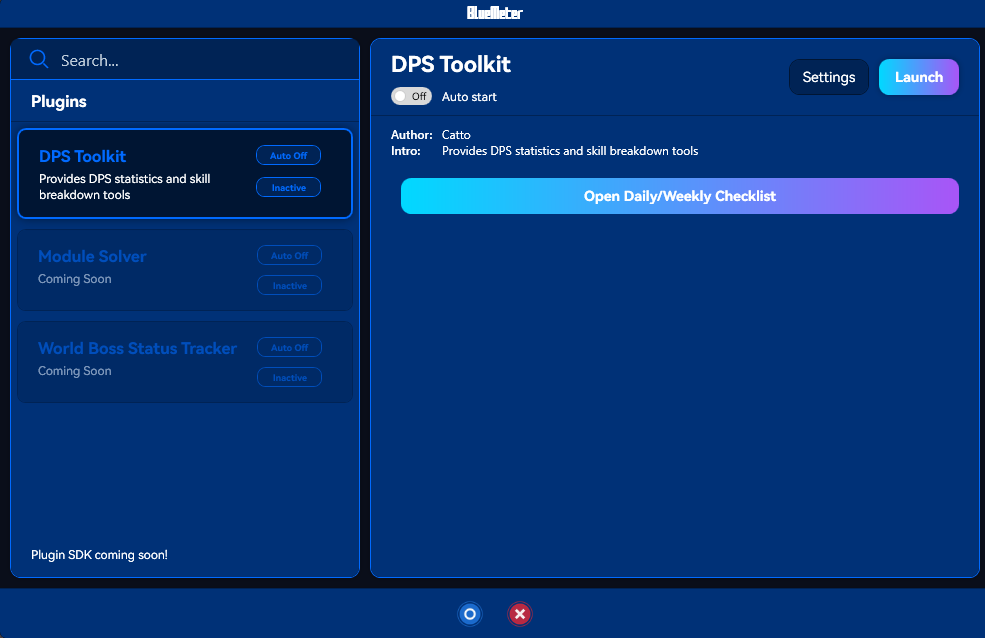
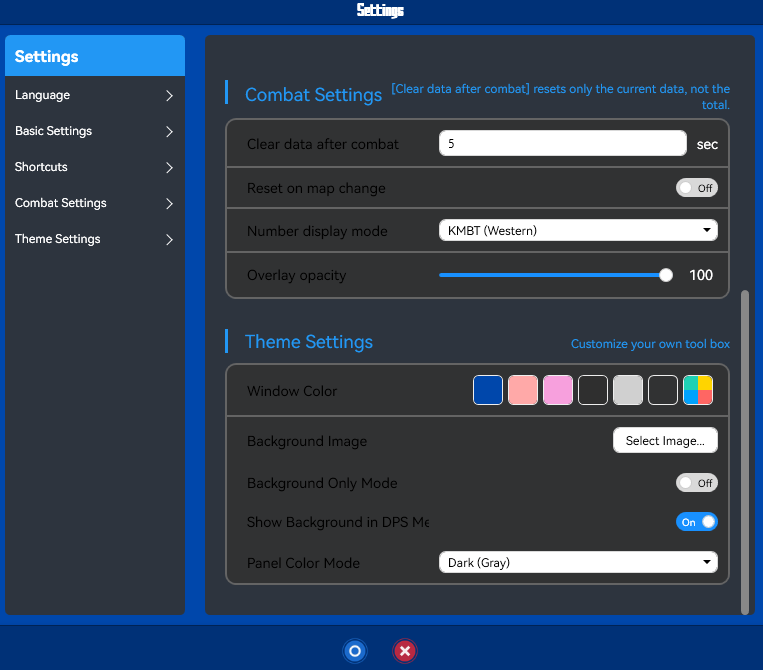
- It’s a desktop tool called BlueMeter for Blue Protocol: Star Resonance that analyses real‑time combat data (DPS/HPS etc) by capturing network packets and presenting them as overlay stats.
- It does not modify the game client or its files—it passively monitors traffic to compute damage/healing metrics.
- How it works: you download the release ZIP or build from source (.NET 8.0 required), install and run the application, and it listens to your network adapter via a packet capture driver (e.g., Npcap) to parse combat packets.
- After launching, the overlay will display your stats such as DPS, HPS, peak damage, contribution percentage and other combat‑related numbers while you play.
- To use: extract the release to a folder, run
BlueMeter.WPF.exe(or the built executable), ensure .NET 8.0 runtime is installed, start the game and fight as usual—stats are captured real‑time. - Alternatively, for building from source: install .NET 8.0 SDK, clone the repo, build with
dotnet build -c Release, ordotnet publishto generate the executable. - The UI is a visible overlay you can move or resize, it reads network packets from your system’s adapter, decodes game events and shows them in meaningful metrics.
- Users must run it under their own responsibility—while it is non‑invasive (no memory injection or file modding), usage may still carry risk depending on game policy.
wahfcore/bpsr-meter-wahf-edition
- It’s a custom-branded real-time DPS/HPS meter overlay for Blue Protocol: Star Resonance.
- Works on Windows 10/11 and captures network packets via Npcap to track player stats.
- Displays metrics for nearby players or solo, with rank badges and local player highlighting.
- Overlay updates every 50ms, supports adjustable scale (100%, 70%, 50%, 30%) and click-through transparency.
- Uses Electron framework for the GUI, with dark theme, HP bars, class icons, and damage visualization.
- To use: install Npcap with WinPcap API-compatible mode and loopback support.
- Download and extract the ZIP, then run
BPSR Meter - WAHF Edition.exe; overlay appears top-right. - Change game instance or line to start detection; interact with overlay controls by hovering over buttons.
- BPSR Meter is a real‑time DPS/HPS overlay tool for Blue Protocol: Star Resonance, built on top of packet‑capture techniques from earlier meters. (GitHub)
- It captures network traffic using drivers like Npcap (WinPcap‑compatible mode) to parse combat events without modifying the game client. (GitHub)
- For end users: download the installer from GitHub Releases, install Npcap first, then run the application (Windows 10/11 supported). (GitHub)
- For developers: clone the repo, install Node.js v22+, run
npm install, then build or start in dev mode (npm run dev,npm run build). - The architecture uses Electron + Vite for the renderer UI, Express for API backend, and socket.io for real‑time event updates.
- At runtime the overlay positions itself (top‑right by default), updates stats every ~50 ms, supports scaling and click‑through transparency, and highlights the local player plus top performers.
- It resets stats when you change server channels or instances (since new packet streams are detected) and may show “Unknown” for players who joined before the meter started. (Reddit)
- Note: Because it listens to packets, use at your own risk; community posts mention concerns about security and compatibility with anti‑cheat systems. (Steam Community)
---