Balíčky jsou k dipozici pro novějěší LTS verze systémů Debian a Ubuntu.
Nejprve je potřeba přidat instalační zdroje:
sudo apt install lsb-release wget
echo "deb http://repo.vitexsoftware.com $(lsb_release -sc) main" | sudo tee /etc/apt/sources.list.d/vitexsoftware.list
sudo wget -O /etc/apt/trusted.gpg.d/vitexsoftware.gpg http://repo.vitexsoftware.cz/keyring.gpg
sudo apt update
sudo apt install libapache2-mod-php # easy & preconfigured
sudo apt install multiflexi-DATABASE multiflexi
k dispozici jsou tyto databázové adaptéry: multiflexi-mysql, multiflexi-pgsql a multiflexi-sqlite
These packages from VitexSoftware will be installed
`` php-cakephp-phinx composer-debian php-vitexsoftware-ease-core php-vitexsoftware-ease-html php-vitexsoftware-ease-bricks php-spojenet-abraflexi php-vitexsoftware-abraflexi-bricks php-vitexsoftware-ease-bootstrap4 php-vitexsoftware-ease-bootstrap4-widgets php-vitexsoftware-ease-bootstrap4-widgets-abraflexi php-vitexsoftware-ease-fluentpdo multiflexi-mysql multiflexi
Výsledná instalace pak bude vypadat takto:

```shell
vitex@system:~$ sudo apt install multiflexi-mysql
Reading package lists... Done
Building dependency tree
Reading state information... Done
The following additional packages will be installed:
  multiflexi
Suggested packages:
  abraflexi-server abraflexi-digest abraflexi-reminder abraflexi-contract-invoices abraflexi-email-importer
The following NEW packages will be installed:
  multiflexi multiflexi-mysql
0 upgraded, 2 newly installed, 0 to remove and 0 not upgraded.
Need to get 221 kB of archives.
After this operation, 913 kB of additional disk space will be used.
Do you want to continue? [Y/n]
Get:1 http://repo.vitexsoftware.cz focal/main amd64 multiflexi-mysql all 1.1~focal~26 [1948 B]
Get:2 http://repo.vitexsoftware.cz focal/main amd64 multiflexi all 1.1~focal~26 [219 kB]
Fetched 221 kB in 0s (2207 kB/s)
Selecting previously unselected package multiflexi-mysql.
(Reading database ... 139480 files and directories currently installed.)
Preparing to unpack .../multiflexi-mysql_1.1~focal~26_all.deb ...
Unpacking multiflexi-mysql (1.1~focal~26) ...
Selecting previously unselected package multiflexi.
Preparing to unpack .../multiflexi_1.1~focal~26_all.deb ...
Unpacking multiflexi (1.1~focal~26) ...
Setting up multiflexi-mysql (1.1~focal~26) ...
Setting up multiflexi (1.1~focal~26) ...

Determining localhost credentials from /etc/mysql/debian.cnf: succeeded.
dbconfig-common: writing config to /etc/dbconfig-common/multiflexi.conf

Creating config file /etc/dbconfig-common/multiflexi.conf with new version

Creating config file /etc/multiflexi/.env with new version
checking privileges on database multiflexi for multiflexi@localhost: user creation needed.
granting access to database multiflexi for multiflexi@localhost: success.
verifying access for multiflexi@localhost: success.
creating database multiflexi: success.
verifying database multiflexi exists: success.
dbconfig-common: flushing administrative password
Phinx by CakePHP - https://phinx.org. 0.9.2-3

using config file .usrlibmultiflexiphinx-adapter.php
using config parser php
using migration paths
 - /usr/lib/multiflexi/db/migrations
using seed paths
 - /usr/lib/multiflexi/db/seeds
warning no environment specified, defaulting to: production
using adapter mysql
using database multiflexi

 == 20160203130652 User: migrating
 == 20160203130652 User: migrated 0.0181s

 == 20160825235219 Servers: migrating
 == 20160825235219 Servers: migrated 0.0146s

 == 20180208121253 Customer: migrating
 == 20180208121253 Customer: migrated 0.0190s

 == 20180208122200 Company: migrating
 == 20180208122200 Company: migrated 0.0227s

 == 20180310143606 CompanysOwnerIsCustomer: migrating
 == 20180310143606 CompanysOwnerIsCustomer: migrated 0.0223s

 == 20200413063021 Applications: migrating
 == 20200413063021 Applications: migrated 0.0219s

 == 20200413150836 AppToCompany: migrating
 == 20200413150836 AppToCompany: migrated 0.0354s

 == 20200503154326 CompanyNotifyEmail: migrating
 == 20200503154326 CompanyNotifyEmail: migrated 0.0071s

 == 20200520140331 ConfigRegistry: migrating
 == 20200520140331 ConfigRegistry: migrated 0.0440s

 == 20200529215717 AppSetup: migrating
 == 20200529215717 AppSetup: migrated 0.0085s

 == 20200704143315 Logger: migrating
 == 20200704143315 Logger: migrated 0.0227s

 == 20200710133202 CommandlineParams: migrating
 == 20200710133202 CommandlineParams: migrated 0.0079s

 == 20200712203245 DefaultOption: migrating
 == 20200712203245 DefaultOption: migrated 0.0060s

 == 20200713143202 AppIntervalToInterv: migrating
 == 20200713143202 AppIntervalToInterv: migrated 0.0061s

 == 20200713170617 FixCmdlineLogIndex: migrating
 == 20200713170617 FixCmdlineLogIndex: migrated 0.0271s

 == 20210317130152 DefaultCompanySetup: migrating
 == 20210317130152 DefaultCompanySetup: migrated 0.0047s

All Done. Took 0.3214s
run "multiflexi-phinx seed:run" to load demo data
run "multiflexi-phinx seed:run  -s AppSeeder" to load only plugins demo setup
ProjectDir: /usr/lib/multiflexi VendorDir: /var/lib/composer/multiflexi
Loading composer repositories with package information
Updating dependencies
Lock file operations: 10 installs, 0 updates, 0 removals
  - Locking deb/abraflexi (2.10)
  - Locking deb/abraflexi-bricks (0.34)
  - Locking deb/ease-bootstrap4 (1.7)
  - Locking deb/ease-bootstrap4-widgets (1.3)
  - Locking deb/ease-bootstrap4-widgets-abraflexi (0.5)
  - Locking deb/ease-bricks (0.9.9)
  - Locking deb/ease-core (1.35)
  - Locking deb/ease-fluentpdo (1.0)
  - Locking deb/ease-html (1.36)
  - Locking fpdo/fluentpdo (v2.2.0)
Writing lock file
Installing dependencies from lock file (including require-dev)
Package operations: 10 installs, 0 updates, 0 removals
  - Installing deb/ease-core (1.35): Symlinking from /usr/share/php/EaseCore
  - Installing deb/abraflexi (2.10): Symlinking from /usr/share/php/AbraFlexi
  - Installing deb/ease-html (1.36): Symlinking from /usr/share/php/EaseHtml
  - Installing deb/ease-bootstrap4 (1.7): Symlinking from /usr/share/php/EaseTWB4
  - Installing deb/ease-bootstrap4-widgets (1.3): Symlinking from /usr/share/php/EaseTWB4Widgets
  - Installing deb/ease-bricks (0.9.9): Symlinking from /usr/share/php/EaseBricks
  - Installing deb/abraflexi-bricks (0.34): Symlinking from /usr/share/php/AbraFlexiBricks
  - Installing deb/ease-bootstrap4-widgets-abraflexi (0.5): Symlinking from /usr/share/php/EaseTWB4WidgetsAbraFlexi
  - Installing fpdo/fluentpdo (v2.2.0): Extracting archive
  - Installing deb/ease-fluentpdo (1.0): Symlinking from /usr/share/php/EaseFluentPDO
Generating autoload files
/var/lib/composer/multiflexi/autoload.php
Processing triggers for mime-support (3.64ubuntu1) ...
[master 13012c2] committing changes in /etc made by "apt install multiflexi-mysql"
 Author: vitex <vitex@system>
 10 files changed, 162 insertions(+)
 create mode 100644 apache2/conf-available/multiflexi.conf
 create mode 100644 avahi/services/multiflexi.service
 create mode 100644 cron.d/multiflexi
 create mode 100755 cron.daily/multiflexi
 create mode 100755 cron.hourly/multiflexi
 create mode 100755 cron.monthly/multiflexi
 create mode 100755 cron.weekly/multiflexi
 create mode 100644 dbconfig-common/multiflexi.conf
 create mode 100644 multiflexi/.env
Po instalaci je pak možné načíst buď kompletní demo data ( uživatel demo heslo demo )
multiflexi-phinx seed:runDoporučenou možností je však založit si vlastního uživatele a zaregistrovat AbraFlexi server a poté pouze načíst demo aplikace příkazem:
multiflexi-phinx seed:run -s AppSeederTím se načtou pouze ukázkové aplikace. Jsou li tyto také nainstalovány (nalezeny na disku) jsou rovnou aktivovány aby je bylo možné přiřadit k firmám a intervalům.
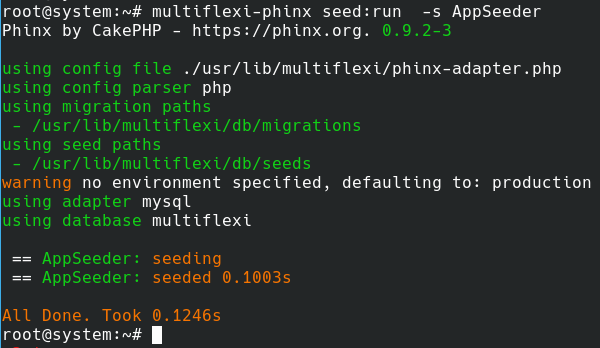
Webserver Apache je nakonfigurován aby aplikace běžela na cestě /multiflexi/ Nginx a jiné webservery nejsou podporovány a je nutno je nastavit ručně.
RPM packages are available for RedHat-based distributions (RHEL, CentOS, Fedora, AlmaLinux, Rocky Linux, etc.).
First, add the VitexSoftware repository and install the required packages:
sudo dnf install -y wget
sudo wget -O /etc/yum.repos.d/vitexsoftware.repo https://repo.vitexsoftware.com/vitexsoftware.repo
sudo rpm --import https://repo.vitexsoftware.cz/keyring.gpg
sudo dnf makecache
sudo dnf install multiflexi-DATABASE
Available database adapters: multiflexi-mysql, multiflexi-pgsql, multiflexi-sqlite
These packages from VitexSoftware will be installed:
php-cakephp-phinx composer-debian php-vitexsoftware-ease-core php-vitexsoftware-ease-html php-vitexsoftware-ease-bricks php-spojenet-abraflexi php-vitexsoftware-abraflexi-bricks php-vitexsoftware-ease-bootstrap4 php-vitexsoftware-ease-bootstrap4-widgets php-vitexsoftware-ease-bootstrap4-widgets-abraflexi php-vitexsoftware-ease-fluentpdo multiflexi-mysql multiflexi
After installation, you can load demo data (user demo password demo) with:
multiflexi-phinx seed:runOr, for only demo applications:
multiflexi-phinx seed:run -s AppSeederThe Apache webserver is preconfigured for /multiflexi/. For Nginx or other webservers, manual configuration is required.
MultiFlexi uses AES-256 encryption to protect sensitive data (passwords, API keys, tokens) in the database. The encryption system requires a master key.
During installation of the multiflexi-common package, an encryption master key is automatically generated and stored in:
/etc/multiflexi/multiflexi.env
The key is:
- Generated using
openssl rand -base64 32(32 bytes = 256 bits) - Stored as
ENCRYPTION_MASTER_KEY=<base64-key>in the .env file - Protected with permissions
640(root:www-data) - Created only if it doesn't already exist in the configuration file
To manually set or change the encryption master key, edit /etc/multiflexi/multiflexi.env:
# Generate a secure key
ENCRYPTION_MASTER_KEY=$(openssl rand -base64 32)

# Add to /etc/multiflexi/multiflexi.env
echo "ENCRYPTION_MASTER_KEY=$ENCRYPTION_MASTER_KEY" | sudo tee -a /etc/multiflexi/multiflexi.envYou can also set the key via environment variables (useful for containers):
export ENCRYPTION_MASTER_KEY="your-base64-encoded-32-byte-key"- Backup
/etc/multiflexi/multiflexi.env- without the key, encrypted credentials cannot be recovered - If the key is lost, all encrypted credentials become permanently inaccessible
- Never commit the key to version control
- The key is automatically backed up when you backup
/etc/multiflexi/ - Rotate keys periodically following your security policy
If you need to regenerate the key (this will invalidate all existing encrypted data):
# Generate new key and update configuration
sudo sed -i '/^ENCRYPTION_MASTER_KEY=/d' /etc/multiflexi/multiflexi.env
echo "ENCRYPTION_MASTER_KEY=$(openssl rand -base64 32)" | sudo tee -a /etc/multiflexi/multiflexi.env
Warning: Regenerating the key will make all existing encrypted credentials inaccessible. You must re-enter all sensitive credentials after key regeneration.
Enable or disable encryption via environment variables in /etc/multiflexi/multiflexi.env:
# Enable AES-256 encryption (default: true)
DATA_ENCRYPTION_ENABLED=true
For more security features, see the README.md security section.