- The
<track>tag is used for specifying subtitles. It is typically applied as a child of the<audio>and<video>tags. - The
<track>tag is used for specifying subtitles. It is typically applied as a child of the<video>tag. - The
<track>tag is used for specifying subtitles, captions, and other types of time-based text. It is typically applied as a child of the<video>tag. - The
<track>tag is used for specifying subtitles, captions, and other types of time-based text. It is typically applied as a child of the<audio>and<video>tag.
-
<link><meta><title> -
<wbr><base><source> -
<input><br><p> -
<area><embed><strong>
-
<iframe>, <frame>, and <frameset> -
<frame> -
<iframe> -
<frame> and <frameset>
- as children of
<body>, <article>, <aside>, and <section>tags - as children of
<body>, <article>, and <section>tags - as children of
<body>, <article>, <aside>, <nav>, and <section>tags - as children of
<body>, <article>, <table>, and <section>tags
-
<strong> - Use CSS.
-
<bold> -
<b>
- when linking style sheets, JavaScript, and icons for mobile apps
- when linking style sheets, favicons, and preloading assets
- when linking style sheets and favicons
- when linking style sheets, external URLs, and favicons
-
<button><input><form> -
<input><label><meter> -
<input><option><textarea> -
<li><input><option>
<address ______ _____>
  <span itemprop="streetAddress">6410 Via Real</span><br />
  <span itemprop="addressLocality">Carpinteria</span>,
  <span itemprop="addressRegion">CA</span>
  <span itemprop="addressCode">93013</span>
</address>-
itemscopeitemtype="http://schema.org/PostalAddress" -
itemsref="http://schema.org/PostalAddress"itemid="address" -
itemscopeitemref="http://schema.org/PostalAddress" -
itemid="address"itemtype="http://schema.org/PostalAddress"
- when the content can be removed without detracting from the page's message
- for anything you want to move to the side, like a pull quote box, a sidebar, or an image with text wrapping around it
- for anything in parentheses
- for anything in a sidebar
-
<svg>, <picture>, <audio>, and <video> -
<picture>, <audio>, and <video> - It is interchangeable with the
srcattribute, so any element which usessrcmay use<source> -
<audio> and <video>
- readonly
- max
- form
- spellcheck

- [ ]
<details>
  <summary>Parmesan Deviled Eggs</summary>
  <p>
    These delectable little bites are made with organic eggs, fresh Parmesan, and chopped pine nuts.
  </p>
</details>- [ ]
<h4>▸ Parmesan Deviled Eggs</h4>
<p>
  These delectable little bites are made with organic eggs, fresh Parmesan, and chopped pine nuts.
</p>- [x]
<details open>
  <summary>Parmesan Deviled Eggs</summary>
  <p>
    These delectable little bites are made with organic eggs, fresh Parmesan, and chopped pine nuts.
  </p>
</details>- [ ]
<details>
  <h4>▸ Parmesan Deviled Eggs</h4>
  <p>
    These delectable little bites are made with organic eggs, fresh Parmesan, and chopped pine nuts.
  </p>
</details>- It connects the web browser to a SA-MP server.
- It identifies enclosed text as a sampler or an example.
- It identifies sample output from a computer program.
- It uses a simple application messaging protocol to connect the browser to a texting device.
- Use
<ul>when you want a bulleted list and<ol>when you want a numbered list. - Use
<ul>when you have a list of items in which the order of the items matters. Use<ol>when you have a list of items that could go in any order. - Use
<ol>when you want a bulleted list and<ul>when you want a numbered list. - Use
<ol>when you have a list of items in which the order of the items matters. Use<ul>when you have a list of items that could go in any order.
- post is used for sending information to the server. get is used for retrieving form information from the server.
- get is used for sending information to the server. post is used for retrieving form information from the server.
- With get, data is included in the form body when send to the server. With post, the data goes through the URL.
- With post, data is included in the form body when send to the server. With get, the data goes through the URL.
-
<div>is used where a generic block-level tag is needed, while<span>is used where a generic inline tag is needed. -
<div>is used for major divisions on a page, while<span>is used to span across columns. -
<div>is the industry-standard default tag, but you could use<span>if you prefer. -
<div>is used where a generic inline tag is needed, while<span>is used where a generic block-level tag is needed.
<form method="post" action="mailto:info@linkedin.com" ____="text/plain" >- enctype
- media
- type
- rel
- [ ]
<img src="cubism.jpg" alt="Version of ""Whistler's Mother"" in cubist style">- [ ]
<img src="cubism.jpg" alt="Version of "Whistler's Mother" in cubist style">- [x]
<img src="cubism.jpg" alt='Version of "Whistler\'s Mother" in cubist style'>- [ ]
<img src="cubism.jpg" alt="Version of \"Whistler's Mother\" in cubist style"><p id="warning">Be careful when installing this product.</p>- It establishes that id is a unique identifier in the document, used for styling CSS, scripting, and linking within a webpage.
- It establishes that id is a unique identifier in the document, used for styling CSS and with Javascript code.
- It establishes that id may be used for styling CSS several times per page.
- It establishes that id is a unique identifier in the website, used for styling CSS, scripting, and linking within a webpage.
On July 21, 1969, Neil Armstrong said, "One small step for man, one giant leap for mankind."- [x]
<p>
  On <time datetime="1969-07-21">July 21, 1969</time>, Neil Armstrong said,
  <q cite="https://www.hq.nasa.gov/alsj/a11l/a11.html"
    >One small step for man, one giant leap for mankind.</q
  >
</p>- [ ]
<p>
  On July 21, 1969, Neil Armstrong said,
  <q cite="https://www.hq.nasa.gov/alsj/a11l/a11.html"
    >One small step for man, one giant leap for mankind.</q
  >
</p>- [ ]
<p>
  On July 21, 1969, Neil Armstrong said, <q>One small step for man, one giant leap for mankind.</q>
</p>- [ ]
<p>
  On <time datetime="07-21-1969">July 21, 1969</time>, Neil Armstrong said,
  <q cite="https://www.hq.nasa.gov/alsj/a11l/a11.html"
    >One small step for man, one giant leap for mankind.</q
  >
</p><a href="https://es.yahoo.com/" hreflang="____" target="_blank">Visita Yahoo</a>- es
- es-spanish
- es-es
- spanish

- ordered list
- unordered list inside a nav element
- ordered list inside a nav element
- unordered list
Q23. What is the best way to code three choices within a form so that the user can select only one item?
- [ ]
<label for="example">Make a choice:</label>
<datalist id="example">

  <option value="Choice 1"></option>
  <option value="Choice 2"></option>
  <option value="Choice 3"></option>
</datalist>- [ ]
<p>Make a choice:</p>
<input id="choices" name="example" />

<datalist value="choices">
  <option value="Choice 1"></option>
  <option value="Choice 2"></option>
  <option value="Choice 3"></option>
</datalist>- [ ]
<label for="example">Make a choice:</label>
<input list="example" id="choices" name="choices" />

<datalist id="choices">
  <option value="Choice 1">Choice 1</option>
  <option value="Choice 2">Choice 2</option>
  <option value="Choice 3">Choice 3</option>
</datalist>- [x]
<label for="example">Make a choice:</label>
<input list="choices" id="example" name="example" />

<datalist id="choices">
  <option value="Choice 1"></option>
  <option value="Choice 2"></option>
  <option value="Choice 3"></option>
</datalist>- The server wraps the webpage in an HTML5 wrapper.
- Use the
<!DOCTYPE html>declaration that starts the document. - The browser receives encoding from the server to display the document with HTML5.
- It is enclosed in a
<html>tag.
<picture>
  <source srcset="image1.jpg" media="(min-width: 1000px)" />
  <source srcset="image2.jpg" media="(min-width: 750px)" />
  <img src="image3.jpg" />
</picture>- It displays image1.jpg at 1000px and higher, image2.jpg at 750-999px, and image3.jpg at 749px and lower.
- It displays image1.jps at 1000px and higher and image2.jpg at 750-999px, image3.jpg is a default in case
<picture>is not supported. - It displays image1.jpg at 1000px and higher and image2.jpg at 750px and higher, image3.jpg is a default in case
<picture>is not supported. - It displays image1.jpg, image2.jpg and image3.jpg at 1000px and higher.

- [ ]
<table>
  <scope cols="2" style="background-color: yellow">
  <tr>
    <th>Col 1</th>
    <th>Col 2</th>
    <th>Col 3</th>
  </tr>
  <tr>
    <td>first</td>
    <td>second</td>
    <td>third</td>
  </tr>
</table>- [x]
<table>
  <colgroup span="2" style="background-color: yellow">
  <tr>
    <th>Col 1</th>
    <th>Col 2</th>
    <th>Col 3</th>
  </tr>
  <tr>
    <td>first</td>
    <td>second</td>
    <td>third</td>
  </tr>
</table>- [ ]
<table>
  <group cols="2" style="background-color: yellow">
  <tr scope="row">
    <th>Col 1</th>
    <th>Col 2</th>
    <th>Col 3</th>
  </tr>
  <tr scope="row">
    <td>first</td>
    <td>second</td>
    <td>third</td>
  </tr>
</table>- [ ]
<table>
  <columns colspan="2" style="background-color: yellow">
  <tr>
    <th>Col 1</th>
    <th>Col 2</th>
    <th>Col 3</th>
  </tr>
  <tr>
    <td>first</td>
    <td>second</td>
    <td>third</td>
  </tr>
</table>- This tag is depreciated and should not be used.
- It designates a topic shift within a section at the paragraph level.
- It draws a horizontal line.
- It designates a shift of topic at the section level.
This is a confusing question and there can be an arguments for both the second and the third options being correct.
From MDN: The HTML <hr> element represents a thematic break between paragraph-level elements. Historically, this has been presented as a horizontal rule or line. While it may still be displayed as a horizontal rule in visual browsers, this element is now defined in semantic terms, rather than presentational terms, so if you wish to draw a horizontal line, you should do so using appropriate CSS.
<section itemscope itemtype="http://schema.org/Restaurant">
  <h1 itemprop="name">Nadia's Garden</h1>
  <p itemscope ______ ______>
    <span itemprop="ratingValue">4.5</span> stars - based on
    <span itemprop="reviewCount">120</span> reviews
  </p>
</section>-
itemprop="aggregateRating" itemref="http://schema.org/AggregateRating" -
itemprop="aggregateRating" itemtype="http://schema.org/AggregateRating" -
itemid="aggregateRating" itemtype="http://schema.org/AggregateRating" -
itemid="aggregateRating" itemref="http://schema.org/AggregateRating"
- [x]
<a id="top"></a>

<!-- placed at the top of the page -->

<a href="#top">back to top</a>- [ ]
<a name="top"></a>

<!-- placed at the top of the page -->

<a href="#top">back to top</a>- [ ]
<a href="#">back to top</a> <a href="#top">back to top</a>- [ ]
<button href="#">back to top</button> <button href="#top">back to top</button>-
<rb> <rp> <rt> -
<acronym> <code> <wbr> -
<hgroup> <q> <wbr> -
<b> <i> <u>
Q31. The **\_\_** tag is used for marking up a short code snippet, while the **\_\_** tag is used for marking up a longer block of code.
-
<kdb>,<pre> -
<pre>,<code> -
<kdb>,<mark> -
<code>,<pre>
- It labels webpages with important information.
- It visually associates a text label with an interface element.
- It visually labels from fields.
- It programmatically associates a text label with an interface element.
-
_blank -
_self -
_new -
_parent
Q34. What is the most semantically accurate way to mark up the sentence shown below? Note: "TLAs" stands for "three-letter acronyms."
We are fond of our TLAs in web design.
- [ ]
<p>We are fond of our <span title="three-letter acronyms">TLAs</span> in web design.</p>- [ ]
<p>We are fond of our TLAs in web design.</p>- [x]
<p>we are fond of our <abbr title="three-letter acronyms">TLAs</abbr> in web design.</p>- [ ]
<p>we are fond of our <acronym title="three-letter acronym">TLAs</acronym> in web design.</p><acronym> has been removed in HTML5 and shouldn't be used anymore. Instead web developers should use the <abbr> element.

- [ ]
<ul>
  <li>
    office
    <ol style="circle">
      <li>staple</li>
      <li>paper</li>
    </ol>
  </li>
  <li>
    groceries
    <ol style="circle">
      <li>milk</li>
    </ol>
  </li>
</ul>- [x]
<ul>
  <li>Office Supplies
    <ul>
      <li>Stapler</li>
      <li>Paper clips</li>
    </ul>
  </li>
  <li>Groceries
    <ul>
      <li>Milk</li>
    </ul>
  </li>
</ul>- [ ]
<ul>
  <li>office</li>
  <li>staple</li>
  <li>paper</li>
  <li>groceries</li>
  <li>milk</li>
</ul><link href="phone.css" rel="stylesheet" _____="print" />- title
- type
- device
- media
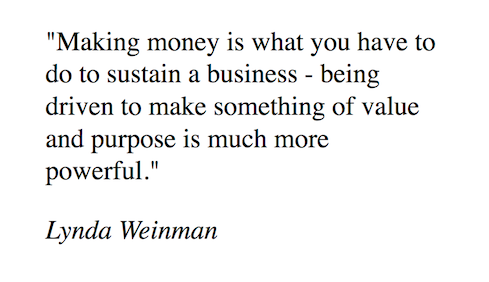
- [ ]
<p>
  "Making money is what you have to do to sustain a business—being driven to make something of value
  and purpose is much more powerful."
</p>
<p><em>Lynda Weinman</em></p>- [ ]
<blockquote>
  <q
    >"Making money is what you have to do to sustain a business—being driven to make something of
    value and purpose is much more powerful."</q
  >
  <cite><em>Lynda Weinman</em></cite>
</blockquote>- [x]
<blockquote>
  <p>
    "Making money is what you have to do to sustain a business—being driven to make something of
    value and purpose is much more powerful."
  </p>
  <cite>Lynda Weinman</cite>
</blockquote>- [ ]
<section>
  <q
    >"Making money is what you have to do to sustain a business—being driven to make something of
    value and purpose is much more powerful."</q
  >
  <cite>Lynda Weinman</cite>
</section>- The element opener is
<p>, the element closer is</p>, and the element information is info. - The start tag is
<p>, the end tag is</p>, and the enclosed HTML is info. - The start tag is
<p>, the end tag is</p>, and the element content is info. - The start element is
<p>, the end element is</p>, and the tag content is info.
Q40. What is the difference between <input type="submit" value="click me"> and <button type="submit">Click me</button>?
- There is no difference. Both will render a button that submits a form.
- Both will submit a form. However, the
<button>can have content other than text, like an image or nested HTML elements, while the<input>cannot. -
<input type="button">has been deprecated in HTML5. You should use the<button>tag instead. - Both will submit a form. However, the
<input>can have content other than text, like an image or nested HTML elements, while the<button>cannot.
-
<p>Press the <tt>Enter</tt> key to proceed.</p> -
<p>Press the <kbd>Enter</kbd> key to proceed.</p> -
<p>Press the <samp>Enter</samp> key to proceed.</p> -
<p>Press the Enter key to proceed.</p>
<audio controls>
  <source src="sound.mp3" type="audio/mpeg" />
  <source src="sound.ogg" type="audio/ogg" />
  <source src="sound.wav" type="audio/wav" />
</audio>- The browser chooses the first supported format to play with the browser's default controls.
- The browser chooses the best audio format to play with JavaScript-provided controls.
- The browser plays each sound file in order automatically. The user has controls to stop playback.
- The browser chooses the first supported sound file and will loop the sound until the user stops it.
-
accesskey -
shortcut -
keyboard -
access
Q44. What is the correct way to code a link that, when clicked, will send an email to email@example.com with a subject of "Hello"?
-
<a href="mailto:email@example.com&subject=Hello">Click me</a> -
<a href="mailto:email@example.com">Hello</a> -
<a href="mailto:email@example.com?subject=Hello">Click me</a> -
<a href="mailto:email@example.com?&subject=Hello">Click me</a>
-
<DOCTYPE html> -
<html> -
<body> -
<root>

- [ ]
<tr>
  <td>Table cell 1</td>
  <td>Table cell 2</td>
</tr>
<tr>
  <td rowspan="2">Table cell 3</td>
</tr>- [ ]
<tr>
  <td>Table cell 1</td>
  <td>Table cell 2</td>
  <td>Table cell 3</td>
</tr>- [x]
<tr>
  <td>Table cell 1</td>
  <td>Table cell 2</td>
</tr>
<tr>
  <td colspan="2">Table cell 3</td>
</tr>- [ ]
<tr>
  <td>Table cell 1</td>
  <td>Table cell 2</td>
</tr>
<tr>
  <td>Table cell 3</td>
</tr>- charset
- viewport
- generator
- author
- [ ]
<form>
  <legend>Title</legend>
  <fieldset>
    <label for="name">Your name:</label>
    <input type="text" name="name" id="name" />
    <button type="submit">Submit</button>
  </fieldset>
</form>- [ ]
<form>
  <fieldset>
    <legend>Title</legend>
    <p>Your name:</p>
    <input type="text" name="name" id="name" />
    <input type="submit" value="Submit" />
  </fieldset>
</form>- [x]
<form>
  <fieldset>
    <legend>Title</legend>
    <label for="name">Your name:</label>
    <input type="text" name="name" id="name" />
    <button type="submit">Submit</button>
  </fieldset>
</form>- [ ]
<form>
  <legend>Title</legend>
  <label for="name">Your name:</label>
  <input type="text" name="name" id="name" />
  <input type="submit" value="Submit" />
</form>- It specifies an image that should display while the video downloads and until the video is played.
- It specifies an image that only displays if there is a problem with the video.
- It specifies an image that should display until the video is played.
- It specifies an image that should display while the video downloads.
<audio controls src="sound.mp3" type="audio/mpeg">When does this text display?</audio>- The text displays over the audio controls, unless CSS is used to position it elsewhere.
- The text displays under the audio controls.
- The text displays when the browser cannot play the sound.
- The text never displays.
- It allows raster images to be rendered on the webpage.
- It displays annotated images.
- It allows drawing on a bitmap via JavaScript.
- It allows vector images to be rendered on the webpage.
-
<details> <abbr> <figcaption> -
<canvas> <select> <noscript> -
<dt> <table> <pre> -
<kbd> <p> <main>
<p lang="en-GB">Welcome to our wonderful website.</p>- It establishes the language for the website—in this case, English.
- It establishes the language and dialect for the website—in this case, British English.
- It establishes the language and dialect for the paragraph—in this case, British English.
- It establishes the language for the paragraph—in this case, English.
- JPG, GIF, TIF
- JPG, TIF, BMP
- TIF, BMP, GIF
- PNG, GIF, JPG
<base href="http://www.linkedin.com/dir/" />-
http://www.linkedin.com/dir/page.html -
page.html -
http://www.linkedin.com/page.html -
dir/page.html
Q56. What is the correct way to include a stylesheet named style.css in the <head> of your document?
-
<style link="style.css"> -
<link rel="stylesheet" href="style.css"> -
<style src="style.css"></style> -
<link style="style.css">
Q57. You want to have single spacing in between some lines, like in a poem or an address. Which approach should you use?
- Wrap the text in a box that is the right width so everything wraps correctly. Set the box width with CSS.
- Separate lines with a
<p>, then use CSS to make single spacing. - Use the
<pre>tag to make the line spacing look exactly like you want. - Separate the lines with the
<br>tag.
- It requires the browser to wrap the current line at that point.
- It breaks a word into two pieces, using a hyphen to connect the words.
- It formats a sentence to be easily breakable.
- It presents an opportunity for a break in a very long word, if needed for proper page display.
<ul>
  <li><!a href="#">Link 1</a></li>
  <li><!a href="#">Link 2</a>
    <ul>
      <li><!a href="#">Link 2a</a></li>
    </ul>
  </li>
  <li><!a href="#">Link 3</a></li>
</ul>- [ ]
<nav><ul>
  <li><a href="#">Link 1</a></li>
  <li><a href="#">Link 2</a></li>
    <ul>
      <li><a href="#">Link 2a</a></li>
    </ul>
  <li><a href="#">Link 3</a></li>
</ul></nav>- [x]
<nav><ul>
  <li><a href="#">Link 1</a></li>
  <li><a href="#">Link 2</a>
    <ul>
      <li><a href="#">Link 2a</a></li>
    </ul>
  </li>
  <li><a href="#">Link 3</a></li>
</ul></nav>- [ ]
<ul><nav>
  <li><a href="#">Link 1</a></li>
  <li><a href="#">Link 2</a>
    <ul><nav>
      <li><a href="#">Link 2a</a></li>
    </nav></ul>
  </li>
  <li><a href="#">Link 3</a></li>
</nav></ul>- [ ]
<nav><ul>
  <li><a href="#">Link 1</a></li>
  <li><a href="#">Link 2</a></li>
  <nav><ul>
    <li><a href="#">Link 2a</a></li>
  </ul></nav>
  <li><a href="#">Link 3</a></li>
</ul></nav>-
//this is a comment -
/* this is a comment */ -
<! this is a comment -> -
<!-- this is a comment -->
- Inline elements can be nested inside inline elements.
- Block elements can be nested inside block elements.
- Inline elements can be nested inside block elements.
- Block elements can be nested inside inline elements.
Steve Kruz Said: "He will Win"
-
<q> -
<quote> -
<blockquote> -
<notation>
-
<!DOCTYPE html> -
<html> -
<root> -
<body>
- It draws a horizontal line.
- This tag is deprecated and should not be used.
- It designates a separation of sections within an
<article>. - It designates a topic shift within a section at the paragraph level.
Q65. How will a video look displayed on a fully loaded webpage if the <video> tag is used and the autoplay attribute is not set?
- It will display a random frame from a video, unless the poster attribute is set.
- It will display the first frame of the video, unless the poster attribute is set.
- It will display nothing unless the poster attribute is set.
- It will display a black window unless the poster attribute is set.
- It has opening and closing tags but no child content.
- It display nothing on a website.
- It has no child content and no closing tag.
- It has child content but no closing tag.
<script async src="myscript.js"></script>
- It downloads the script from the server when resources allow.
- It runs the script after HTML parsing is complete.
- It runs the script when the script is ready.
- It pauses the parsing of HTML code while the script runs.
<audio autoplay loop src="sound.mp3" type="audio/mpeg"></audio>
- When the play button is pressed, the browser plays the sounds over and over again until the user stops it.
- The browser plays the sound once automatically in the background. The user has no control over the sound.
- The browser plays the sound automatically and continuously in the background. The user may stop the sound at any tune.
- The browser plays the sound automatically and continuously in the background. The user has no control over the sound.
- There is only one
<head>tag per page, while there may be many<header>tags. - The
<head>tag may contain CSS and Javascript links, while the<header>tag may contain headings and navigational links. - all of these answers
- The
<head>tag contains meta information, while the<header>tag contains navigation, logos, and other page identifying content.
<script defer src="myscript.js"></script>
- It downloads the script from the server when resources allow.
- It runs the script after HTML parsing is complete.
- It runs the script when the script is ready.
- It pauses the parsing of HTML code while the script runs.
<table>
  <tr>Cell 1</tr>
  <td>Cell 2</td>
  <caption>A table</caption>
</table>- [ ]
<caption>A table</caption>
  <table>
    <td>
      <tr>Cell 1</tr>
      <tr>Cell 2</tr>
    </td>
</table>- [ ]
<caption>A table</caption>
<table>
  <tr>
    <td>Cell 1</td>
    <td>Cell 2</td>
  </tr>
</table>- [X]
<table>
  <caption>A table</caption>
  <tr>
    <td>Cell 1</td>
    <td>Cell 2</td>
  </tr>
</table>- [ ]
<table>
  <tr>
    <td>Cell 1</td>
    <td>Cell 2</td>
  </tr>
  <caption>A table</caption>
</table>
Q72. Given the file and directory structure shown here, what is the correct element to place in file profit.html to link to info.html?

-
<a href="../work/info.html">See Information </a> -
<a href="../info.html">See Information </a> -
<a href="../../info.html">See Information </a> -
<a href="info.html">See Information </a>
- For blog posts and other social media items
- For the main content area of your website
- When the content stands alone as a unit, is suitable for syndication, or is reusable
- To associate comments with a blog post
- [ ]
<area>
<embed>
<strong>- [ ]
<input>
<br>
<p>- [ ]
<link>
<meta>
<title>- [X]
<wbr>
<base>
<source>- Call me
- 802-555-1212
- 802-555-1212
- Call me